EasyManua.ls Logo

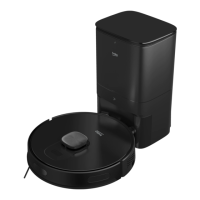
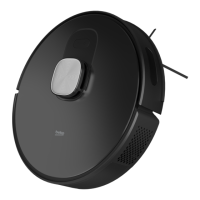
Beko VRR 70214 VB - User Manual

Beko VRR 70214 VB
171 pages
Print Icon
To Next Page IconTo Next Page
Loading...
User Manual
01M-8912273200-1722-01
01M-8913083200-1722-01
VRR 70214 VB - VRR 71214 VW
EN - FR - IT - PL - RO - SR
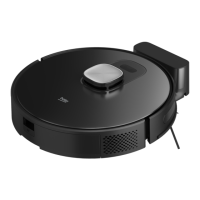
Robot Vacuum Cleaner

Table of Contents

Questions and Answers

  • J
    Jennifer WaltersAug 13, 2025
    Why my Beko Vacuum Cleaner cannot connect to the Wi-Fi network?
    • D
      Deanna BaileyAug 13, 2025
      If your Beko Vacuum Cleaner cannot connect to Wi-Fi, it might be due to a weak signal. Ensure the Wi-Fi signal is strong where the vacuum cleaner is located. It could also be due to a cutoff in the Wi-Fi connection, in which case you should reset the Wi-Fi, download the latest mobile application and try again. Ensure that the password is correct. Also, this robot vacuum supports the 2.4G frequency band only.
  • L
    Laura JosephAug 16, 2025
    What to do if Beko VRR 70214 VB Vacuum Cleaner cleaning performance is low and dust leaks?
    • C
      cardenasjacquelineAug 17, 2025
      If your Beko Vacuum Cleaner's cleaning performance is low or dust leaks, the dust container may be full, so you should clean it. Alternatively, the filter might be clogged, requiring cleaning or replacement. Foreign materials in the main brush can also cause this issue, so you should clean the main brush.
  • B
    buchananrachaelAug 20, 2025
    Why is my Beko Vacuum Cleaner battery not charging?
    • J
      Jacob RichardsonAug 20, 2025
      If the battery of your Beko Vacuum Cleaner is not charging, remove the robot vacuum cleaner and check if the indicator light on the charging dock station is illuminated and ensure that both ends of the power adaptor of the charging dock are connected. Also, loose contacts may be the cause, so clean the spring contacts on the charging dock and the charging contacts on the robot vacuum cleaner. Ensure that the on/off button on the side of the robot vacuum cleaner is brought to position “I”.
  • D
    derekwadeAug 25, 2025
    How to fix a Beko VRR 70214 VB that cannot be operated?
    • S
      Scott NashAug 26, 2025
      If your Beko Vacuum Cleaner cannot be operated, the charging level may be low. Place the robot vacuum cleaner on the charging dock, aligning it with the charging poles, and ensure the button on the left is in the “I” position. The ambient temperature may also be a factor; use the vacuum cleaner at a temperature between 0 and 40 °C. Also, ensure that the on/off button on the side of the robot vacuum cleaner is brought to position “I”.
  • T
    Tracy Garrett MDAug 28, 2025
    What to do if my Beko VRR 70214 VB Vacuum Cleaner does not return to the charging station?
    • J
      Joseph HernandezAug 28, 2025
      If your Beko Vacuum Cleaner does not return to the dock/station for charging, there may be too many obstacles around the charging dock. Place the charging dock in an area free of obstacles. The robot vacuum cleaner might also be too far from the charging dock; bring it closer and try again. Make sure that the charging stand station is plugged and there is energy.
  • C
    Colton TrujilloSep 1, 2025
    Why does my Beko VRR 70214 VB Vacuum Cleaner operate with abnormal noise?
    • R
      Robert SawyerSep 1, 2025
      If your Beko Vacuum Cleaner operates with abnormal noise, foreign materials may have entered the main brush, side brushes, or wheels. Turn off the robot vacuum cleaner and clean it.
  • C
    Carrie SmithSep 5, 2025
    Why the timed cleaning feature does not operate on my Beko VRR 70214 VB?
    • S
      Steven WhiteSep 5, 2025
      If the timed cleaning feature on your Beko Vacuum Cleaner does not operate, the charging level may be low. Timed cleaning can only be started when the charge level is higher than 20%.
  • L
    Laurie MacdonaldSep 8, 2025
    Why does Beko VRR 70214 VB Vacuum Cleaner consumes power while it is in the charging dock?
    • A
      Amanda ThomasSep 8, 2025
      The Beko Vacuum Cleaner consumes very little power while in the charging dock; this feature allows it to keep the battery performance at its best level.

Summary

Important Safety and Environmental Instructions

General Safety

Safety guidelines for operating the robot vacuum cleaner, including restrictions for children and untrained users.

WEEE Regulations and Waste Disposal

Compliance information regarding the disposal of electrical and electronic equipment.

Packaging Information

Details on the recyclable materials used in the product's packaging.

Waste Batteries

Guidelines for the proper disposal of rechargeable and non-rechargeable batteries.

Energy Saving Tips

Advice on adjusting speed settings to conserve energy during appliance use.

Box Content

Overview

Component Identification

Detailed list and identification of all components included with the robot vacuum cleaner.

Technical Specifications

Key technical data and specifications for the robot vacuum cleaner's performance and features.

Installation

Operation

Intended Use

Clarification of the robot vacuum cleaner's intended purpose and limitations for household use.

Charging the Appliance

Instructions on how to initially power up and charge the robot vacuum cleaner.

General Operation Procedures

Steps for turning on the robot, saving data, automatic power management, and initial setup.

Starting the Cleaning Process

Guide on initiating the automatic cleaning mode, map creation, and cleaning route determination.

Pausing and Charging Controls

How to pause the robot, manual and automatic charging procedures, and troubleshooting charging issues.

Point Cleaning Mode

Instructions for activating and using the point cleaning mode for specific small areas.

Advanced Operation Features

Details on vacuum power selection, remote control, sleep mode, and system reset.

Mobile App Integration and Setup

Guidance on downloading app, Wi-Fi connection, adding device, and initial setup requirements.

Wi-Fi Connectivity and Troubleshooting

Requirements for Wi-Fi networks and troubleshooting common connection errors for the robot vacuum.

Operation Modes and Map Management

Explanation of cleaning modes and how the robot creates real-time maps for navigation.

Repositioning and Remapping

How the robot adapts to environmental changes and re-maps its surroundings for continued operation.

Room Specific Cleaning

Instructions for selecting specific rooms for cleaning via the mobile application.

Regional Area Cleaning

Guidance on selecting and cleaning specific defined areas on the map.

Mopping Functionality and Setup

Safety, installation, and settings for using the robot vacuum cleaner's mopping feature.

Cleaning and Maintenance

Dust Container and Filter Cleaning

Detailed steps for cleaning the dust container and the EPA filter of the robot vacuum cleaner.

Main Brush Cleaning

Instructions on how to clean the main roller brush, including removing hair and dust.

Side Brush Maintenance

Guide for cleaning and re-installing the side brush of the robot vacuum cleaner.

Sensor Cleaning Procedures

Procedure for cleaning the robot's sensors and charging pins to ensure optimal performance.

Mopping Unit Cleaning

Recommendations for cleaning the mopping unit, including rinsing the mop and draining the water tank.

Troubleshooting Guide

General Error Conditions and Remedies

Overview of common error conditions and their potential causes and remedies for the robot vacuum.

Wi-Fi Connectivity Issues

Troubleshooting steps for resolving issues with the robot vacuum cleaner's Wi-Fi connection.

Timed Cleaning Malfunctions

Diagnosing and fixing problems when the timed cleaning feature is not working as expected.

Charging Dock Power Behavior

Explanation of the vacuum cleaner's power consumption while docked, for battery performance.

Audible Error Indicators and Solutions

List of audible warning errors and their corresponding solutions for the robot vacuum cleaner.

Beko VRR 70214 VB Specifications

General IconGeneral
ShapeRound
Product colorBlack
Dust container type-
Suction power2700 Pa
Battery life130 m²
Charging time5 h
AC input voltage220 - 240 V
Battery capacity3200 mAh
AC input frequency50 - 60 Hz
Brush typeSide brush
Noise level65 dB
Water tank capacity0.3 L
Dust capacity (total)0.4 L
HEPA filtration systemNo
Automatic base station returnYes
Package depth420 mm
Package width510 mm
Package height145 mm
Package weight5540 g
Weight and Dimensions IconWeight and Dimensions
Width342 mm
Height95 mm
Weight4470 g

Related product manuals