EasyManua.ls Logo

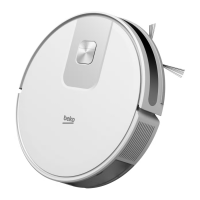
Beko VRR 80214 VB - User Manual

Beko VRR 80214 VB
214 pages
Print Icon
To Next Page IconTo Next Page
Loading...
https://tehnoteka.rs
Uputstvo za upotrebu
BEKO robot usisivač VRR80214VB
Tehnoteka je online destinacija za upoređivanje cena i karakteristika bele tehnike,
potrošačke elektronike i IT uređaja kod trgovinskih lanaca i internet prodavnica u Srbiji.
Naša stranica vam omogućava da istražite najnovije informacije, detaljne karakteristike
i konkurentne cene proizvoda.
Posetite nas i uživajte u ekskluzivnom iskustvu pametne kupovine klikom na link:
https://tehnoteka.rs/p/beko-robot-usisivac-vrr80214vb-akcija-cena/
1 / 214

Table of Contents

Questions and Answers

  • J
    Jessica TannerSep 9, 2025
    Why doesn't the automatic dust collection start on my Beko VRR 80214 VB Vacuum Cleaner?
    • B
      bstoneSep 9, 2025
      If the automatic dust collection operation of your Beko Vacuum Cleaner does not start after the robot returns to the charging dock, ensure that the dust collection station and charging dock are powered on. Also, check if the cover of the dust collection station is closed properly (a red light indicates if it is not). Make sure that the dust bag is installed correctly in the dust collection station (a red light indicates if it is not). For optimal performance, allow the vacuum cleaner to automatically return to charge after cleaning and regularly check if the dust bag is full.
  • W
    wilsonlindsayAug 23, 2025
    What to do if the battery of Beko VRR 80214 VB is not charging?
    • H
      hunterharperAug 23, 2025
      If the battery of your Beko Vacuum Cleaner isn't charging, first, remove the robot vacuum cleaner and check if the indicator light on the charging dock or the dust collection station is illuminated and ensure that both ends of the power adaptor of the charging dock are connected. Check the spring contacts on the charging dock and the charging contacts on the robot vacuum cleaner and clean them if there's loose contact. Also, ensure that the on/off button on the side of the robot vacuum cleaner is in the 'I' position.
  • L
    Laura WilkinsAug 25, 2025
    Why my Beko Vacuum Cleaner cannot be operated?
    • D
      Derrick CoxAug 25, 2025
      If your Beko Vacuum Cleaner cannot be operated, it might be due to a low charge. Place the robot vacuum cleaner on the charging dock or dust collection station, ensuring it aligns with the charging poles. Also, check the ambient temperature; it should be between 0 and 40 °C. Finally, ensure the on/off button on the side of the robot vacuum cleaner is set to 'I'.
  • A
    Anthony Calhoun MDAug 27, 2025
    What to do if my Beko Vacuum Cleaner does not return to the dock/station for charging?
    • T
      Todd MooreAug 27, 2025
      If your Beko Vacuum Cleaner isn't returning to the dock or station for charging, it could be due to several reasons. Ensure that the charging dock or dust collection station is placed in an area free of obstacles. You can also try bringing the robot vacuum cleaner closer to the charging dock or dust collection station. Also, make sure that the charging stand station is plugged in and has power.
  • Z
    Zoe WelchAug 27, 2025
    Why doesn't the automatic dust collection operation start on my Beko Vacuum Cleaner?
    • H
      Heather YorkAug 28, 2025
      To solve this, ensure that the dust collection station and charging dock are powered on. Check if the cover of the dust collection station is closed properly (the red light will illuminate if it isn't). Also, ensure that the dust bag is installed correctly in the dust collection station (a red light indicates improper installation). For optimal performance, allow the vacuum cleaner to automatically return to charge after cleaning and regularly check if the dust bag is full.
  • M
    Monica GrahamAug 29, 2025
    Why does my Beko Vacuum Cleaner stop after dust collection starts, and why is performance low?
    • D
      David GriffinAug 29, 2025
      This issue may arise due to several reasons. First, check if the dust bag is full and replace it if necessary. Ensure you do not move the vacuum cleaner during dust collection to prevent potential damage. Additionally, avoid vacuuming water, as this can decrease dust collection performance.
  • C
    Christopher AndersonSep 18, 2025
    What should I do if my Beko Vacuum Cleaner is operating abnormally?
    • S
      smithbrianSep 18, 2025
      If your Beko Vacuum Cleaner is experiencing abnormal operation, turn it off and on again.
  • M
    michael23Sep 22, 2025
    Why does my Beko VRR 80214 VB consume power while in the charging dock?
    • J
      jack34Sep 22, 2025
      The Beko Vacuum Cleaner consumes very little power while in the charging dock or dust collection station; this feature helps maintain optimal battery performance.
  • K
    Krystal MartinSep 7, 2025
    What to do if my Beko VRR 80214 VB Vacuum Cleaner does not return to the dock for charging?
    • T
      Tara SmithSep 8, 2025
      If your Beko Vacuum Cleaner does not return to the dock or station for charging, there may be too many obstacles around the charging dock or dust collection station. Place the charging dock or dust collection station in an area free of obstacles. Try bringing the robot vacuum cleaner closer to the charging dock or dust collection station and try again. Also, ensure that the charging stand station is plugged in and has power.
  • S
    scoleSep 4, 2025
    Why is the cleaning performance of my Beko VRR 80214 VB Vacuum Cleaner low, and why is dust leaking?
    • K
      Kevin MathisSep 5, 2025
      If your Beko Vacuum Cleaner's cleaning performance is low or you notice dust leaks, the dust container might be full. Please clean the dust container. Alternatively, the filter could be clogged, so please clean or replace the filter. Also, check the main brush for any foreign materials and clean it.

Beko VRR 80214 VB Specifications

General IconGeneral
BrandBeko
ModelVRR 80214 VB
CategoryVacuum Cleaner
LanguageEnglish

Related product manuals