EasyManua.ls Logo

BELINEA 1975 S1 - User Manual

BELINEA 1975 S1
12 pages
Print Icon
To Next Page IconTo Next Page
Loading...
LCD-Monitor
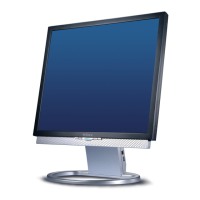
Belinea 1975 S1
Handbuch Manual Ma-
nuel Manuale Handleiding Handledningen Hånd-
bok Vejledning Käyttopas Instrukcja Használati
Handbuch
Manual Manuel Manuale Handleiding
Handledningen
ndbok Vejledning yttopas
Instrukcja
Használati Handbuch Manual Manuel
Manuale Handleiding Handledningen Håndbok Vej-
ledning Käyttopas Instrukcja Használati Handbuch
Manual Manuel Manuale Handleiding Handled-
ningen Håndbok Vejledning Käyttopas Instrukcja
Használati Handbuch Manual Manuel Manuale
Handleiding
Handledningen Håndbok Vejledning
Downloaded from ManualMonitor.com Manuals
Question and Answer IconNeed help?

Do you have a question about the BELINEA 1975 S1 and is the answer not in the manual?

BELINEA 1975 S1 Specifications

General IconGeneral
BrandBELINEA
Model1975 S1
CategoryMonitor
LanguageEnglish

Summary

Introduction to Belinea Monitor

Monitor Safety Precautions

Essential safety guidelines for monitor operation and handling to prevent injury.

Important Operational Information

Power Connection Safety

Critical instructions for safe power connection and handling of the monitor's power cord.

Safe Monitor Operation

Guidelines for preventing overheating, damage, and ensuring safe operation of the monitor.

Connecting Monitor Components

Connecting to Your PC

Guidance on connecting the monitor to your computer using signal cables (VGA/DVI).

Connecting the Power Source

Instructions for safely connecting the monitor to an electrical outlet.

Monitor Startup Procedure

Monitor Configuration

Basic Setup and Adjustments

Automatic Image Optimization

Using the AUTO function to automatically set optimal image parameters.

Navigating the OSD Menu

OSD Menu Functions Explained

Troubleshooting Common Issues

Troubleshooting Blank Screen

Solutions for power indicator off or blue light issues, and 'No Signal' messages.

Resolving Display Image Issues

Fixing problems with image displacement, flickering, or shakiness.

Troubleshooting Image Blur

Steps to resolve image blurriness by checking contrast, brightness, and sharpness.

Resolving Color Problems

Addressing issues where colors are not displayed correctly, adjusting color temperature.
Technical Specifications

Maxdata Warranty Information

Related product manuals