Belinea 2225 S1W - - 6
ENGLISH
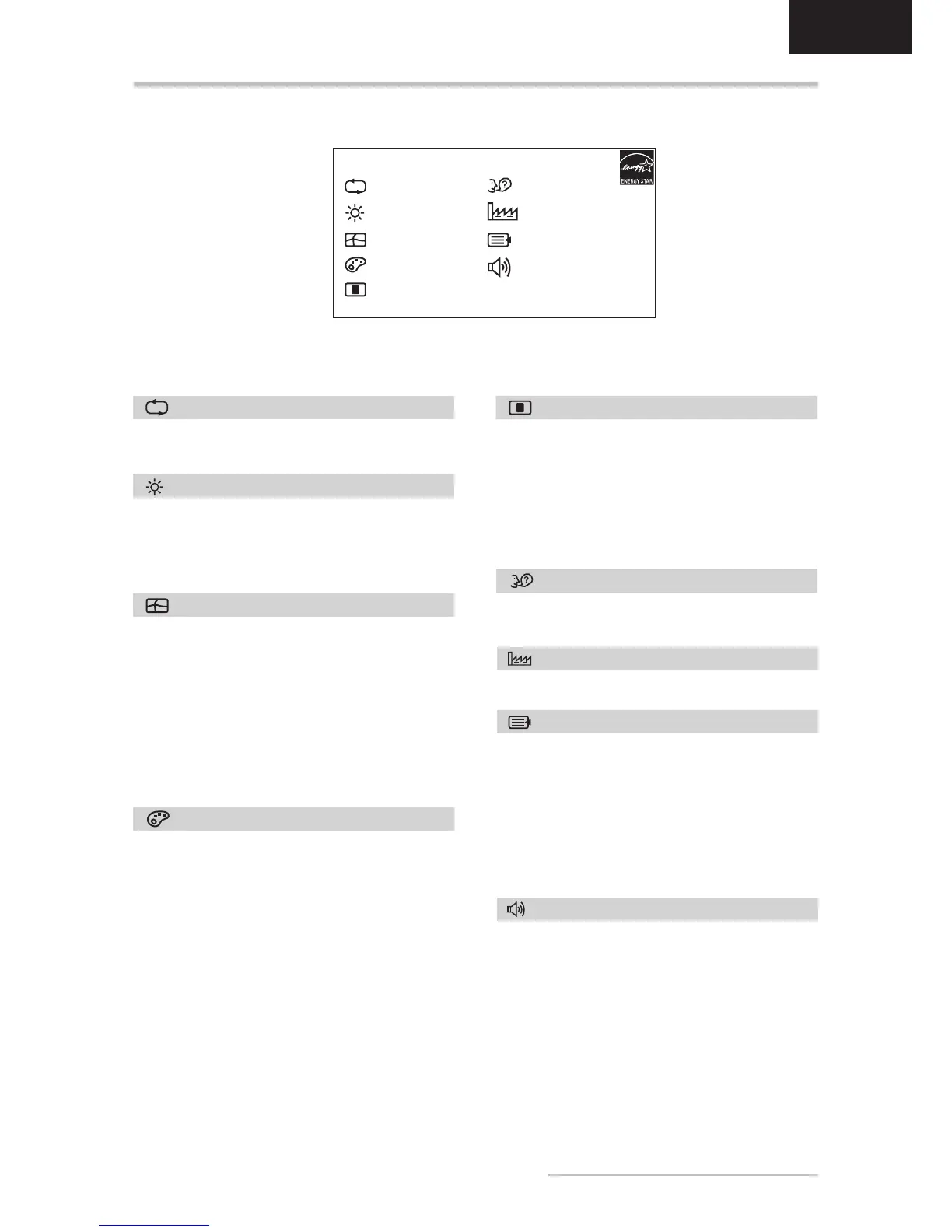
OSD MENU FUNCTIONS
LUMINANCE
Brightness:
buttons or (
and
Contrast:
buttons or (
and
Automatically selects the optimal settings for
LANGUAGE
German, Italian, Spanish, Dutch, Russian, Polish.
AUTO ADJUST
Luminance
Geometry
Color
Language
Recall
Miscellaneous
Audio
MAIN MENU
GEOMETRY
H. Position: Controls the picture’s horizontal
position.
V. Position: Controls the picture’s vertical posi-
tion.
Pixel Clock: Sets up the internal clock. Larger
values make the displayed image appear wider;
smaller values make it appear compressed.
Phase:
order to optimize the screen image.
COLOR
This menu lets you select a preset color tem-
the or
temperature take immediate effect on screen.
If you wish to set individual color values, select
the User Preset option. Then press the ENTER
button (
blue settings and set the desired value using the
or
RECALL
Restores factory display settings.
Sharpness: Controls image sharpness (only for
Display Information:
screen resolution settings.
DDC/CI:
MISCELLANEOUS
Use the or
two functions.
Volume:
volume.
Mute On/Off:
switch the sound back on.
AUDIO
OSD
H. OSD Position:
horizontal position.
V. OSD Position:
vertical position.
OSD Timeout:
after no action has been performed.


 To Next Page
 Loading...