EasyManua.ls Logo

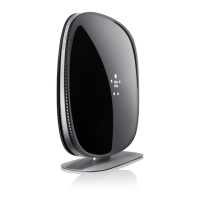
Belkin AX1800 - User Manual

Belkin AX1800
581 pages
Print Icon
To Next Page IconTo Next Page
Loading...
USER GUIDE
AX1800
DUAL-BAND GIGABIT
WiFi 6 ROUTER
RT1800

Table of Contents

Questions and Answers

  • C
    Christina SmithJul 28, 2025
    What to do if my Belkin AX1800 Wireless Router was not successfully set up?
    • S
      Shelly VazquezJul 28, 2025
      If your Belkin Wireless Router was not successfully set up, press and hold the Reset button on your router with a paperclip or pin until the power light turns off and starts blinking (about 10 seconds). Then, type 192.168.1.1 in a browser to try the setup again. You can also temporarily disable your computer’s firewall and try installing the router again. Alternatively, use another computer to install the router.
  • M
    Melissa PittmanAug 2, 2025
    What to do if the internet appears to be unavailable on Belkin Network Router?
    • T
      Thomas MorganAug 2, 2025
      If the internet appears to be unavailable on your Belkin Network Router, ensure that the network and power cables are securely connected and that the power outlet your router is connected to has power. You may also try rebooting your router. If the issue persists, contact your ISP to inquire about outages in your area.
  • D
    dannyfuentesAug 7, 2025
    How to fix Belkin Network Router if it was not successfully set up?
    • A
      austinphillipsAug 7, 2025
      If your Belkin Network Router was not successfully set up, press and hold the Reset button on your router with a paperclip or pin until the power light turns off and starts blinking (about 10 seconds), then type 192.168.1.1 in a browser to try setup again. Alternatively, temporarily disable your computer’s firewall and install the router again. If problems persist, try using another computer to install the router.
  • K
    Kelly BurnsAug 11, 2025
    What to do if the internet appears to be unavailable on Belkin AX1800 Wireless Router?
    • D
      Diamond SanchezAug 11, 2025
      If the internet appears to be unavailable on your Belkin Wireless Router, ensure that both the network and power cables are securely connected. Also, verify that the power outlet your router is connected to is receiving power. Try rebooting your router. If the issue persists, contact your ISP to inquire about any outages in your area.
  • R
    Richard BrownAug 17, 2025
    What to do if Belkin AX1800 shows 'Your Internet cable is not plugged in' message?
    • G
      Gregory McbrideAug 17, 2025
      If you see an 'Your Internet cable is not plugged in' message related to your Belkin Wireless Router, first, ensure an Ethernet or internet cable is securely connected to the yellow Internet port on the back of the router and to the appropriate port on your modem. Make sure your modem is connected to power and turned on. Disconnect the USB cable if your computer was previously connected to your modem with one. If the issue persists, try installing the router again.
  • K
    Kyle RyanAug 22, 2025
    What to do if Belkin Network Router shows 'Your Internet cable is not plugged in' message?
    • J
      Jesse BrownAug 22, 2025
      If you receive an 'Internet cable is not plugged in' message with your Belkin Network Router, ensure an ethernet or internet cable is securely connected to the yellow Internet port on the back of the router and to the appropriate port on your modem (usually labeled Ethernet). Also, make sure your modem is connected to power and turned on. If you have cable internet, verify the cable modem's CABLE port is connected to the coaxial cable from your ISP. For DSL, ensure the DSL phone line is connected to the modem's DSL port. Disconnect any USB cable previously connecting your computer to the modem. If the issue persists, reinstall the router.

Summary

Product Overview

Setting Up: Basics

Router Installation Guide

Step-by-step instructions for installing and setting up the router for the first time.

Basic Router Settings

Internet Setup

Basic Wireless Settings

Wireless Security

Security Option Configuration

Set up wireless security, choosing options like WPA2 Personal and defining a strong passphrase.

Troubleshooting

Setup Failure Resolution

Steps to fix issues if the router setup fails, including performing a factory reset.

Internet Cable Connection Issues

Troubleshooting the 'Internet cable not plugged in' error by verifying physical cable connections.

Router Access Problems

Solutions for the 'Cannot access your router' message, ensuring correct network association.

Internet Connectivity After Setup

Resolve issues where the internet is unavailable after setup, including checking cables and rebooting.

Belkin AX1800 Specifications

General IconGeneral
BrandBelkin
ModelAX1800
CategoryWireless Router
LanguageEnglish

Videos

How to Setup Belkin AX1800 (RT1800) WiFi Router

Related product manuals