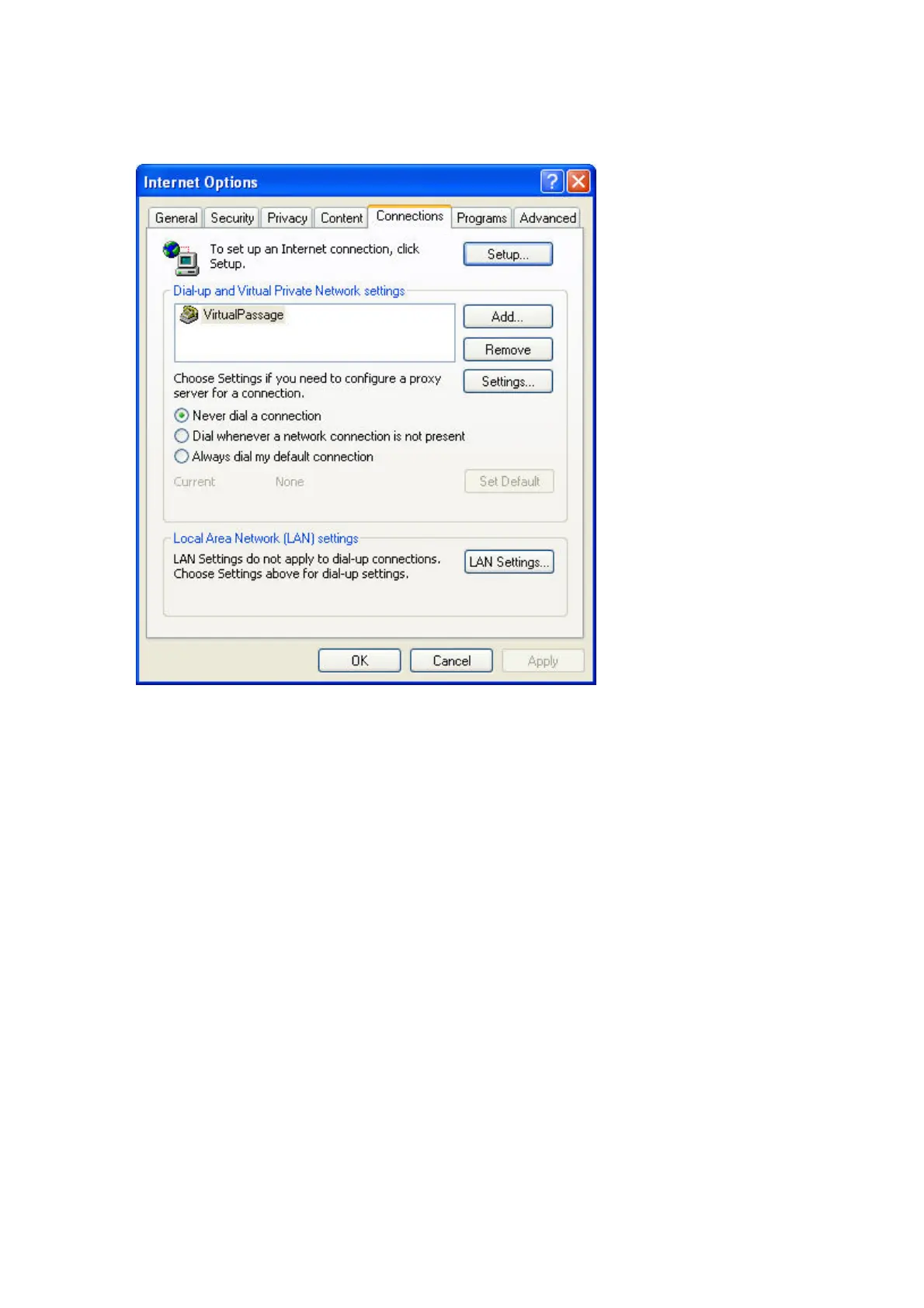
3. Under the “Internet Options” screen, click on “Connections” and
select “LAN Settings…”.
18
4. Make sure there are no check marks next to any of the displayed
options: “Automatically detect settings”, “Use automatic
configuration script”, and “Use a proxy server”. Click “OK”. Then
click “OK” again in the “Internet Options” page.IE6_Internet_Options_Connections_LAN_Settings.jpg






 To Next Page