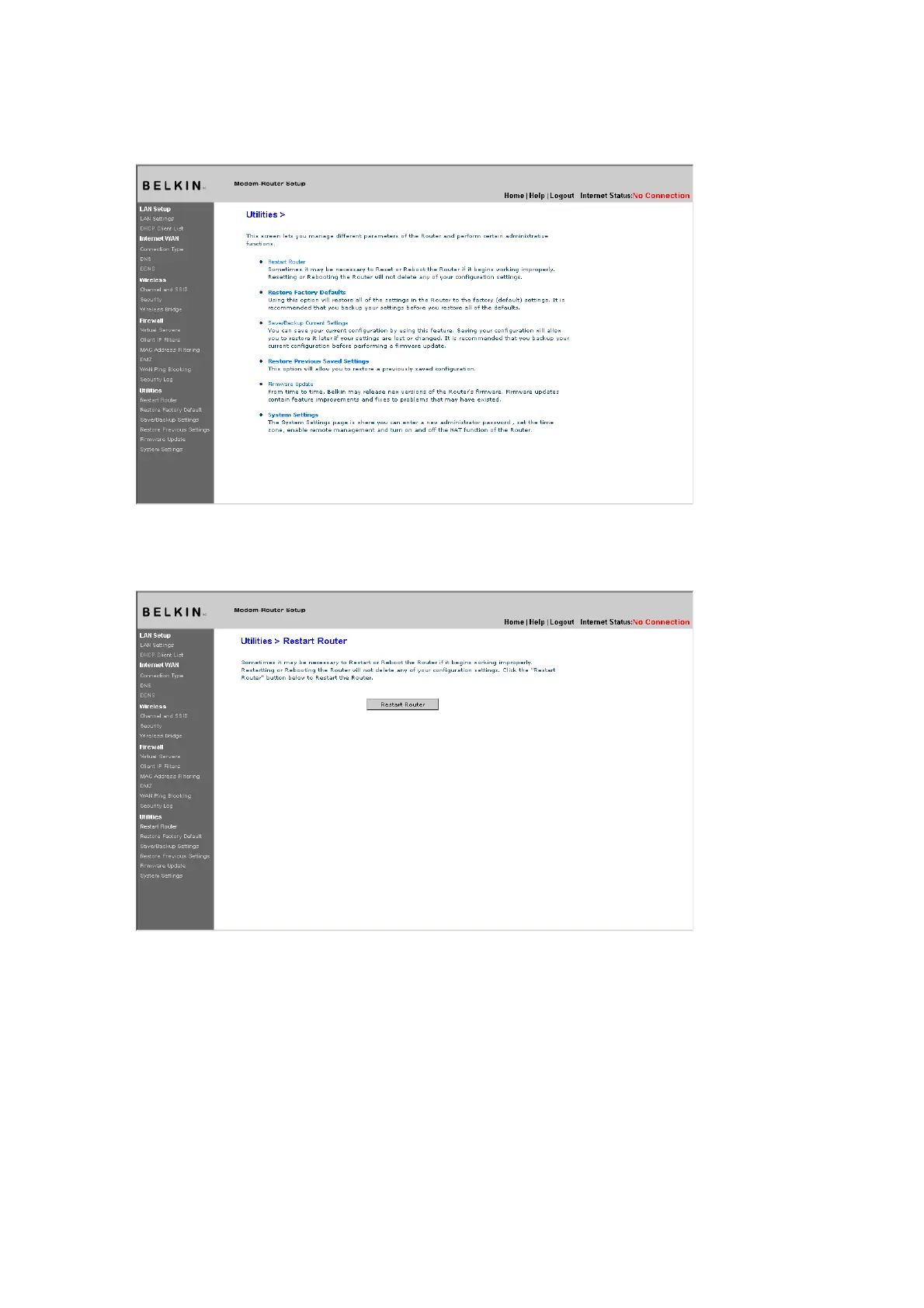
Restart Router
Sometimes it may be necessary to restart or reboot the Router if it
begins working improperly. Restarting or rebooting the Router will
NOT delete any of your configuration settings.
[use existing screenshot]
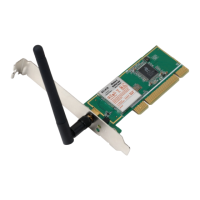
Restarting the Router to Restore Normal Operation
1.
Click the “Restart Router” button.
2. The following message will appear. Click “OK” to restart your Router.
[use existing screenshot]
Restore Factory Defaults
Using this option will restore all of the settings in the Router to the
factory (default) settings. It is recommended that you back up your
settings before you restore all of the defaults.
[use existing screenshot]










 To Next Page