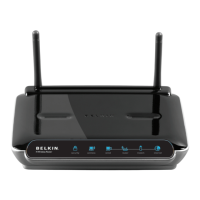
27460_8820-00775_F9K1003_N450_Wireless_N_Router_041811-ok
Back Panel
[RDIAGRAMFORN150N300N450_back.ai]
A)Modem(WAN)Connector
ConnectyourmodemtothisportusinganEthernetcable.
B)Wired(LAN)Connectors
Connectcomputersandotherwirednetworkdevicestotheseports
usingEthernetcables.
C)ResetButton
ThisbuttonisusedtorestartyourRouterinrarecaseswhenit
functionsincorrectly.ResettingtheRouterwillpreserveyour
settings.Thisbuttonmayalsobeusedtorestorethefactorydefault
settings.PleaseseetheTroubleshootingsectionformore
information.
D)PowerConnector
Connecttheincludedpowersupplytothisjack.
Technical Details
Technical Features
Integrated 802.11n Wireless Access Point
Utilizing MIMO (Multiple Input Multiple Output) smart-antenna
technology, your Router can reach data transfer speeds of up to 300Mbps
across your network.
NAT IP Address Sharing
To save you the cost of adding IP addresses per computer in your house,
your Belkin Router uses Network Address Translation (NAT) technology,
allowing you to share a single IP address across your network.
SPI Firewall
Your Router is equipped with a firewall that will protect your network
from a wide array of common attacks and viruses.
Web-Based Advanced User Interface



 To Next Page