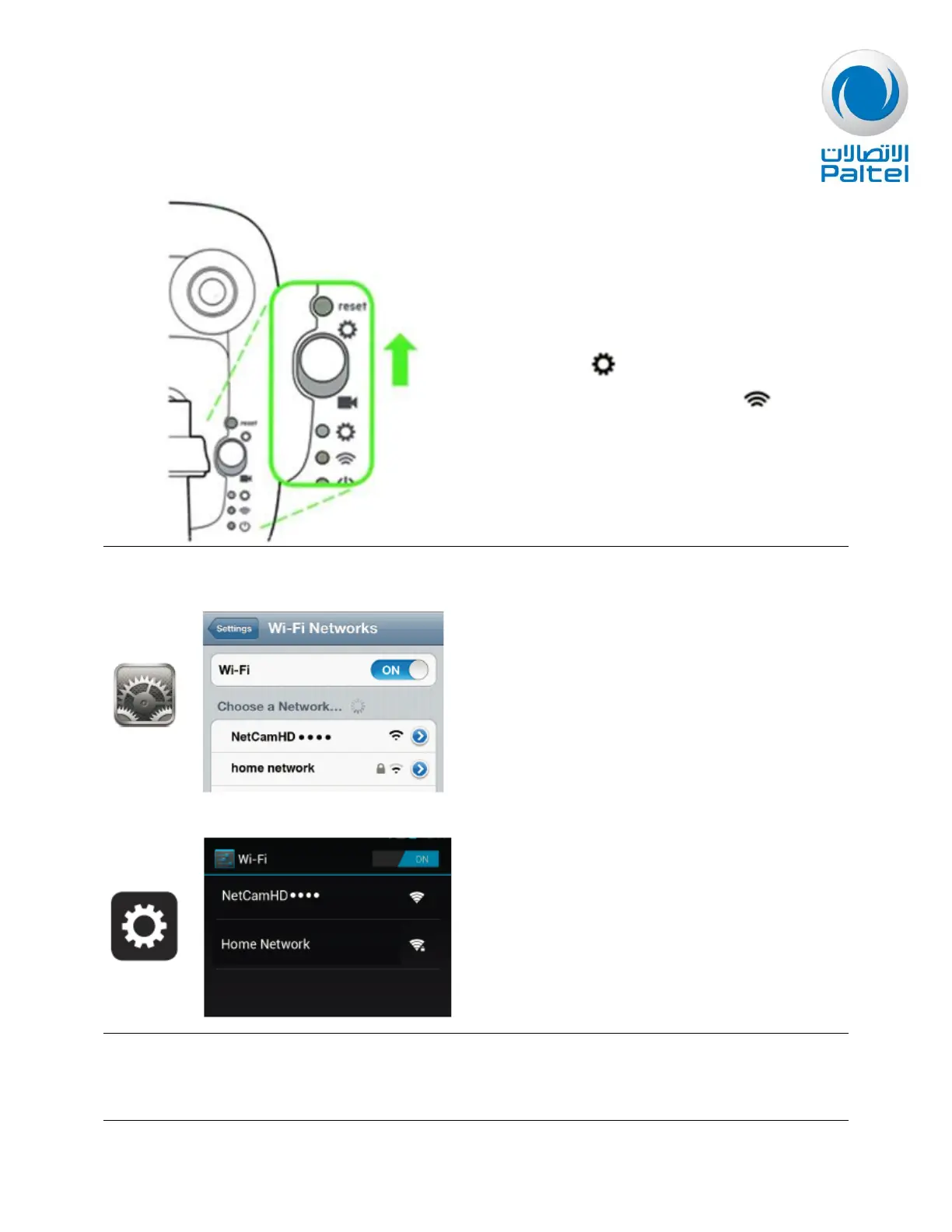
On the back of the NetCam HD, flip the switch
UP towards to begin. And wait for a
minute for a blinking amber from
On your device, connect to the NetCam HD's
Wi-Fi network.
Go to Settings > Wireless & Networks >Wi-Fi
Settings and click on the NetCam Wi-Fi
network, labeled NetCamXXX (the numbers at
the end may vary and the exact SSID is found
on the back label on the cam).


 To Next Page