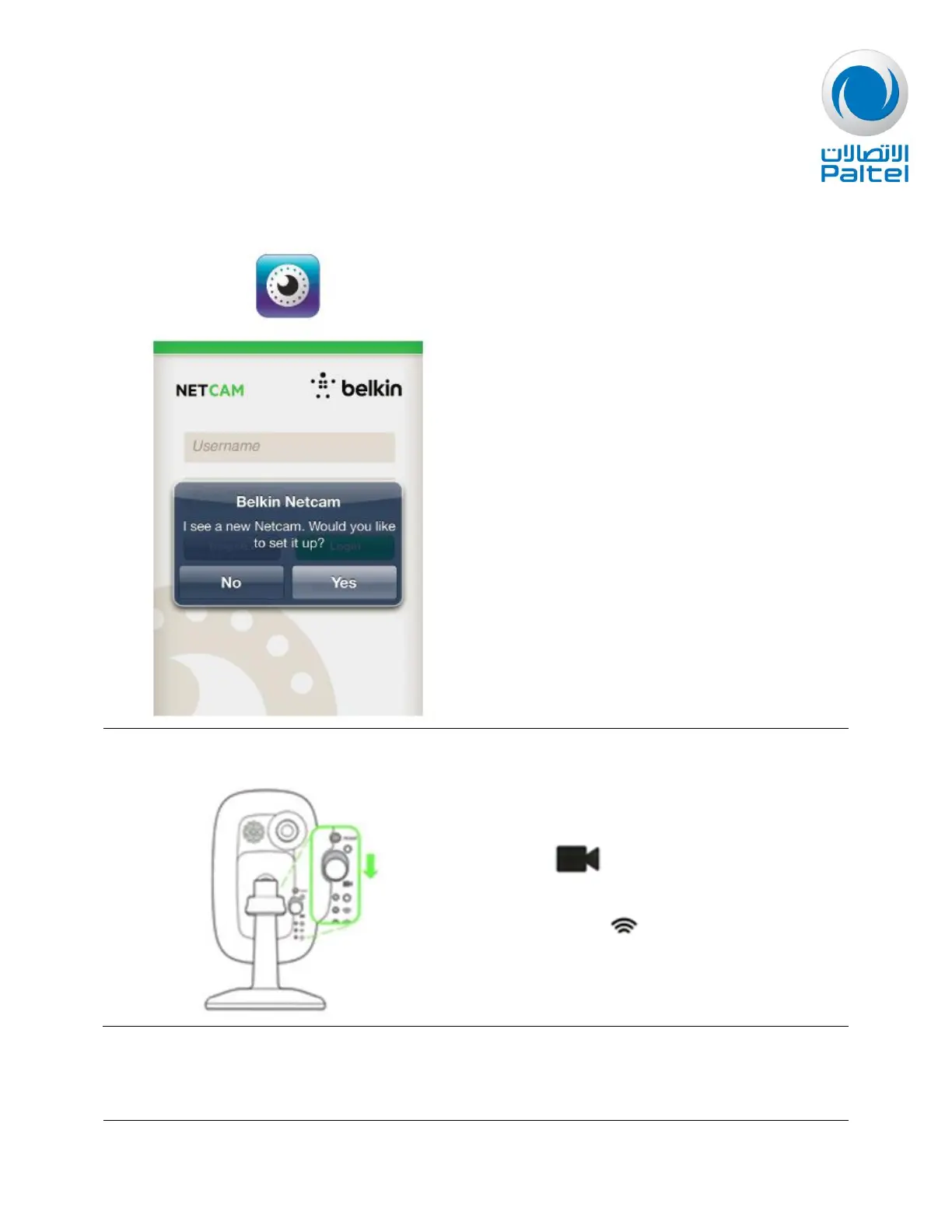
Once your device is connected to the NetCam
HD's network, exit the Wi-Fi settings and
launch the NetCam App. Click Yes to set up a
new NetCam.
If you already have a NetCam account you use
it here, if you don’t you can register a new
account.
Follow the on screen instructions to continue
the setup.
Once you have completed the setup, flip the
switch at the back of the NetCam down
towards
The indicator at should now be yellow.
Your NetCam HD is now connected and you
can login with your username and password.


 To Next Page