EasyManua.ls Logo

Belkin Play N600 DB - User Manual

Belkin Play N600 DB
43 pages
Print Icon
To Next Page IconTo Next Page
Loading...
User Manual
F7D4101 8820nt00852
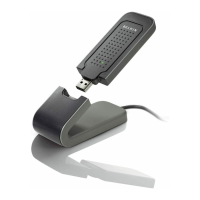
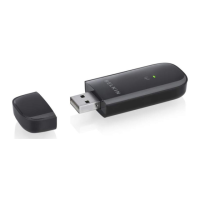
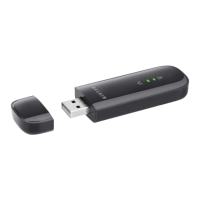
WIRELESS DUAL-BAND USB ADAptER
PLAY N600 DB
ENGLISH

Other manuals for Belkin Play N600 DB

Questions and Answers

  • D
    Diane WilliamsAug 7, 2025
    What to do if the Link LED is solid but I cannot connect to the Internet using Belkin Play N600 DB Adapter?
    • M
      Micheal ScottAug 7, 2025
      If the Link LED is solid but you cannot connect to the Internet, it indicates a mismatch between the encryption key settings on your computer and wireless router (or access point). You should check the WEP, WPA, or WPA2 key settings to ensure they match.
  • D
    Donna AlvaradoAug 11, 2025
    Why is the signal strength poor on my Belkin Play N600 DB?
    • R
      Rachael MartinAug 11, 2025
      Poor signal strength on your Belkin Adapter can be due to increased distance between devices and obstructions like walls and metal appliances. Try temporarily moving the computer five to 10 feet away from the wireless router (or access point). Also, changing the wireless channel may improve performance and reliability, depending on local wireless traffic and interference.
  • P
    Paul JohnsonAug 15, 2025
    What to do if Link LED is blinking slowly and I cannot connect to a wireless network or the Internet using Belkin Play N600 DB?
    • C
      Chris BestAug 16, 2025
      If the Link LED is blinking slowly and you cannot connect to a wireless network or the Internet, this is due to a mismatch between the network name (SSID) settings in your wireless network properties. Check the SSID settings to see if they match.
  • E
    Emily PetersonAug 19, 2025
    Why is data transfer sometimes slow with my Belkin Adapter?
    • L
      Lisa FreemanAug 19, 2025
      Slow data transfer with your Belkin Adapter can occur when the distance between devices increases or when there are obstructions such as walls and metal appliances. Temporarily move the computer closer, about five to 10 feet away from the wireless router (or access point) to improve data transfer.
  • E
    Emily StewartAug 25, 2025
    What to do if the Power LED does not come ON and Belkin Adapter is not working?
    • L
      loganphillipsAug 25, 2025
      If the Power LED does not come on and the Adapter is not working, verify that the Adapter is plugged firmly into the USB port of your computer. Also, check that the drivers for the Adapter have been installed.
  • M
    Michele ReeseAug 28, 2025
    What to do if Belkin Play N600 DB doesn't perform or connection is unstable when computer has a second built-in wireless network card?
    • K
      Kevin DelgadoAug 28, 2025
      If the Belkin Adapter doesn't perform or the connection is unstable when your computer has a second built-in wireless network card, you must disable the built-in wireless card from your computer under “Network Adapters” in the Device Manager.
  • S
    Stephanie BartonSep 1, 2025
    What to do if Belkin Play N600 DB doesn't perform or connection is slow when computer has a built-in wired Ethernet card?
    • M
      michael74Sep 1, 2025
      If the Adapter does not perform or the connection is slow when your computer has a built-in wired Ethernet card, you must disable the Ethernet card from your computer under “Network Adapters” in the Device Manager.

Belkin Play N600 DB Specifications

General IconGeneral
Frequency Bands2.4 GHz and 5 GHz
Wireless Standards802.11n
Ports4 x Ethernet ports
SecurityWPA/WPA2
AntennasInternal
Wireless SpeedUp to 300 Mbps per band (600 Mbps total)

Related product manuals