23527_8820-00376_F7D3302 v1_Share Router(WG7016F22 1-LF-AK) updated
5) Afterabriefinstallation,thesetupsoftwarewillaskyoufor
thenetworknameandpasswordfromthenetwork
informationcardthatisatt achedtoyourRouter.Storethe
cardunderthebaseofyourRouterforfuturereference.
[SCREENSHOTOFSUCCESSsetupsuccess.png]
6) Aprogressscreenwillappear
whileadditionalsoftwareis
installed.Thismaytakeafewminutestocomplete.Once
finished,a“Success”messagewillappearindicatingthatyou
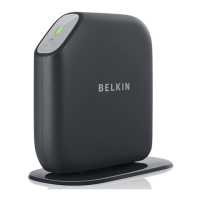
areconnectedtotheInternetviayournewBelkinRouter.
Duringsetupyoumaybeaskedforadditionalinformation.
YoumayneedtoenterausernameandpasswordprovidedbyyourISP.
Thisusernameandpasswordislikelytobefoundonmaterialsthatcame
fromyourISPwhenyousignedupforservice.Ifnecessary,youmayneed
tocontactyourISPtoretrieveyourusernameandpassword.
If
youhaveastaticIPaddress,youmayneedtoenteradditional
informationalsoprovidedbyyourISP.
Ifyourcomputerdoesn’thaveawirelessadapter,orthesetupsoftwareis
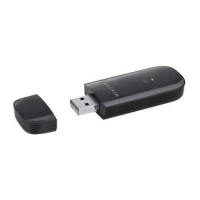
unabletocontrolit,youmaybeaskedtoconnectyourcomputertothe
Routerwithanetworkcable.
Advanced Tools & Settings
[SCREENSHOTOFADVANCEDMENUsetupadvanced2.png]
Aftertheinitialsetupiscomplete,youhavetheoptiontochangesettingslike
yournetworkname,securitytype,andpassword.Tomakethesechangesand
others,clickontheAdvancedToolsiconattheCDSetupmenuandselectone
ofthefollowingsettings
thatyouwouldliketochange:
NetworkName&Security
Personalizeyournetworkname(SSID),password,andstrengthof
wirelesssecurity.
InternetServiceProvider&LoginSettings
HaveyoumovedorchangedInternetServiceProviders?Ifyou’dliketo
changethesesettingswithoutrunningthroughthesetupprocessagain,
thisistheplace.


 To Next Page