EasyManua.ls Logo

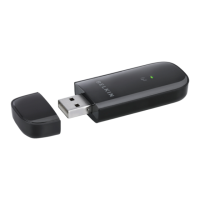
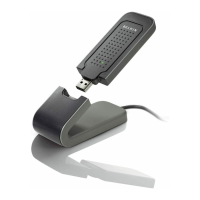
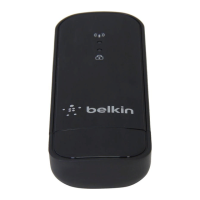
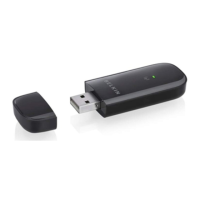
Belkin Surf/Share F7D2101 - User Manual

Belkin Surf/Share F7D2101
39 pages
Print Icon
To Next Page IconTo Next Page
Loading...
Surf/Share
Wireless UsB AdApter
User Manual
F7D2101 8820-00384

Questions and Answers

  • P
    peterslauraJul 29, 2025
    What to do if Belkin Adapter Link LED is solid but cannot connect to the Internet?
    • K
      Kelly WilsonJul 29, 2025
      If the Link LED on your Belkin Adapter is solid but you can't connect to the Internet, verify that the WEP, WPA, or WPA2 key settings match on your computer and wireless router (or access point). Remember that the key is case-sensitive and must be spelled exactly the same on both devices for the Adapter to connect properly.
  • J
    Joseph SmithAug 2, 2025
    Why is my Belkin Adapter data transfer sometimes slow?
    • L
      Lisa StewartAug 2, 2025
      Slow data transfer with your Belkin Adapter can often be related to the distance between your computer and the wireless router (or access point), as wireless technology is radio-based. To test this, temporarily move your computer closer, about five to 10 feet away from the wireless router. See if this improves the transfer speed.
  • M
    Michael StephensAug 6, 2025
    What to do if Belkin Adapter Link LED is blinking slowly and cannot connect to a wireless network?
    • P
      Paul BenderAug 6, 2025
      If the Link LED on your Belkin Adapter is blinking slowly and you can't connect to a wireless network or the Internet, check that the SSID settings match exactly. The SSID is case-sensitive, and the spelling must be identical on each computer for the Adapter to connect to the wireless router (or access point). To check the SSID settings or look for an available network, double-click the Signal Indicator icon to bring up the “Wireless Networks” screen. Click “Add” if you do not see the network you are trying to connect to and type in the SSID.
  • P
    Patrick OnealAug 11, 2025
    Why is my Belkin Surf/Share F7D2101 signal strength poor?
    • C
      Caleb ValenciaAug 11, 2025
      Poor signal strength with your Belkin Adapter can often be due to the distance between your computer and the wireless router, as wireless technology is radio-based. Try temporarily moving your computer closer, about five to 10 feet away from the wireless router (or access point). Also, consider changing the wireless channel of your network to improve performance and reliability. The default channel is channel 6, but you may choose from other channels depending on your region.
  • K
    Kenneth ThompsonAug 15, 2025
    What to do if Belkin Surf/Share F7D2101 Power LED does not come ON?
    • R
      Robert CollinsAug 15, 2025
      If the Power LED on your Belkin Adapter doesn't turn on and the adapter isn't working, first verify that the Adapter is firmly plugged into the USB port of your computer. Next, check to see that the drivers for the Adapter have been installed. You can also right-click on the “My Computer” icon on your desktop, choose “Properties” and navigate to the “Device Manager” to see if your USB Adapter is listed without any errors.
  • B
    Brian MartinAug 19, 2025
    Why Belkin Surf/Share F7D2101 does not perform when computer has a second built-in wireless network card?
    • R
      Robin ThomasAug 19, 2025
      If your Belkin Adapter isn't performing well or the connection is unstable and your computer has a second built-in wireless network card, you must disable the built-in wireless card from your computer under “Network Adapters” in the Device Manager.
  • C
    Carolyn DelgadoAug 25, 2025
    Why Belkin Adapter does not perform when computer has a built-in wired Ethernet card?
    • R
      Richard DixonAug 25, 2025
      If your Belkin Adapter isn't performing well or the connection is slow and your computer has a built-in wired Ethernet card, you must disable the Ethernet card from your computer under “Network Adapters” in the Device Manager.

Summary

Introduction

Benefits of a Home Network

Explains the advantages of having a home network.

Advantages of a Wireless Network

Lists the benefits of using a wireless network.

Optimizing Wireless Performance

Details placement, interference, and channel selection for optimal wireless operation.

Overview

Product Features

Lists the key features of the wireless USB adapter.

Applications and Advantages

Describes how and where the adapter can be used.

Product Specifications

Lists technical specifications like operating temperature and range.

System Requirements and Package Contents

Outlines system requirements and lists package contents.

Installing and Setting Up the Adapter

Installation Process for Windows Vista and 7

Step-by-step guide for installing the adapter on Windows Vista and 7.

Installation Process for Windows XP

Step-by-step guide for installing the adapter on Windows XP.

Connecting to a Secure Wi-Fi Network

Explains how to connect to secure wireless networks.

Troubleshooting

Connectivity and Power Issues

Addresses issues with internet connection, power LED, and link LED status.

Performance and Signal Issues

Covers slow data transfer speeds and poor wireless signal strength.

Advanced Configuration and Conflicts

Details limiting transmit rate and resolving conflicts with other network cards.

Technical Support

Provides contact information for Belkin technical support.

Information

Regulatory Compliance

Covers FCC and Industry Canada compliance statements and cautions.

Service and Warranty Information

Explains how to get service and details the product warranty.

Belkin Surf/Share F7D2101 Specifications

General IconGeneral
ModelF7D2101
Wireless SpeedUp to 300Mbps
Frequency Band2.4GHz
InterfaceUSB
SecurityWEP, WPA, WPA2
Wireless Standards802.11b/g/n
PortsUSB 2.0
Operating Systems SupportedWindows XP, Windows Vista, Windows 7
TypeWireless USB Adapter

Related product manuals