EasyManua.ls Logo

Belkin F5D8236-4 - User Manual

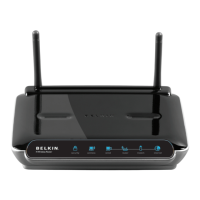
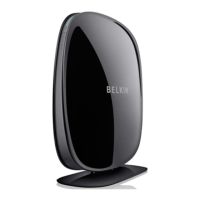
Belkin F5D8236-4
111 pages
Print Icon
To Next Page IconTo Next Page
Loading...
F5D8236-4_V1000_N_RTR_MNL-CLEAN.doc
Page 1 of 111
N Wireless Router
User Manual
Splash Screen
Table of Contents
1 Introduction . . . . . . . . . . . . . . . . . . . . . . . . . . . . . . . . . . . . . .1
Advantages of a Wireless Network…………………………..1
Placement of your N Wireless Router. . . . . . . . . . . . . .3
2 Product Overview . . . . . . . . . . . . . . . . . . . . . . . . . . . . . . . . . .7
Product Features . . . . . . . . . . . . . . . . . . . . . . . . . . . . . . . . .7
3 Knowing your Router . . . . . . . . . . . . . . . . . . . . . . . . . . . . . . .10
Package Contents . . . . . . . . . . . . . . . . . . . . . . . . . . . . . . . .10
System Requirements . . . . . . . . . . . . . . . . . . . . . . . . . . . . .10
Setup Assistant Software System Requirements . . . . . .10
4 Connecting and Configuring your Router . . . . . . . . . . . . . . .15
5 Alternate Setup Method . . . . . . . . . . . . . . . . . . . . . . . . . . .23
6 Using the Web-Based Advanced User Interface . . . . . . . . . .38
Changing LAN Settings . . . . . . . . . . . . . . . . . . . . . . . . . . .39
Viewing the DHCP Client List Page . . . . . . . . . . . . . . . . . 41
Configuring the Wireless Network Settings . . . . . . . . . . . 41
Setting WPA Security. . . . . . . . . . . . . . . . . . . . . . . . . . . . . . . . . .48
Setting WEP Encryption . . . . . . . . . . . . . . . . . . . . . . . . . . . . . . . . . .50
Using the Access Point Mode . . . . . . . . . . . . . . . . . . . . . .52
Setting MAC Address Control . . . . . . . . . . . . . . . . . . . . . .53
Configuring the Firewall . . . . . . . . . . . . . . . . . . . . . . . . . . 55
Using Dynamic DNS……………………………………….59
Utilities. . . . . . . . . . . . . . . . . . . . . . . . . . . . . . . . . . . 60
Restarting the Router . . . . . . . . . . . . . . . . . . . . . . . . . 61
Updating the Firmware . . . . . . . . . . . . . . . . . . . . . . . . 66
7 Manually Configuring Network Settings . . . . . . .74
8 Recommended Web Browser Settings . . . . . . . . . . . . . . . . .79
9 Troubleshooting . . . . . . . . . . . . . . . . . . . . . . . . . . . . . . .81
10 Information . . . . . . . . . . . . . . . . . . . . . . . . . . . . . . . . . . .97


Questions and Answers

  • D
    David AllenAug 16, 2025
    What to do if Setup Assistant cannot find my Belkin Network Router?
    • Z
      zreedAug 16, 2025
      If the Setup Assistant cannot find your Belkin Network Router, there might be a few reasons. First, make sure any third-party firewall software is properly configured or temporarily turn it off to see if that resolves the issue. Next, unplug the power to the router for 10 seconds, and then plug it back in. Ensure the router LED is solid blue and that a cable is connected between the network port on your computer and one of the 'to Wired Computers' ports on the back of the router. Finally, try restarting your computer and rerunning the Setup Assistant.
  • A
    ashleyhughesAug 18, 2025
    What to do if Belkin F5D8236-4 Network Router Setup Assistant cannot connect to the Internet?
    • A
      Alan LloydAug 19, 2025
      If the Setup Assistant cannot connect your Belkin Network Router to the Internet, use the troubleshooting suggestions within the Setup Assistant. If your ISP requires a username and password, make sure that you have typed them in correctly.
  • W
    William StewartAug 22, 2025
    How to improve inconsistent wireless network performance on Belkin Network Router?
    • B
      Beth ClarkAug 22, 2025
      Inconsistent wireless network performance on your Belkin Network Router can often be improved by temporarily moving the computer five to 10 feet from the router. Also, switching the wireless channel of your network can enhance performance and reliability.
  • Y
    ysullivanAug 25, 2025
    How to start Belkin F5D8236-4 Setup Assistant if the CD does not automatically start?
    • K
      Keith SantanaAug 26, 2025
      If the Setup Assistant CD for your Belkin Network Router does not automatically start, it may be due to other applications interfering with the CD drive. Open your CD-ROM drive by double-clicking on the 'My Computer' icon on your desktop. Then, double-click on the CD-ROM drive where the Setup Assistant CD has been placed to start the installation. If a window appears showing the files on the CD, double-click on the icon labeled 'SetupAssistant'.
  • N
    nicolehansonAug 28, 2025
    How to set up WEP security on my Belkin F5D8236-4?
    • A
      andrestokesAug 28, 2025
      To set up WEP security on your Belkin Network Router, first log into your router. Select '128-bit WEP' from the drop-down menu. Then, manually type in your hex WEP key, or enter a passphrase in the 'Passphrase' field and click 'Generate'. Finally, click 'Apply Changes' to finish.
  • M
    Mark FoxAug 31, 2025
    What to do if I'm not using a Belkin client card and am having difficulty setting up WPA security on my Belkin F5D8236-4?
    • D
      David ScottAug 31, 2025
      If you are not using a Belkin client card and are having difficulty setting up Wireless Protected Access (WPA) security, download the patch from Microsoft by searching the knowledge base for Windows XP WPA. Also, ensure that the wireless card’s manufacturer supports WPA and that you have downloaded and installed the latest driver from their support site.
  • B
    Bailey RodriguezSep 2, 2025
    What to do if the modem LED is off and the internet LED is blinking on my Belkin F5D8236-4?
    • D
      Donna PowellSep 2, 2025
      If the modem LED on your Belkin Network Router is off and the internet LED is blinking, it indicates a connection problem. First, ensure the network cable between your modem and the router is securely connected. If the issue persists, unplug your cable or DSL modem from its power source for three minutes, then unplug the power to your router, wait 10 seconds, and reconnect it. Finally, restart your computer.
  • N
    Nicholas MortonSep 5, 2025
    Why is the internet LED blinking on my Belkin F5D8236-4 Network Router even though the modem LED is on?
    • M
      Michael ParkerSep 6, 2025
      If the 'modem' LED on your Belkin Network Router is on but the 'internet' LED is blinking, your connection type may not match your ISP's connection. If you have a PPPoE connection, ensure the router's connection type is configured to PPPoE and that the settings, including your username and password, are entered correctly. You may also need to configure your router to meet the specific requirements of your ISP.
  • S
    Sherry KnightSep 9, 2025
    What to do if I can't connect to the Internet wirelessly, but my Belkin F5D8236-4 Network Router name is listed?
    • V
      Valerie DrakeSep 9, 2025
      If you can't connect to the Internet wirelessly, but your Belkin Network Router network name is listed, click on the correct network name in the 'Available Networks' list. If the network has security (encryption) enabled, you will need to enter the network key. After entering the key, the tray icon should turn green, indicating a successful connection.
  • W
    William BrownSep 12, 2025
    What to do if I can't connect to the Internet wirelessly and my Belkin F5D8236-4 Network Router name is not listed?
    • G
      Glenn MurphySep 12, 2025
      If you cannot connect to the internet wirelessly and your Belkin Network Router network name is not listed, temporarily move the computer five to 10 feet from the router, if possible. Also, ensure that 'Broadcast SSID' is enabled in your router settings.

Summary

1 Introduction

Placement of your N Wireless Router

Factors for optimal wireless router placement and setup.

Web-Based Advanced User Interface

Setup Assistant

Connecting and Configuring your Router

Setup Assistant

Information about using the Setup Assistant for router installation.

Alternate Setup Method

Configuring your Router for Connection to your Internet Service Provider (ISP)

Connection Type

Select the type of internet connection used by your ISP (Dynamic IP, PPPoE, etc.).

Configuring the Wireless Network Settings

Changing the Wireless Security Settings

Setting WEP Encryption

How to configure WEP encryption for wireless security.

Setting MAC Address Control

Configuring the Firewall

Setting Client IP Filters

Enabling the Demilitarized Zone (DMZ)

Utilities

Restoring Factory Default Settings

Restores all router settings to their original factory defaults.

Updating the Firmware

How to download and install new firmware versions for the router.

Changing System Settings

Setting or Changing the Administrator Password

Setting or changing the administrator password for router security.

Enabling Remote Management

Manually Configuring Network Settings

Manually Configuring Network Settings in Windows 2000, NT, or XP

Manually Configuring Network Settings in Windows 98 or Me

Troubleshooting

Setup Assistant cannot connect my Router to the Internet.

I can’t connect to the Internet wirelessly.

I am having difficulty setting up Wired Equivalent Privacy (WEP) security on my Belkin Router.

I am having difficulty setting up Wireless Protected Access (WPA) security on my Belkin Router for a home network.

I am NOT using a Belkin client card for a home network and I am having difficulty setting up Wireless Protected Access (WPA) security.

Belkin F5D8236-4 Specifications

General IconGeneral
ModelF5D8236-4
TypeWireless Router
Wireless Standard802.11n
Frequency Band2.4 GHz
Max Data Rate300 Mbps
LAN Ports4
WAN Ports1
Security FeaturesWEP, WPA, WPA2
Antenna2 external

Videos

How to Setup Belkin N300 (F5D8236-4) WiFi Router

Related product manuals