23527_8820-00376_F7D3302 v1_Share Router(WG7016F22 1-LF-AK) updated
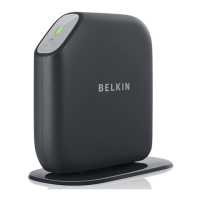
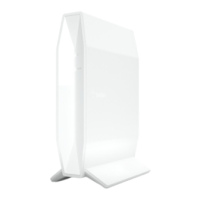
2) SelectyourBelkinRouterfromthelistofavailablenetworks.
YoucanidentifyyourBelkinRouterbylocatingthenetwork
name(SSID)fromthecardlocatedunderneaththefootof
yourRouter.
3) Enteryournetworkpassword(locatedonyournetwork
informationcard).
Yourwirelessdevicewilltakeafew
momentstoconnectto
yournetwork.Iftheconnectionisnotmadethefirsttime,try
thisprocessagain.Ifyoustillhavedifficultyconnectingto
yournetworkaftertryingthisprocessafewtimes,seethe
“Troubleshooting”sectioninthismanualforhelpwith
connectingtoyournetwor k.
Note:
Insomecasesyoumaybepromptedtoselectthe
securitytype.Itisprintedonthecardforyourconvenience.
UsingtheWPSButton
1) StartWPSPushButtonConnection(WPSPBC)onyour
computerorotherWiFidevicethatyouwouldliketo
connectwirelesslytoyourRouter.Oftentherewillbea
buttonforthispurposeinsoftwarethatcamewiththedevice,
oraphysical“WPS,”“PBC,”or“Security”buttonon
thedevice
itself.
2) Withintwominutes,presstheWPSbuttononyourRouter.
TheWPSlight(smalllight aboveWPSbutton)willblinkgreen
whileitlistensforyourWiFidevice.Onceaconnectionis
established,thelightwillturngreenandthengoout.Ifa
connection
isnotestablished,thelightwillblinkamber.You
mayrepeattheprocesstotryagain.
YoucanrepeatthisprocessforeachWPSenableddeviceyou’d
liketoaddtoyournetwork.
Adding USB Devices
[USBINVITATIONDIAGRAM(TBD)]
AddingaDrive


 To Next Page