Confidential property of Belkin Corporation. Unlawful to copy or reproduce in any manner without the express written consent of Belkin Corporation.
4 of 12
3
To complete setup, follow the onscreen instructions from the WeMo app
Using the WeMo App you should be prompted to do the following;
•
A)
Select your Wi-Fi Network and enter your Wi-Fi password (If you selected ‘Remember Wi-Fi
Settings’ during a previous setup, this step is skipped)
•
B)
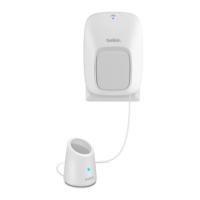
Give your Motion Sensor a recognizable name. You can even take a picture or use an existing
image from your image gallery.
•
C)
Remember Wi-Fi Settings to make setup of additional WeMo devices even easier.
4
Create a Motion Controlled Switch rule by clicking on the Motion Sensor within the
WeMo app
•
A)
From the ‘Sensors’ tab, click on the Sensor and selected ‘Create a Rule with Sensor’.
•
B)
Give your rule a recognizable name
•
C)
Select the times and days you want the rule to be active.
•
D)
Select which switches you want to control with the motion sensor.


 To Next Page