Alternate Setup Method
25
section
2
1
3
4
5
6
7
8
9
10
Logging out of the Router
One computer at a time can log into the Router for the purposes
of making changes to the settings of the Router. Once a user has
logged in to make changes, there are two ways that the computer
can be logged out. Clicking the “Logout” button will log the computer
out. The second method is automatic. The login will time out after a
specified period of time. The default login time-out is 10 minutes. This
can be changed from 1 to 99 minutes. For more information, see the
section in this manual entitled “Changing the Login Time-Out Setting”.
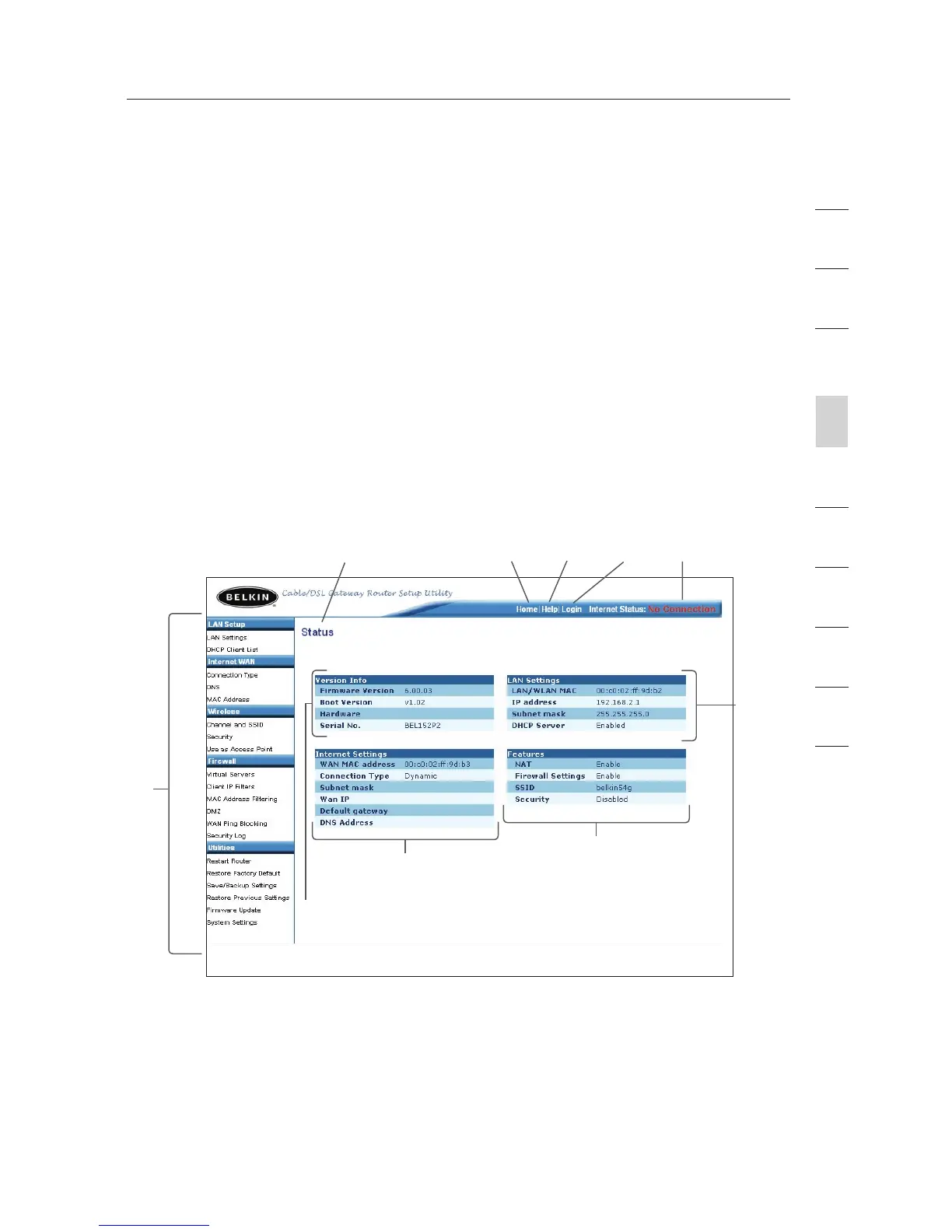
Using the Web-Based Advanced User Interface
The home page is the first page you will see when you access the
Web-Based Advanced User Interface (UI). The home page shows you
a quick view of the Router’s status and settings. All advanced setup
pages can be reached from this page.
1. Quick-Navigation Links
You can go directly to any of the Router’s UI pages by clicking
directly on these links. The links are divided into logical
categories and grouped by tabs to make finding a particular
setting easier to find. Clicking on the purple header of each tab
will show you a short description of the tab’s function.
(1)
(10) (2) (5) (4) (3)
(9)
(8)
(7)
(6)









 To Next Page