12
OATMEAL
24 HR. DELAY TIMER: Following the detailed instructions in the 24 HR. DELAY TIMER section of this instruction manual,
you can program the DELAY TIMER to begin cooking oatmeal automatically. Wake up to warm, creamy, homemade
Embellish with chopped apples, cinnamon, maple syrup, honey, brown sugar, milk of your choice, fruit
WARM for serving.
IMPORTANT:
detailed instructions in the Care & Cleaning section of this instruction manual.
1. To prepare 4 cups of cooked steel-cut oatmeal, add 3-1/2 cups water or milk and 1 cup steel cut oats to the
cooking pot. Stir.
2. Close and lock lid.
NOTE: When preparing larger quantities, it is advisable to increase the TIME by 15 minutes.
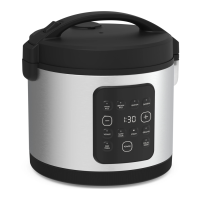
3. Plug the Rice Cooker into a 120V AC electrical outlet. The Rice Cooker will sound 1 tone, the control panel
display.
the digital display.
5. To adjust TIME for your recipe, press the + or - button until the desired TIME is displayed, from 30 minutes
(0:30) to 2 hours (2:00).
NOTE: Press and hold the + or - button to fast increase or decrease the TIME in 5 minute increments.
6. Press the POWER button. The indicator light will illuminate as cooking begins. TIME will count down.
7. At 0:00, 5 audible tones signal cooking is completed. The KEEP WARM indicator light will illuminate as the Rice
Cooker automatically advances to a 10 HR. KEEP WARM cycle.
8. Cooked oats can be refrigerated in an airtight container for up to 1 week and reheated on the stovetop or in the
microwave.
IMPORTANT:
instructions in the Care & Cleaning section of this instruction manual.
24 HR. DELAY TIMER
24 HR. DELAY TIMER is an option for WHITE RICE, BROWN RICE, STEAM, OATMEAL, QUINOA and SLOW COOKER.
Use the 24 HR. DELAY TIMER to program your Digital Rice Cooker to cook oatmeal overnight in time for breakfast,
steam vegetables while you are out, or cook and hold warm, steamy rice in time for lunch or dinner.
NOTE: Do not use perishable ingredients such as fresh milk, eggs, cheese, onions, fresh fruit or yogurt when using
the 24 HR. DELAY TIMER.
1. Following your recipe, place ingredients into the removable cooking pot.
2. Plug the Rice Cooker into a 120V AC electrical outlet. The Rice Cooker will sound 1 tone, the control panel
3. Press the WHITE RICE, BROWN RICE, STEAM, OATMEAL, QUINOA and SLOW COOKER button. The light
5. To adjust DELAY TIME for your recipe, press the + or - button until the desired DELAY TIME is displayed,
from 1 hour (1:00) to 24 hours (24:00).
6. Press the POWER button. Both the active WHITE RICE, BROWN RICE, STEAM, OATMEAL, QUINOA and SLOW
COOKER and the DELAY TIME indicator lights will illuminate. DELAY TIME will count down.
NOTE:
function button is pressed.
7. At the end of the programmed DELAY TIME, when TIME reaches 0:00, cooking will begin.
10 HR. KEEP WARM
Use the 10 HR. KEEP WARM function independently for serving.
1. Place food for serving into the removable cooking pot.
2. Plug the Rice Cooker into a 120V AC electrical outlet. The Rice Cooker will sound 1 tone, the control panel
display.
3. Press the KEEP WARM button. The KEEP WARM indicator light will illuminate. 0:00 will appear on the digital
display as the Rice Cooker TIME counts UP to 10 hours (10:00).
IMPORTANT: You may press Keep warm at any time during any cooking cycle to advance Keep Warm function.
90226_BellaPro_BestBuy_20 Cup Digital_RiceCooker_IM V4 R1.indd 1290226_BellaPro_BestBuy_20 Cup Digital_RiceCooker_IM V4 R1.indd 12 2024-05-28 5:20 PM2024-05-28 5:20 PM


 To Next Page