9
CARAFE BREWING MODE
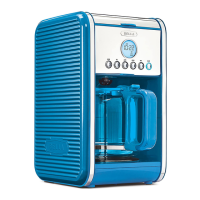
1. Insert the drip filter basket holder and close the filter basket lid and the top lid.
2. To select the carafe size, press the Carafe button to cycle through the indicator lights for 6 CUP/10 CUP/12 CUP.
3. 5 seconds after selecting the carafe size, the coffee maker will begin to brew automatically. During that time
The carafe indicator light and size indicator light will remain on until the brewing has finished.
4. The machine will enter 2-hour Keep Warm mode after the brewing is finished. Cup size indicator light will
shut off.
5. When the keep warm time is finished, all indicator lights will turn off.
SINGLE SERVE BREWING MODE
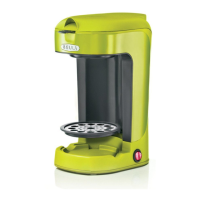
1. Insert the single serve adapter with magnet, put in a coffee capsule and close the top lid. Flip the drip tray
down so it is parallel to the warming plate.
2. To adjust the cup size press the single/over ice button. The indicator lights of 8 oz/10 oz/12 oz will flash.
3. 5 seconds after selecting the cup size, the coffee maker will begin to brew automatically. During this time
the single indicator light and cup size indicator light will remain on until the coffee maker has finished brewing.
When the brewing has stopped all indicator light will turn off.
BREWING SINGLE SERVE OVER ICE
1. Follow the above step 1 for Brewing Single Serve.
2. Add ice to your glass or travel mug before brewing.
3. To select the oz size, press and hold the single/over ice button for 3 seconds to enter the over ice function, the
default 10oz indicator light will illuminate.
4. Press the single/over ice button again to cycle through the sizes for 8 oz/10 oz/12 oz.
5. 5 seconds after selecting the oz size, the coffee maker will begin to brew automatically.
6. During this time the single indicator will slowly pulse on and off and the cup size indicator light will remain
on until the coffee maker has finished brewing.
7. When the brewing has stopped all indicator lights will turn off and the machine will automatically shut off.
DESCALING REMINDER
When the CLEAN indicator light begins to flash on the Coffee Maker it indicates descaling is necessary.
1. Fill the glass carafe with 1 part white vinegar to 3 parts cold water and add to the coffee tank.
2. Make sure the coffee filter is inserted into the removable filter holder.
3. Remove the pod Adapter Attachment (puncture needle) in the pod adapter and reinstall it after descaling.
5. Press and hold both the carafe and single/over ice buttons for 5 seconds. The CLEAN icon will light up and
enter cleaning mode.
6. Rinse thoroughly by brewing 2 to 3 carafes full of clean, cold water.
7. Allow the Coffee Maker to cool for 15 minutes before next use.
CLEANING THE PUNCTURE NEEDLES
Take out the pod Adapter Attachment and rinse it under running water. This part is also dishwasher safe.
NOTE: Be careful not to touch the sharp puncture needles.
CLEANING
1. Wipe the housing with a damp soft cloth and never use abrasive cleaners or scouring pads as they may scratch
the topcoat.
2. The carafe and single serve filters, single serve Adapter Attachment (puncture needle), and other detachable
accessories can be rinsed under water or are dishwasher safe.
NOTE: Do not immerse this product in water.
35104_35147_35148_35149_35221_Bella_2in1 Coffee Maker_IM_V9_R5.indd 935104_35147_35148_35149_35221_Bella_2in1 Coffee Maker_IM_V9_R5.indd 9 2024-09-17 11:58 AM2024-09-17 11:58 AM




 To Next Page