5
BEFORE FIRST USE
Before first use, clean this product for optimal operation.
Please refer to the “Getting to know your coffee maker” section for information about this product
and all parts included.
1. Remove stickers and labels from this product.
2. Remove the funnel, small coffee basket and coffee spoon, then wash them thoroughly in clean water with mild
detergent and install them back.
3. For the removal and installation of the funnel and small coffee basket, please refer to the instructions in the
section “Use of Filter Basket Holder/Adapter”.
IMPORTANT: PRODUCT OPERATION - CARAFE
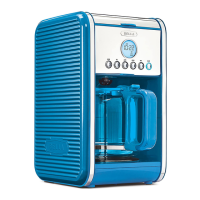
1. Add water to the water tank, the water level must be within the “MAX” 1.8L water mark.
2. Place the filter basket holder and close the top lid.
3. Place the provided carafe and choose the desired carafe size.
4. Insert the power plug into a power outlet that matches the voltage frequency.
4.1. After placing the filter basket holder press the carafe button. The default 12 cup LED light will turn on
and the carafe button will flash. After 5 seconds, if there is no operation, the carafe button will become solid
and the unit will begin brewing coffee.
4.2. To brew other carafe sizes, press the carafe button. The default size or last size brewed will illuminate,
and the carafe button will flash. Press the carafe button again to adjust the carafe size, and then wait
for 5 seconds to select it.
5. The carafe indicator light and the selected carafe size indicator light will stay on, and the coffee machine will
start to brew. After the coffee is finished brewing the unit will enter a 2hour keep warm mode. When the 2 hour
time is over, all indicators lights will shut off.
PRODUCT OPERATION – SINGLE SERVE MODE
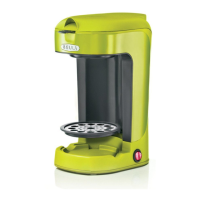
1. Add water to the water tank, the water level must be within the “MAX” line. Place the pod adapter and close
the top lid.
2. Make sure the drip tray has been flipped down over the warming plate.
3. Place a mug/travel cup on the drip tray, and choose the desired cup size.
4. Insert the power plug into a power outlet that matches the voltage frequency.
4.1. Press the single/over ice button. The default size 10 oz LED indicator light will illuminate solid
and the single/over ice button will flash. After 5 seconds if there is no operation the single/over ice button will
become solid and unit begin brewing coffee.
4.2. To brew other single serve sizes press the single/over ice button. The default or last setting cup size will
come on and the single button will flash. While the single button is flashing press it again to change the cup
size, and then wait for 5 seconds to confirm your selection.
5. The single orange indicator light and the selected cup size indicator light will stay on, and the coffee machine
will start brewing. Once the coffee is finished brewing, all indicator lights will turn off.
All indicator lights turn off after brewing and unit enters standby mode after the following operations
(the function indicators remain on, and the last selected cup size indicator flashes):
1. Opening the top lid.
2. Adding or removing the ground coffee filter (single serve).
3. Pressing the single/over ice button.
SELECTING MODE – CARAFE OR SINGLE SERVE
1. Carafe for drip brewing mode.
2. Prepare a mug or travel cup according to different cup sizes of single serve brewing mode.
35104_35147_35148_35149_35221_Bella_2in1 Coffee Maker_IM_V9_R5.indd 535104_35147_35148_35149_35221_Bella_2in1 Coffee Maker_IM_V9_R5.indd 5 2024-09-17 11:58 AM2024-09-17 11:58 AM




 To Next Page