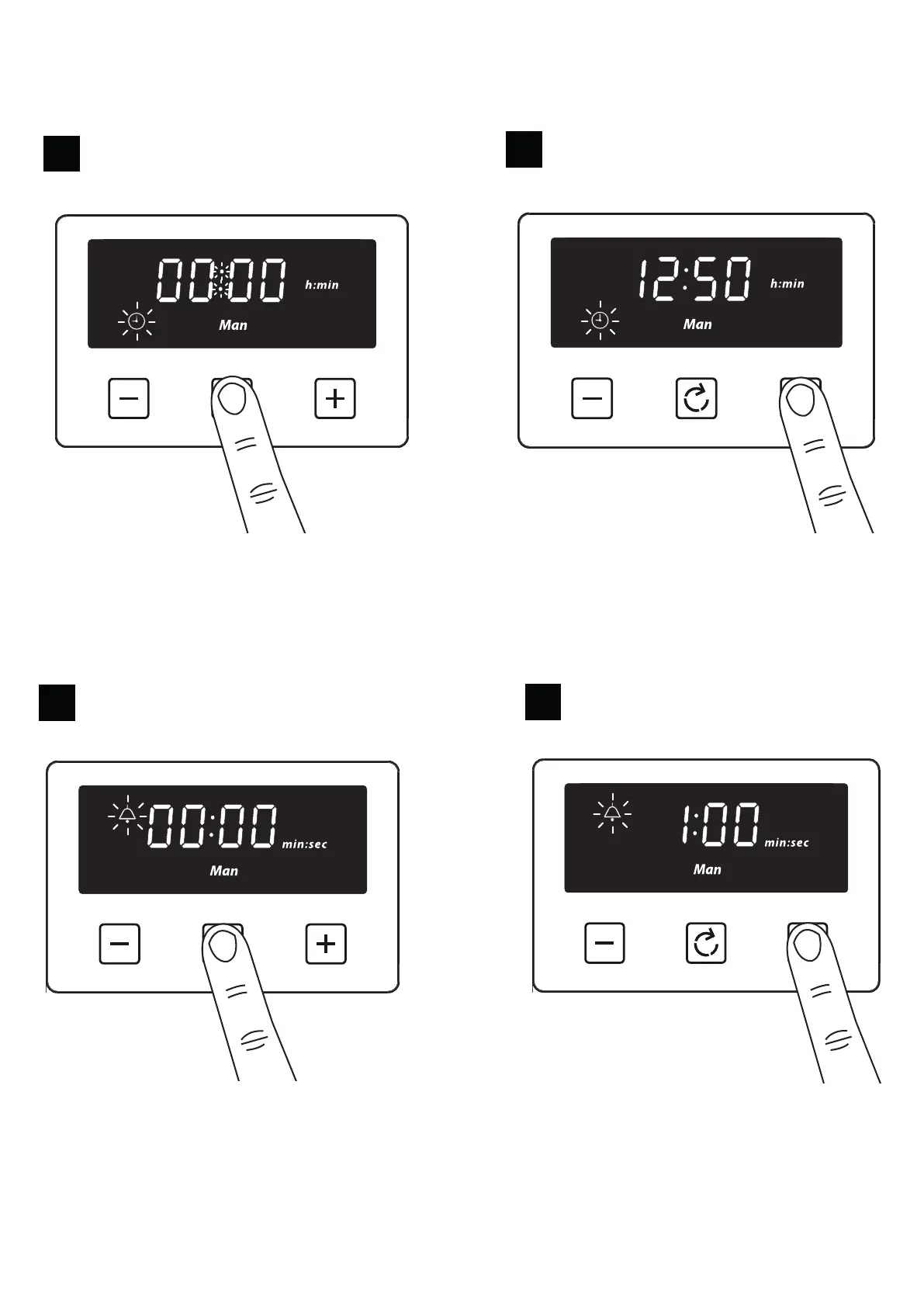
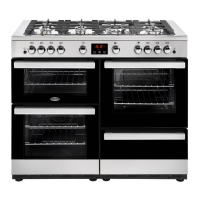
Setting the time of day
By pressing menu, scroll through the functions until you reach ‘time of day’.
1
2
Press the plus or minus buttons to set a time
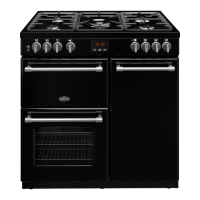
Setting the minute minder
The maximum cooking time that can be set is 99 minutes.
2
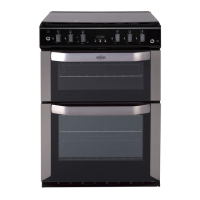
Press the plus or minus buttons to set a time
Once set, the minute minder will start to countdown in steps of seconds. The display will show the
minute minder symbol and the remaining time. The countdown will continue in the background, if other
functions are being set.
When the set time for the minute minder has completed, an alarm is heard and the minute minder
symbol will ash on the display. Press any button to stop the alarm and the time of day is displayed.


 To Next Page