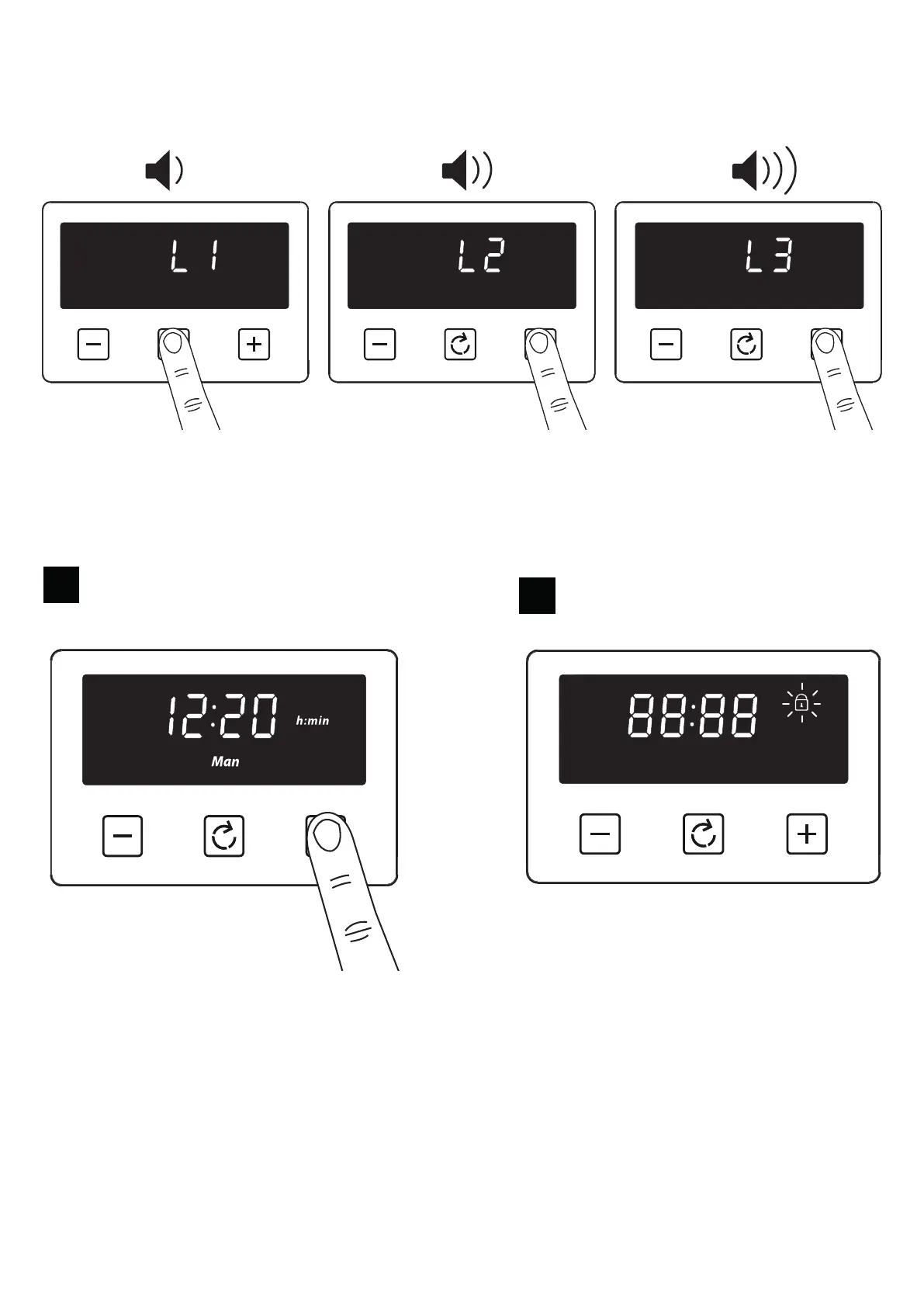
Setting the volume
Press the menu button until “LX” (X = 1, 2 or 3) ashes on the display. Use the plus or minus buttons to
select a tone.
Note: Default tone is L3
Activating / deactivating Key lock
1
Press and hold the plus button for 3-5
seconds
2
Once the Key lock is active, the buttons will be inactive. A two beep signal will be heard if the buttons
are pressed.
To deactivate the Key lock
Press and hold the plus button for 3-5 seconds. The Key lock symbol will disappear and the appliance
can continue to be used.
Note: In case of main power loss for a short time (about 1.5 minutes), timer maintains its status.
Key lock status and buzzer tone are memorized independent of the power loss duration.


 To Next Page