10
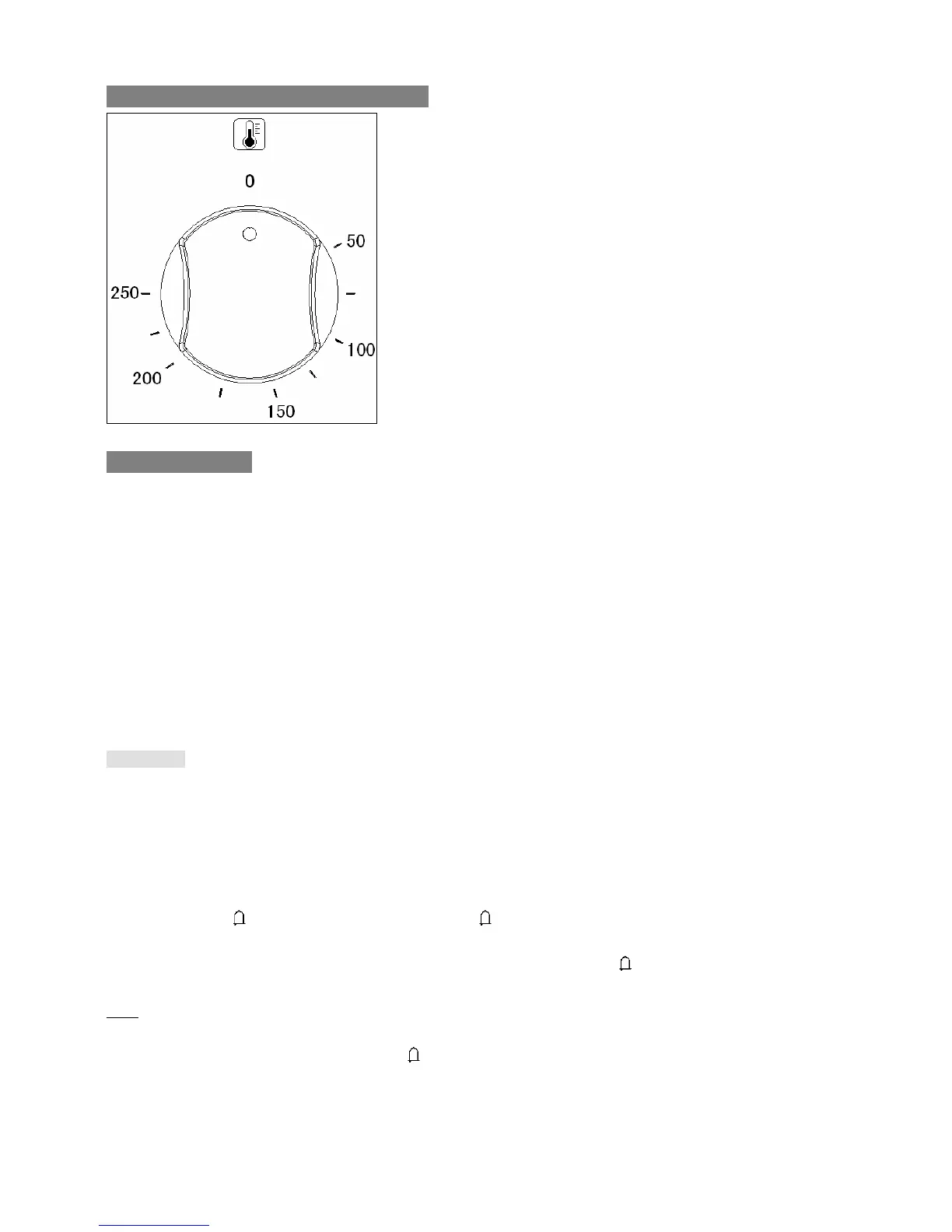
Select Temperature And Start Cooking
Work with Timer
Your oven is equipped with timer that has the following features:
O’clock time – you can set the current O’clock time.
Minute minder - You are able to set the minute minder at any time, regardless of whether an oven function
has been selected. You can set a period of time using the minute minder function and an alarm will sound
when this period of time has elapsed. Please note when time is up, beep will sound however oven will keep
working.
Cooking duration* –This function will allow you to set a countdown time similar to the minute minder function.
However the oven will no longer continue heating once the countdown period has elapsed.
Cooking end time* – instead of setting a cooking duration you can set a cooking finish O’clock time. When
the finish time has been reached the timer will beep and turn the appliance off.
Delay start cooking* – Combine cooking duration and cooking end time to switch oven on at a specific time
during the day and turn off the oven when time is up.
* Attention: Only lower oven has this feature.
!!! WARNING: Always turn function and temperature selector to original position 0 when timer function is
automatically end after time is up or terminate manually, otherwise oven will continue heating at
previous chosen temperature and function.
Minute minder
1. Press the
button, display will show 00:00 and flash, use + and – to set the period of time that you
wish the minute minder to countdown for.
2. Wait for 5 seconds to confirm setting. Once setting is confirmed,
stay as ON and system start
countdown, display goes back to O’clock time.
Tips:
If you want to change after countdown time had been set, do above step 1 again.
If you want to check how much time left, press
button.
An alarm will sound when time is up. Press any button to mute the alarm.
The oven thermostat control knob sets
the required temperature of the oven. It
is possible to regulate the temperature
within a range of 50 - 250°C.


 To Next Page