8
Start Using Your Oven
Preparing Your Oven
Remove any packing material before start.
First time your oven connected with power supply, display will flash, press
, display stop flashing and show 0.00,
turn temperature and function selector to choose conventional oven function and temperature to 250 degrees ,
oven start working, keep running about 30 – 40 minutes to remove any smell.
You should make sure that any windows in the room are left open during this process.
O’Clock Setting
When the power is connected, display will flash, press , display stop flashing and show 0.00, use + or - button to
adjust to current O’clock time,
wait for 5 seconds the O’clock time will be set. Press and hold + or – button can
increase or decrease quickly.
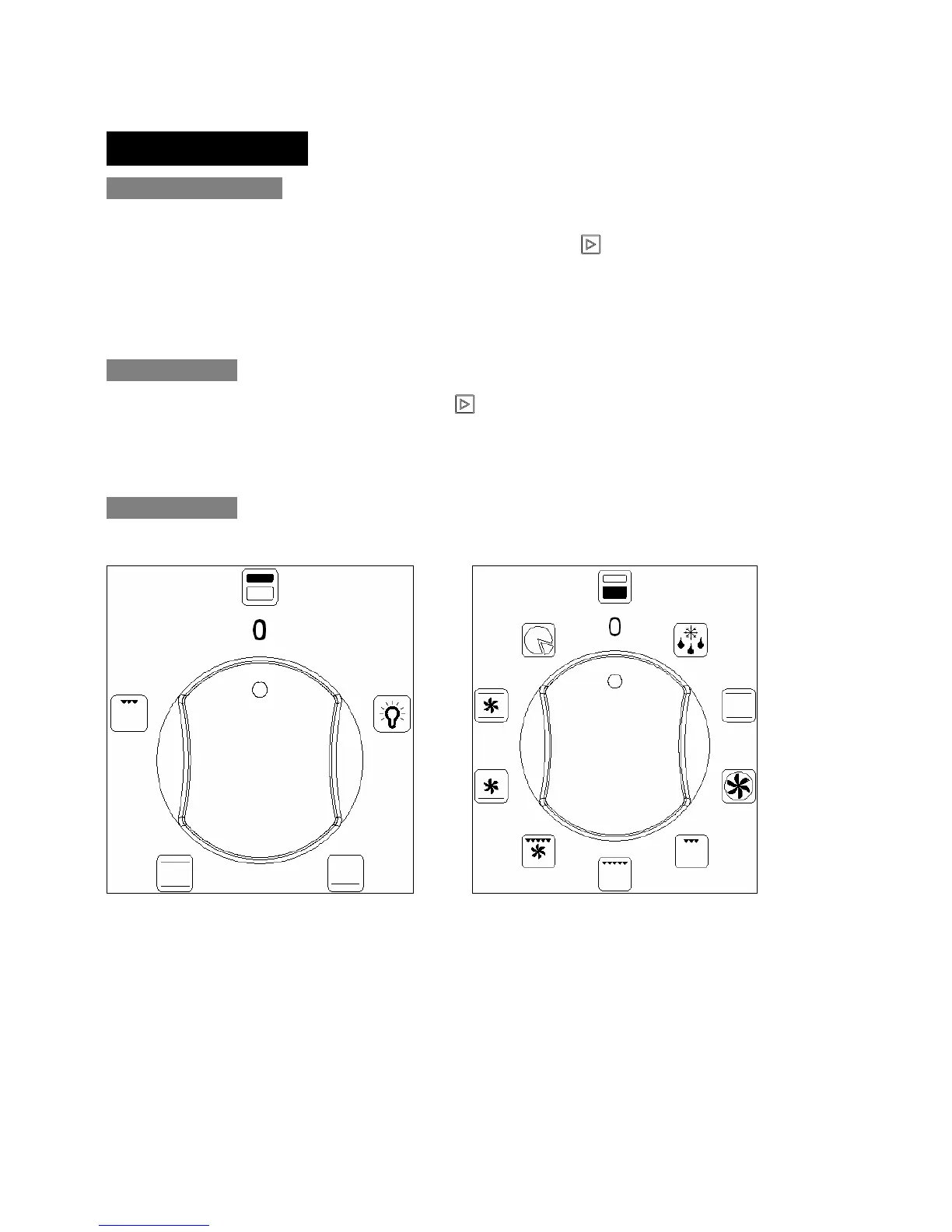
Select Function
Upper oven function select knob Lower oven function select knob


 To Next Page