5
Introduction
A home made loaf costs less than half the
price of a premium branded shop-bought
loaf. Home made means cheaper, but it
also means that you have the satisfaction of
knowing exactly what goes into the food you
and your family eat, and where it comes from.
Your bread maker will automatically mix,
knead and bake giving you delicious fresh
bread with the minimum of fuss. The automatic
timer feature of your bread maker means you
can have freshly baked bread every morning.
Key features include:
• Adjustable crust setting - light, medium or
dark.
• Two loaf size-small 700g,large 900g.
• Automatic start - set a delay timer for up to
13 hours.
• Bread and dough programs - you can
use your bread maker to make dough for
pizzas, or to be shaped into bread rolls,
breadsticks, etc. which you can then bake
in your own oven.
Memory
If power supply has been cut off during the
course of bread making,the process of bread
making will continue automatically within 10
minutes,even without pressing bread Start/
Stop button. If the break time exceed 10
minutes the memory cannot be kept and
the bread maker must be restarted,but if the
dough is not further than the kneading phase
when power supply cuts off,you can press
the Start/Stop button straight to continue the
program from the beginning.
If the power supply cut-off period is too long
or if the program has past rise, the ingredients
will have to be discarded and you must start
again with fresh ingredients.
Control Panel and
Display
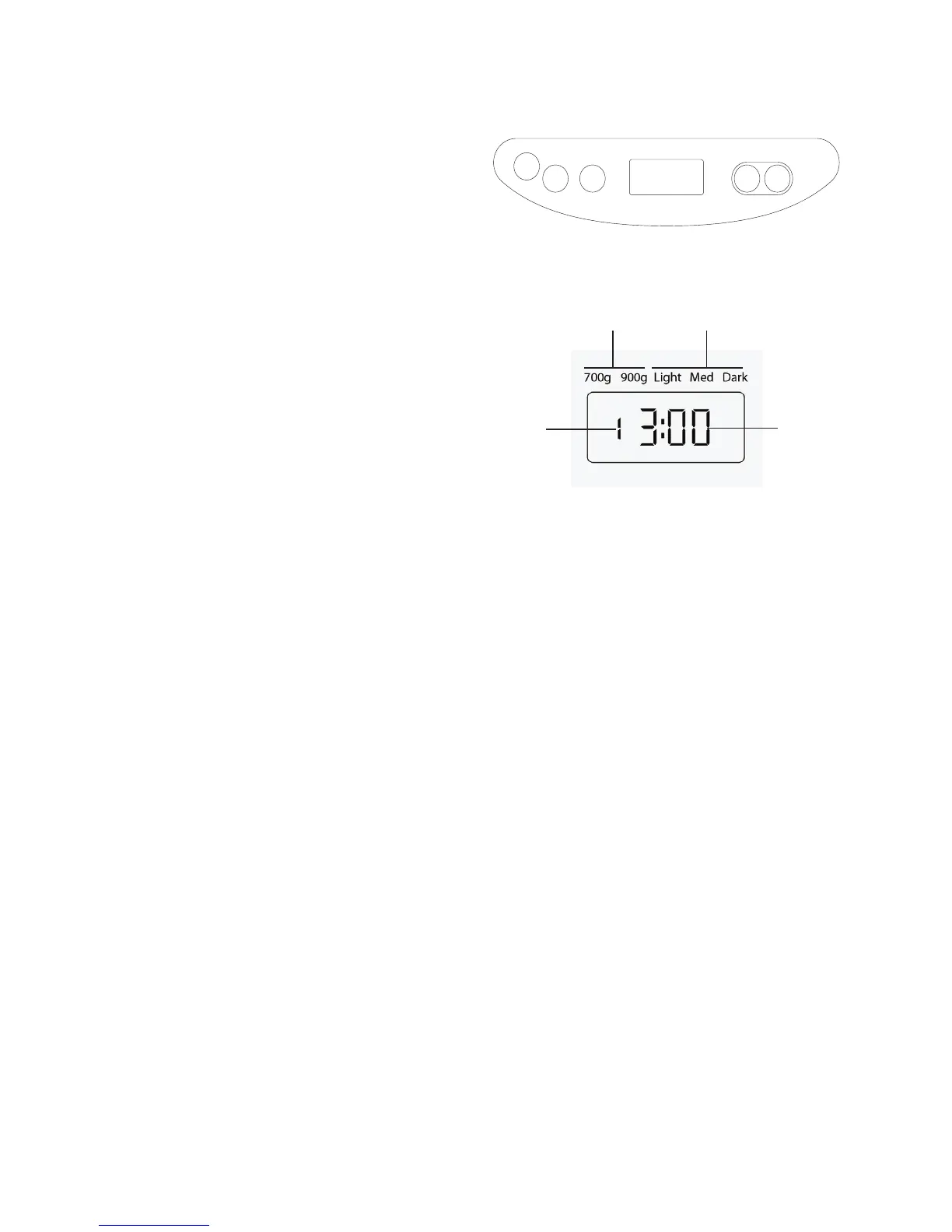
1 LCD display
The display shows the Baking program,
Crust Colour, Loaf size and Remaining
time. Once you press the “Start/Stop”
button to begin, the display will show
the remaining time until the cycle is
completed. When the display reads “0:00”,
the bread is baked and the process is
completed.
2 Time+ button
Used when setting the delay timer to
increase the time in 10 minute increments
3 Loaf Size button
Selects the loaf size 700g,900g
4 Colour button
Selects the crust colour Light, Medium or
Dark.
5 Menu button
Press this button repeatedly to select the
desired baking program from 1 to 11. Each
time you press the button you will hear
a beep. The display shows a number for
each setting.
1. BASIC 2. FRENCH 3. WHOLEMEAL 4.
QUICK 5. SWEET 6. GLUTEN FREE 7. DOUGH
8. CAKE 9. SANDWICH 10. DESSERT 11. BAKE
6 Start/Stop button
Start or stop the function
Loaf size Crust colour
Remaining
time
Baking
program


 To Next Page
 Loading...