9
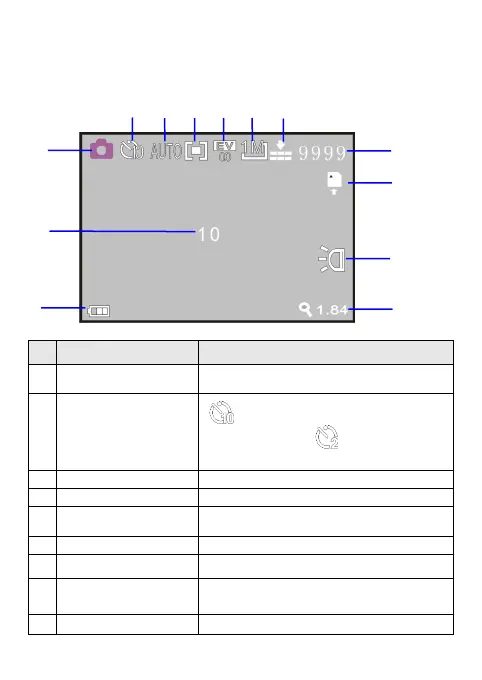
The screen displayed information in the photographing mode
Icon Name Description
Photographing icon
Indicates that the photographing mode has
been selected
Self-timer icon
Indicates switchover to 10-second
self-timer mode, and Indicates switchover
to 2-second self-timer mode
White balance Indicates the current white balance setting
Metering mode Indicates the current metering mode
Exposure compensation
Indicates the currently set exposure
compensation value
Photo size Indicates the current photo resolution
Photo Quality Indicates photo quality
Shots Remaining
Indicates the estimated number of available
shots remaining
Card Indicates that a memory card has been inserted


 To Next Page