P/N: 501012500
Diagnostic Tool
Bematech’s Diagnostic Tool Utility is an integrated tool incorporating features that enable you to explore a printer’s settings/status;
change a printer’s settings; download graphics, fonts and firmware; create a printer bitmap font; and send additional commands to a
printer. With the aid of this powerful tool, you can review printer status and settings in an instant, which make it much easier to
troubleshoot problems and other issues.
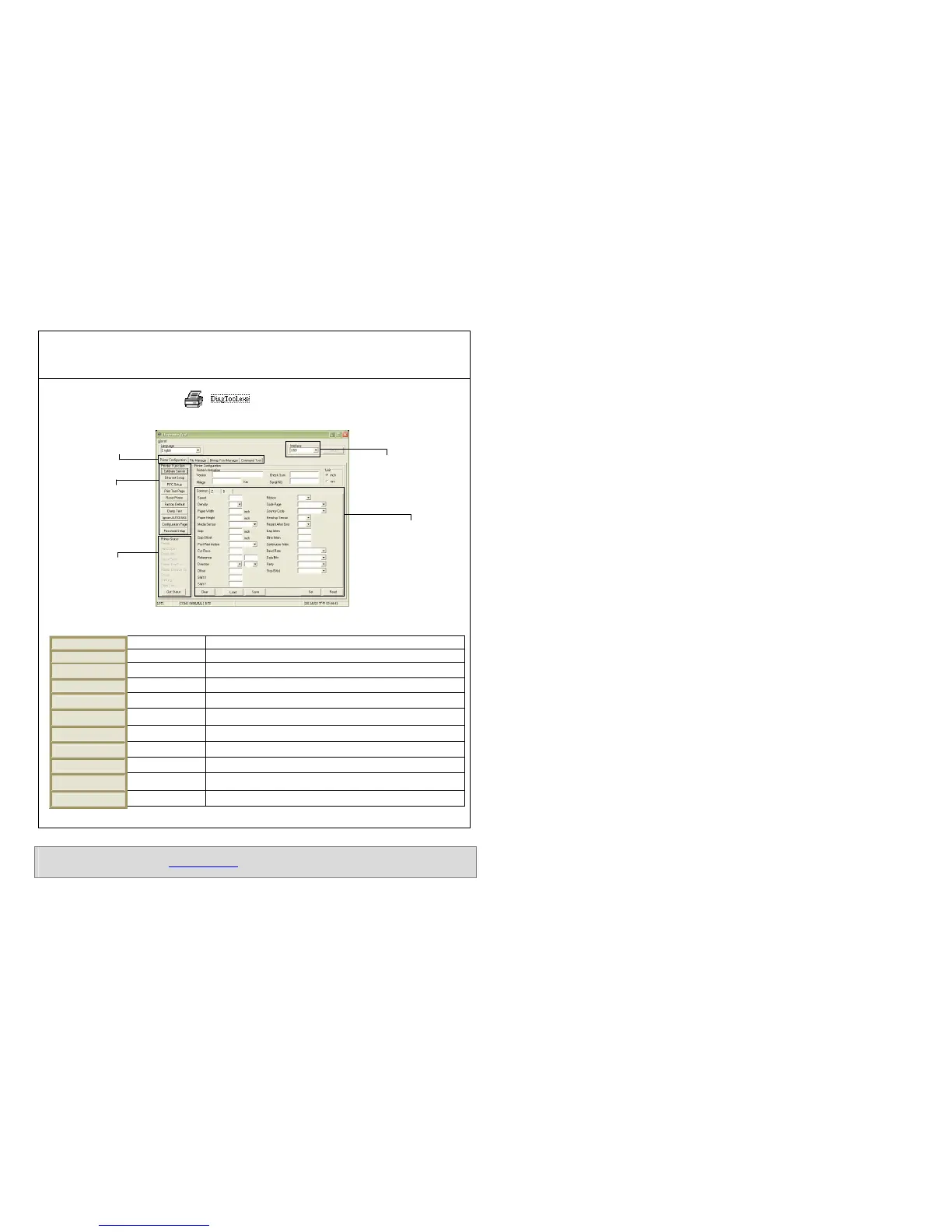
(1) Double click on the Diagnostic tool icon to start the software.
(2) There are four features (Printer Configuration, File Manager, Bitmap Font Manager, Command Tool) included in the Diagnostic
utility.
(2) The detail functions in the Printer Function Group are listed as below.
Calibrate the sensor specified i
n the Printer Setup group media
Setup the IP address, subnet mask, gateway for the on board Ethernet
Synchronize printer Real Time Clock with PC
Print a test page
Reboot printer
Initialize the printer and restore the settings to factory default.
To activate the printer dump mode.
!"
Ignore the downloaded AUTO.BAS program
Print printer configuration
# $
Set the password to protect the settings
and features about this printer, please refer to the User’s Manual.
downloaded at Bematech website: www.bematech.com
* Specifications, accessories, parts and programs are subject to change without notice.
Features tab
Printer functions
Interface
Printer Status
Printer setup



 To Next Page