1. First start-up
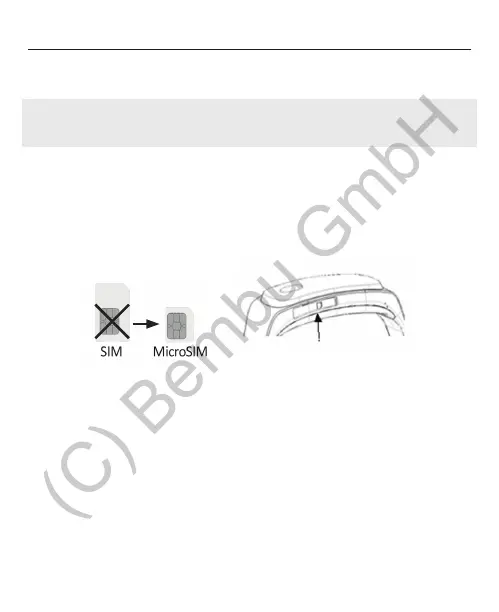
• Please make sure the electric contacts of the sim card show
upwards and the beveled edge shows forward. Use a suitable
tool to push the card in till it makes a „click“ sound.
• Please make sure your PIN code request is disabled. Otherwise
the display will show „3 trials remaining“. Take the Sim cards out
of the watch and use a phone to disable the PIN code request.
• Please make sure your contract is active or you have enough
credit on your pre-paid account.
1.1 SIM-card
16
The bembu activationcard is preinstalled in your GPS-watch. To
activate your watch, suscribe to a plan at aktivierung.bembu.at
If you would like to use a conventional simcard, please pay attenti-
on to the following points:
• Please use only GSM sim cards with microSIM format.
MicroSIM
ü


 To Next Page