1.2 Turn on the device
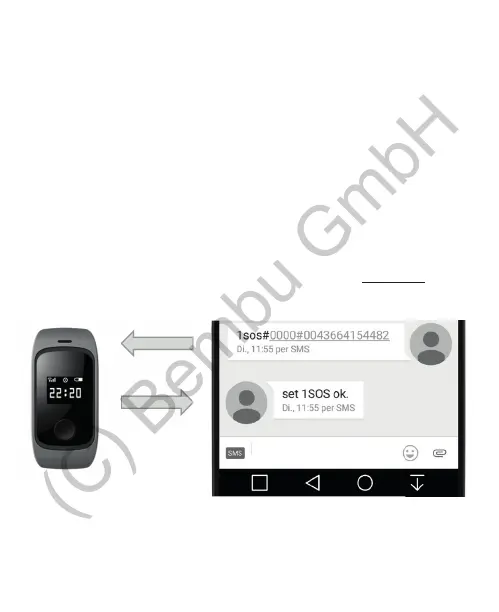
1.3 Set the emergency contact numbers
Hold down the SOS button for 3 seconds.
It is possible to con gure up to 3 emergency contact numbers.
The default password is „0000“. This password is important so the
watch is protected against unauthorized access.
If the con guration was successful the watch will respond with a
corresponding message.
To con gure the watch please send a SMS with the following format
from any mobile phone to the watch:
format: 1SOS#PW#phone number
2SOS#PW#phone number
3SOS#PW#phone number
e.g. 1SOS#0000#0043664154482
17


 To Next Page