20 21
OPERATION
1
FRONT BACK
Dry
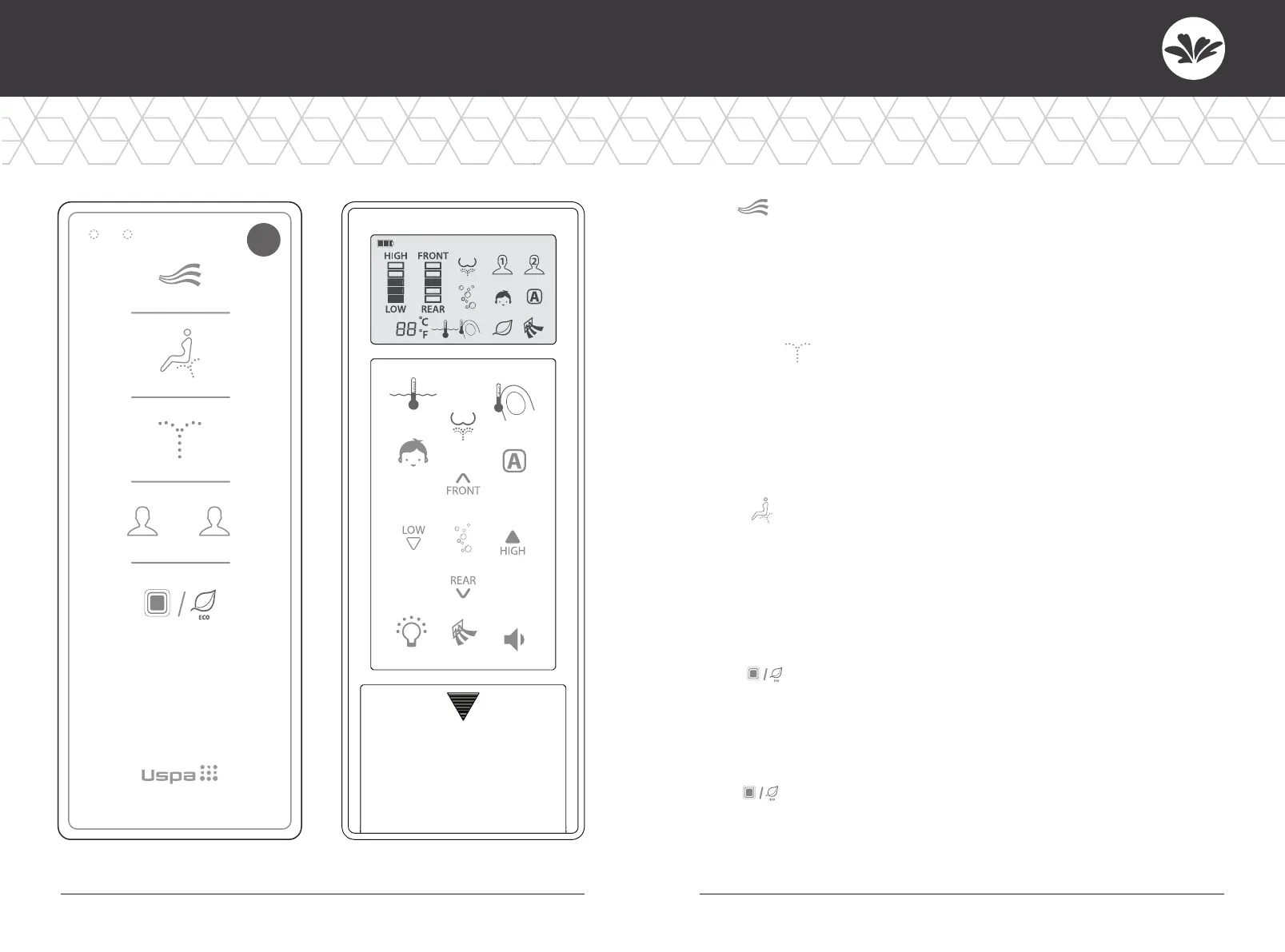
• Press “Dry” Warm air will come out for 3 minutes.
• To alter the strength of drying, press the button again.
• Dry temperature can be adjusted by pressing
LOW or HIGH button to 5 levels.
Cleansing
• Press “Cleansing” to clean your posterior.
The function will stop in 2 minutes automatically.
• Press this button again to activate oscillation. The nozzle moves
back and forth automatically to widen the cleansing area.
• Oscillation wash stops if this button is pressed again.
Bidet
• Press “Bidet” for feminine wash.
The function will stop in 2 minutes automatically.
• Press this button again to activate rhythmical wash for the massage effect.
• Massage wash stops if this button is pressed again.
Stop
• Press “Stop” to stop the current operation.
• When a user stands up, all operations will stop automatically.
(Except for kids function)
Eco
• Press “Eco” for 2 seconds to activate the power-saving mode.
Seat and water temperature will be set to low but the temperature
will remain at room temp.



 To Next Page