24 25
OPERATION (CONT.)
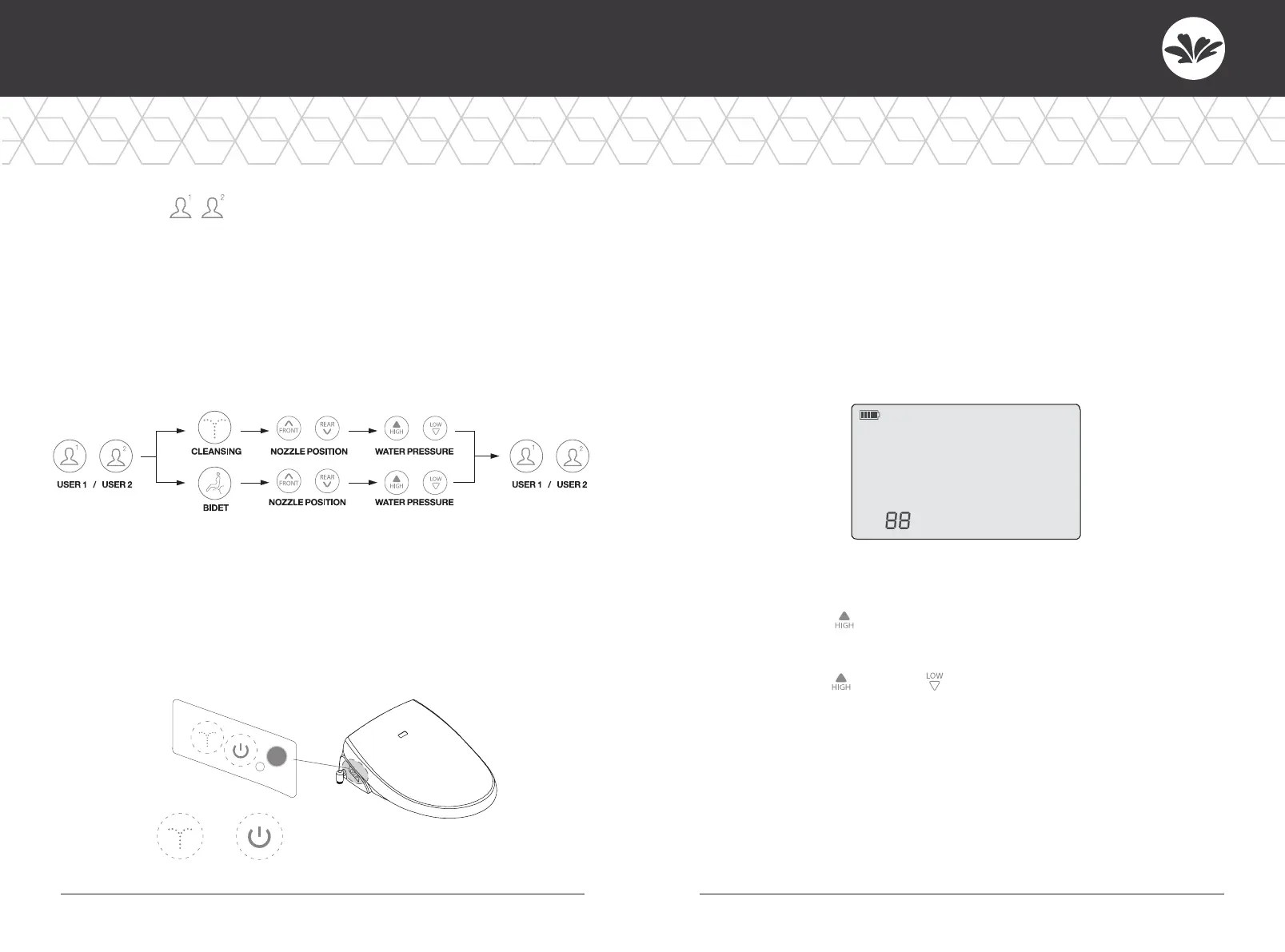
User Setting
• Each button can save 2 settings. (Cleansing, Bidet)
• Press the User 1 button and Cleansing or Bidet consecutively. Then choose
nozzle position by pressing the FRONT/REAR button and water pressure
level by pressing the LOW/HIGH button. Press User 1 again to save the
setting with a beep.
• The same applies to saving the User 2 setting.
• Press User 1 or User 2 while using cleansing or bidet to
operate saved settings.
Side Control Buttons
• Use side control buttons on the unit when the remote control is
broken or its batteries are dead.
• Press “cleansing” or “Bidet” to start.
• Press again to stop. Do not use sharp items to press the buttons.
C
L
E
ANS
I
N
G
/S
TOP
B
ID
ET
/P
O
W
ER
CLEANSING / STOP BIDET / POWER
Identification
• This function is useful for public toilets when more
than one unit of this product is installed.
• To prevent interference among units, the main unit and
the remote control should be set with the same ID.
• If there is only one unit in the bathroom, you do not need to set an ID.
• The initial ID of the remote and main unit is “0”.
There are 16 choices in ID (00~15).
How to Set ID (Remote Control)
• Press the “High” button for 3 seconds and the ID will show
up on display.
• Press the “High” or “Low” button until your ID appears on
display. (00~15)
• Press “Stop” to save the ID.



 To Next Page