11
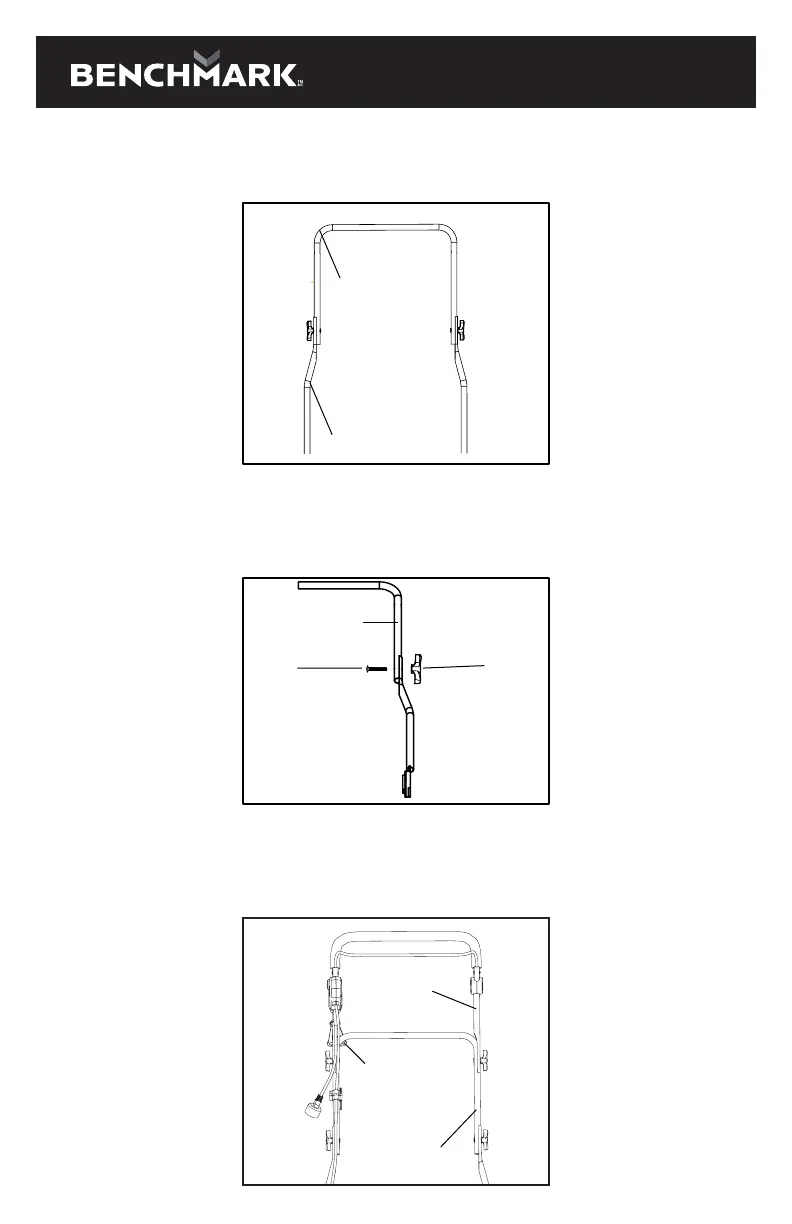
Assemble the middle handle
1. Install the middle handle onto the lower handle by tightening the knob and the
bolt.
NO.2 handle
NO.1 handle
2. Knob installation: Disassemble the knob assembly, pass the bolt through the
inside of the middle, and then turn the knob clockwise to the screw to fix the
second handle. Same installation on the other side.
Knob
NO.2 handle
Bolt
Assemble upper handle and cable clip
1. Install the upper handle on the outside of the middle handle. Install the extension
cord restraint holder on the same side as the switch.
Extension cord
restraint holder
NO.3 handle
NO.2 handle
Middle handle
Middle handle
Upper handle
Upper handle
Extension cord
restraint holder
Lower handle



 To Next Page