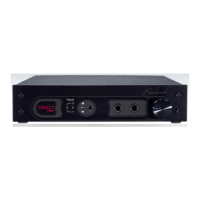
DAC1 USB
Instruction Manual Revision D Page 12
disabled by removing a jumper (JP7).
This termination is required for normal
operation, but may be removed if the
user wishes to loop a single coaxial feed
through several other pieces of
equipment.
A 75-Ohm termination must be applied at the
last device on the loop, and there should be a
combined total of less than 6 feet of cable
between the first and last receive device.
Input 2 – AES/EBU XLR
This input uses a gold-pin Neutrik™ female
XLR connector. The input is balanced and has
an input impedance of 110 Ohms. Maximum
word length is 24-bits. All sample rates
between 28 and 195 kHz are supported.
This input is DC isolated, transformer
coupled, current limited, and diode protected.
The XLR shell and pin 1 (ground) are both
directly bonded to the chassis to prevent
currents in the internal ground systems. This
direct bonding also maximizes RF shielding.
The XLR input is designed to accept standard
4 Vpp AES signals, and will work reliably with
levels as low as 300 millivolts. Receive errors
will occur (and the DAC1 USB will mute)
when the peak-to-peak input voltage is less
than about 160 millivolts at the XLR input.
TIP: Shielded 110-Ohm AES/EBU digital
audio cable is highly recommended for
stable performance. For improved
shielding, we also recommend selecting
digital cables that have the connector
shells bonded to the cable shield.
Input 3 – Optical
The optical input connector is manufactured
by Toshiba and is commonly known as a
TOSLINK connector. The TOSLINK optical
connector used on the DAC1 USB is designed
to work well at sample rates up to 192 kHz.
Maximum word length is 24-bits. All sample
rates between 28 and 195 kHz are supported.
Input 4 – USB
The USB input accepts a ‘B-type’ male USB
1.1 or USB 2.0 connector. An ‘A-B type’ USB
cable is provided with the DAC1 USB. The
USB cable connects the DAC1 USB directly to
a computer’s USB output. The USB interface
utilizes USB 1.1 protocol, and is compatible
with both USB 1.1 and USB 2.0 ports.
The USB input supports 44.1, 48, 88.2 and 96
kHz sample rates at word lengths up to 24-
bits. The USB interface acts as a ‘native’ USB
audio device and does not require the
installation of any custom drivers.
Benchmark’s Advanced USB Audio
technology achieves bit-transparent operation
without special drivers and without changing
system settings.
The Benchmark USB interface is truly a plug-
and-play solution. The DAC1 USB can begin
streaming high resolution audio bit-
transparently within seconds after being
plugged into a computer for the first time. No
software or hardware configuration is
required.
The DAC1 USB is designed, tested and
proven compatible with the following four
operating systems:
• Windows Vista
• Windows XP
• Windows 2000
• Mac OS X *
* TIP – When using OS X the system
sample rate should be set to match the
sample rate of the files being played.
Also, we do not recommend using the OS
X system volume control – set it to
100%.



 To Next Page