2.
Establish a climb or descent as appro-
priate.
3.
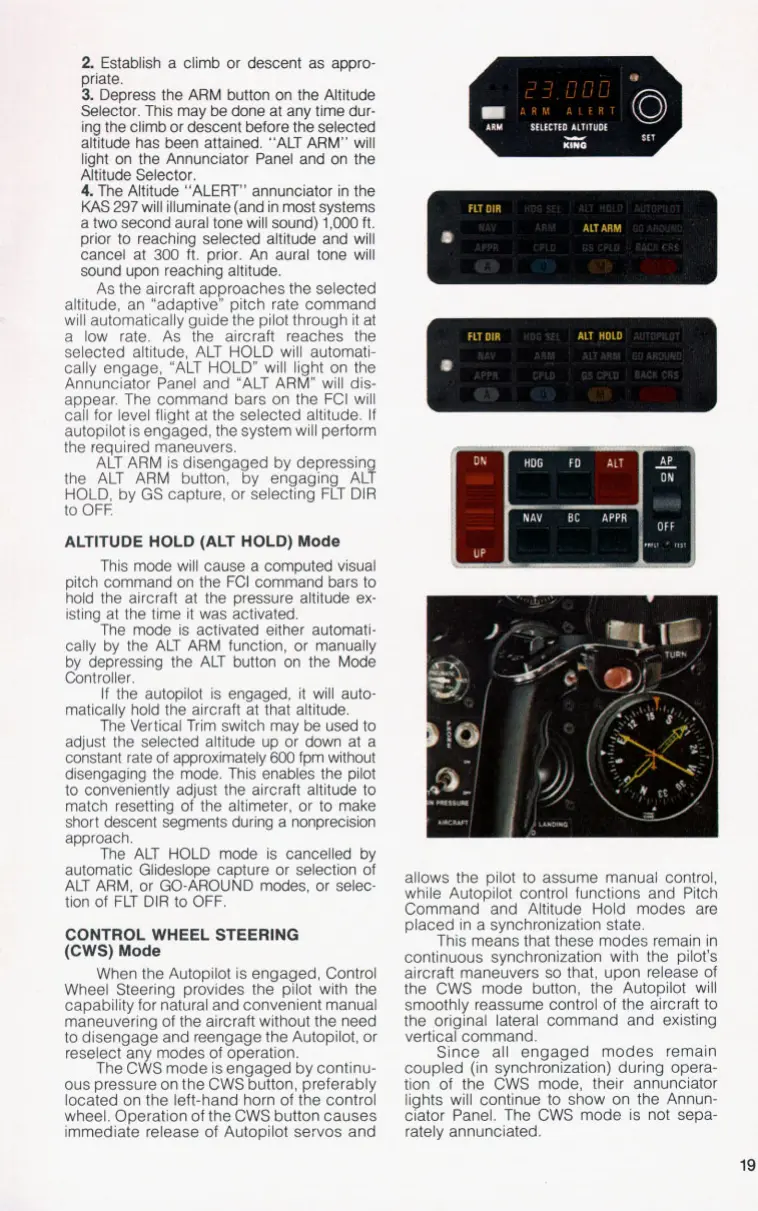
Depress the ARM button on the Altitude
Selector. This may be done at any time dur-
ing the climb or descent before the selected
altitude has been attained. “ALT ARM” will
light on the Annunciator Panel and on the
Altitude Selector.
4.
The Altitude “ALERT” annunciator in the
KAS
297
will illuminate (and in most systems
a two second aural tone will sound)
1,000
ft.
prior
to
reaching selected altitude and will
cancel at
300
ft. prior. An aural tone will
sound upon reaching altitude.
As the aircraft approaches the selected
altitude, an “adaptive” pitch ,rate command
will automatically guide the pilot through it at
a low rate. As the aircraft reaches the
selected altitude, ALT HOLD ,will automati-
cally engage, “ALT HOLD” will light on the
Annunciator Panel and “ALT ARM” will dis-
appear. The command bars on the FCI will
call for level flight at the selected altitude.
If
autopilot is engaged, the system will perform
the required maneuvers.
ALT ARM is disengaged by depressing
the ALT ARM button, by engaging ALT
HOLD, by GS capture, or selecting FLT DIR
to
OFF.
ALTITUDE HOLD (ALT HOLD)
Mode
This mode will cause a computed visual
pitch command
on
the FCI command bars
to
hold the aircraft at the pressure altitude ex-
isting at the time it was activated.
The mode is activated either automati-
cally by the ALT ARM function, or manually
by depressing the ALT button on the Mode
Controller.
If
the autopilot is engaged, it will auto-
matically hold the aircraft at that altitude.
The Vertical Trim switch may be used
to
adjust the selected altitude up or down at a
constant rate of approximately
600
fpm without
disengaging the mode. This enables the pilot
to
conveniently adjust the aircraft altitude
to
match resetting of the altimeter, or
to
make
short descent segments during a nonprecision
approach.
The ALT HOLD mode is cancelled by
automatic Glideslope capture or selection of
ALT ARM, or GO-AROUND modes, or selec-
tion of FLT DIR
to
OFF.
CONTROL WHEEL STEERING
(CWS)
Mode
When the Autopilot is engaged, Control
Wheel Steering provides the pilot with the
capability for natural and convenient manual
maneuvering of the aircraft without the need
to
disengage and reengage the Autopilot, or
reselect any modes of operation.
The CWS mode is engaged by continu-
ous pressure on the CWS button, preferably
located on the left-hand horn of the control
wheel. Operation of the CWS button causes
immediate release of Autopilot servos and
allows the pilot
to
assume manual control,
while Autopilot control functions and Pitch
Command and Altitude Hold modes are
placed in a synchronization state.
This means that these modes remain in
continuous synchronization with the pilot’s
aircraft maneuvers
so
that, upon release of
the CWS mode button, the Autopilot will
smoothly reassume control of the aircraft
to
the original lateral command and existing
vertical command.
Since all engaged modes remain
coupled (in synchronization) during opera-
tion of the CWS mode, their annunciator
lights will continue
to
show on, the Annun-
ciator Panel. The CWS mode is not sepa-
rately annunciated.
19


 To Next Page