KFC
250
System
Panel
Checklist:
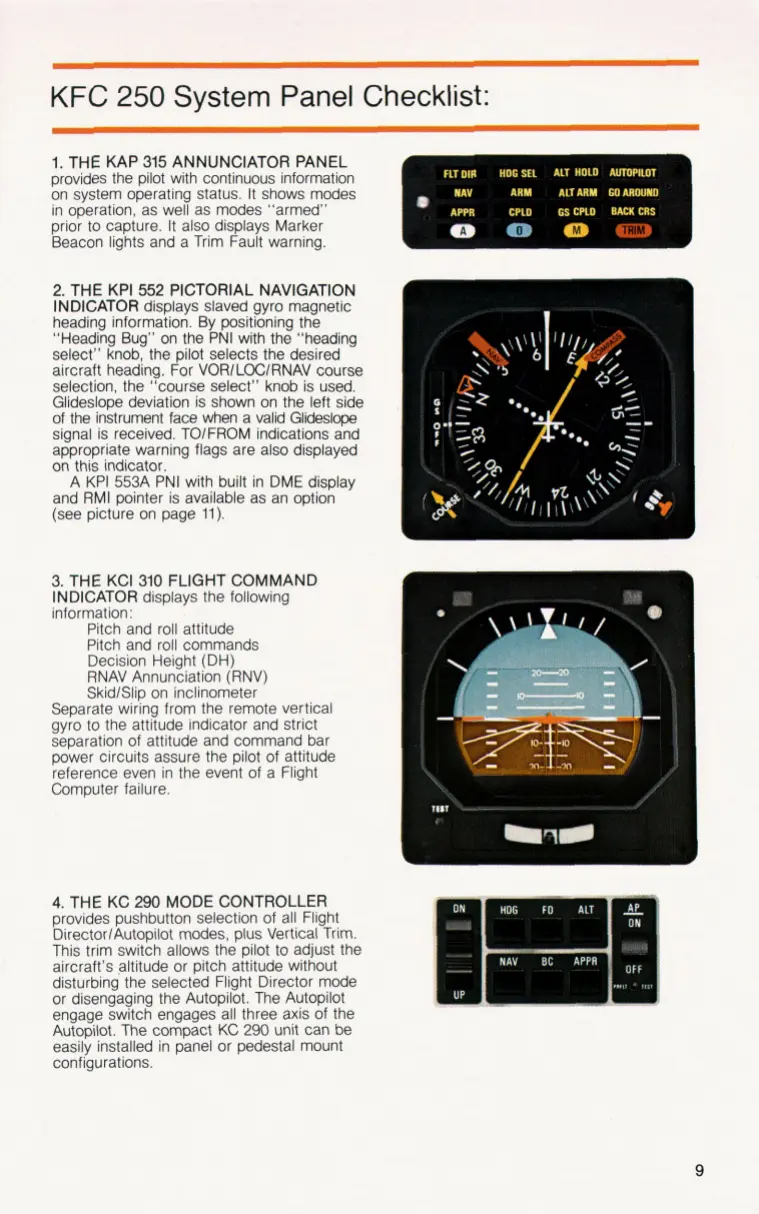
1.
THE KAP
315
ANNUNCIATOR PANEL
provides the pilot with continuous information
on system operating status.
It
shows modes
in operation, as well as modes “armed”
prior
to
capture.
It
also displays Marker
Beacon lights and a Trim Fault warning.
2.
THE KPI
552
PICTORIAL NAVIGATION
INDICATOR
displays slaved gyro magnetic
heading information. By positioning the
“Heading Bug” on the PNI with the ”heading
select” knob, the pilot selects the desired
aircraft heading. For VORlLOClRNAV course
selection, the “course select” knob is used.
Glideslope deviation is shown on the left side
of the instrument face when a valid Glideslope
signal is received. TOlFROM indications and
appropriate warning flags are also displayed
on
this indicator.
A KPI 553A PNI with built in DME display
and
RMI
pointer is available as an option
(see picture on page
11).
3.
THE KCI
310
FLIGHT COMMAND
INDICATOR
displays the following
information:
Pitch and roll attitude
Pitch and roll commands
Decision Height
(DH)
RNAV Annunciation (RNV)
SkidlSlip on inclinometer
Separate wiring from the remote vertical
gyro
to
the attitude indicator and strict
separation of attitude and command bar
power circuits assure the pilot
of
attitude
reference even in the event of a Flight
Computer failure.
4.
THE KC
290
MODE CONTROLLER
provides pushbutton selection of all Flight
DirectorlAutopilot modes, plus Vertical Trim.
This trim switch allows the pilot
to
adjust the
aircraft’s altitude or pitch attitude without
disturbing the selected Flight Director mode
or disengaging the Autopilot. The Autopilot
engage switch engages all three axis of the
Autopilot. The compact
KC
290
unit can be
easily installed in panel or pedestal mount
configurations.
9


 To Next Page