Chapter 2
22
BP
-2010-NW
User’s Manual
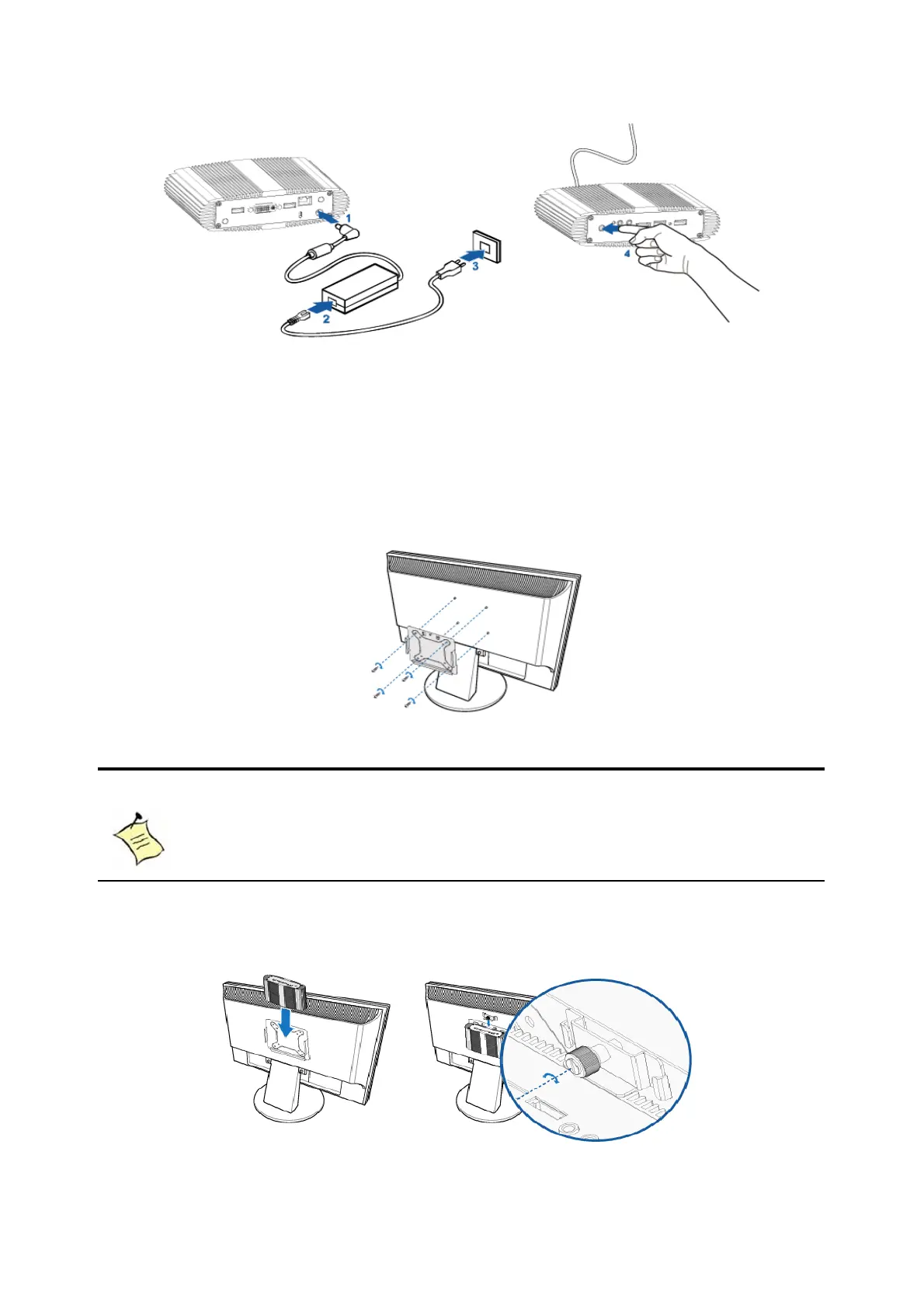
Figure 7 Turing on the system
Mounting your PC to a monitor
1. Secure the VESA mounting kit (optional accessory) to your monitor with
four screws.
Figure 8 VESA mounting (1)
NOTE
To fasten the metal shelf, your monitor must comply with VESA75 or
VESA100 standard.
2. Place the BPC-201 on the VESA mounting kit and make sure the computer
is fitting well on the bracket.
Figure 9 VESA mounting (2)



 To Next Page