25
EN
EMERGENCY BATTERY
The TRUST24 control panel includes the power supply board prepared for connection in series of two batteries 12V 2,1Ah DA.BT2
(optional) which enable operation of the automation also in the event of temporary absence of the mains power supply.
During normal operation of the mains, the TRUST24 board recharges the batteries.
The maximum load current is 1A, the average loading current is 300mA. (respect polarity).
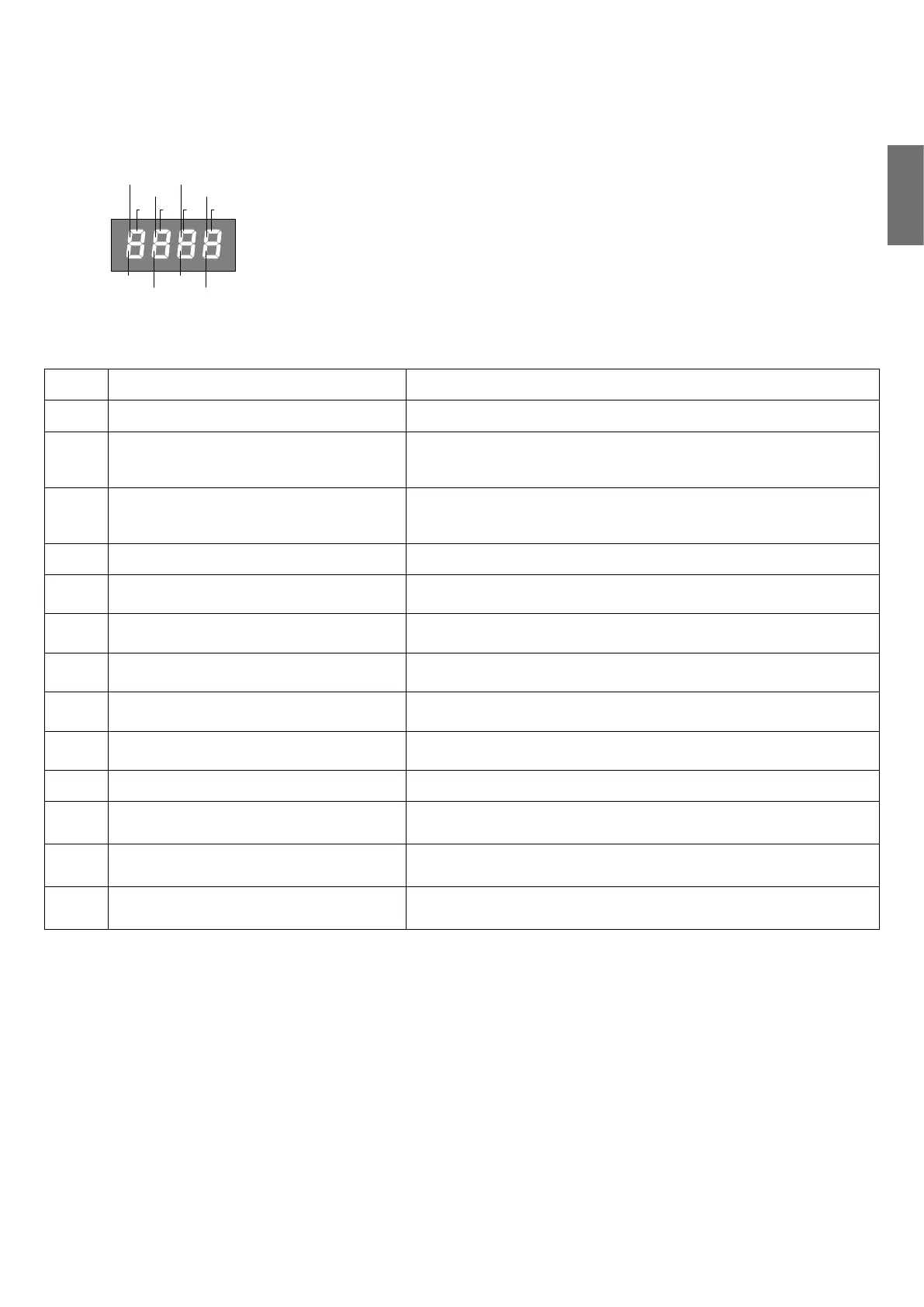
DIAGNOSTICS
PHOT
SWC1
STOP
SWO1 SWO2
SWC2
PHOT-C
DAS
P.P. PED OPEN CLOSE
On each input, a display segment is associated which in the event of activation switches
on, according to the following board.
The N.C. inputs are represented by the vertical segments.
The N.O. outputs are represented by the vertical segments.
The control panel displays the message AMP 1 or AMP2 in the event of intervention of the
anti-crushing device amperometric sensor.
ERROR MESSAGES
The list is displayed of some messages which are shown on the display in the event of an operating anomaly:
Amp1
Motor 1 obstacle error/anti-crushing Check the presence of obstacles on the stroke of the motor gate 1
Amp2
Motor 2 obstacle error/anti-crushing Check the presence of obstacles on the stroke of the motor gate 2
ENC1
Encoder 1 error/obstacle detection
Check correct connection of the encoder of motor 1 to the control panel,
the presence of obstacles on the stroke of the gate and correct operation
of the encoder.
ENC2
Encoder 2 error/obstacle detection
Check correct connection of the encoder of motor 2 to the control panel,
the presence of obstacles on the stroke of the gate and correct operation
of the encoder.
ERR
AUTOSET error Repeat autoset procedure
Err1
Motor 1 circuit test error
Check motor 1 connections. Motor disconnected or not working. Problem
on control panel
Err2
Motor 2 circuit check error
Check motor 2 connections. Motor disconnected or not working. Problem
on control panel
Err4
PHOTA photocell test error
Check connections, alignment of the photocell PHOT OP or obstacles
present.
Err5
PHOTC photocell test error
Check connections, alignment of the photocell PHOT LC or obstacles
present.
Err8
Inputs enabling error
During the autoset phase, an input activated (START/PP/Open/Close/PED)
or one of the buttons (+/-/PG) activated. Repeat the autoset procedure.
BAR
BAR input intervention (sensitive edge) During the manoeuvre, the sensitive edge detected an obstacle.
thrm
Motor thermal switch safety device interven-
tion
Overheating due to permanent obstacles. Release the gate and check
there are no friction points.
ovd1
Overload M1 Maximum power exceeded. Check motor or presence of friction.
ovd2
Overload M2 Maximum power exceeded. Check motor or presence of friction.


 To Next Page
 Loading...