13 How to assemble your monitor hardware
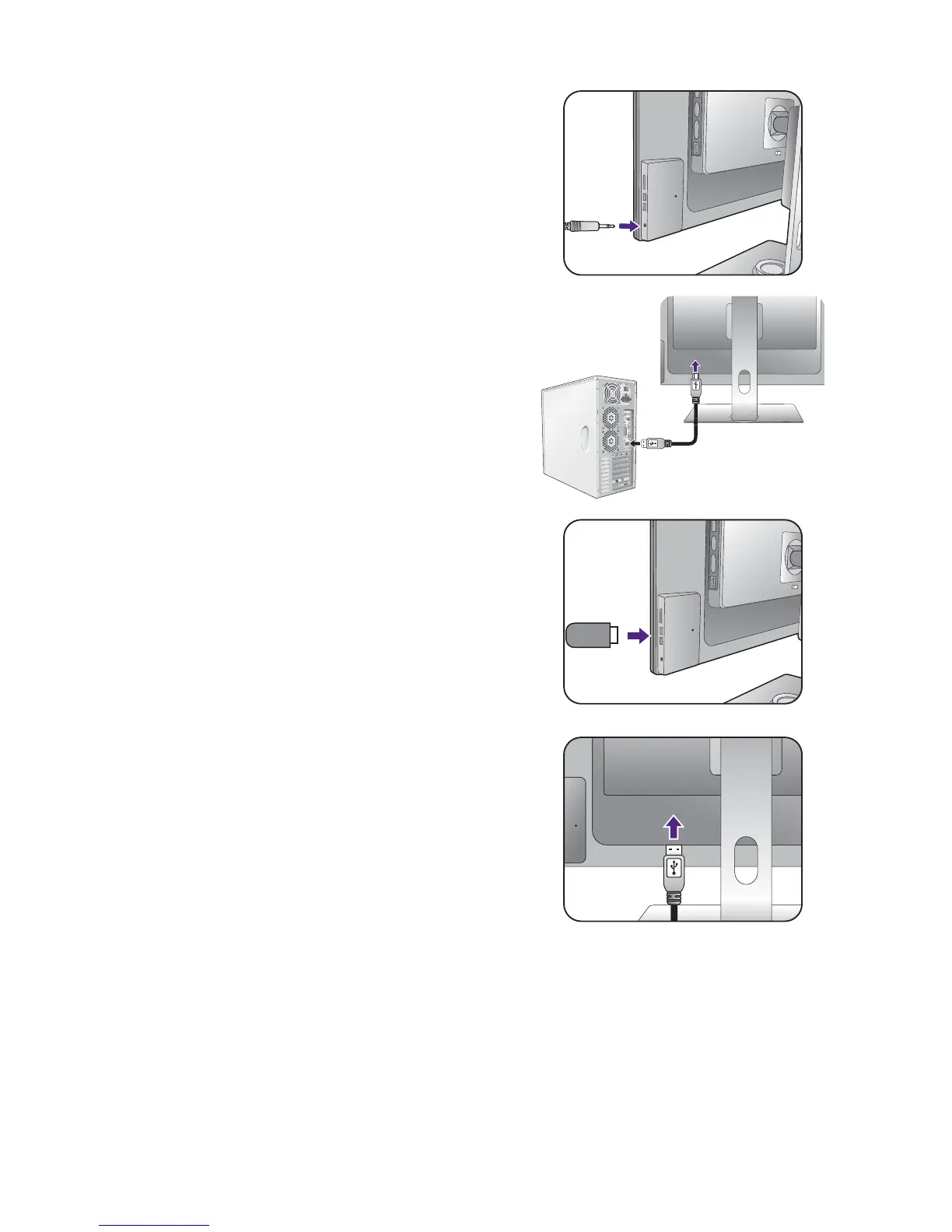
You may connect headphones to the headphone jack
found on the back side of the monitor.
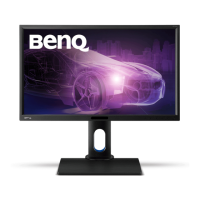
4. Connect USB devices.
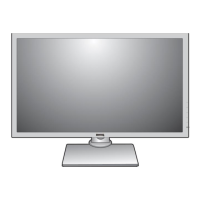
Connect the USB cable between the PC and the
monitor (via the upstream USB port at the back). This
upstream USB port transmits data between the PC and
the USB devices connected to the monitor.
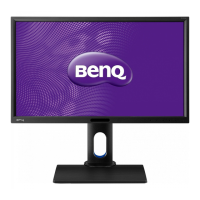
Connect USB devices via other USB ports
(downstream) on the monitor. These downstream USB
ports transmit data between connected USB devices
and the upstream port.
Or


 To Next Page