EasyManua.ls Logo

BenQ C1420 - User Manual

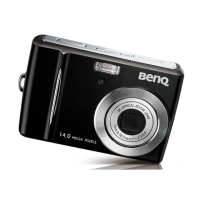
BenQ C1420
37 pages
Print Icon
To Next Page IconTo Next Page
Loading...
Welcome
C1420
Digital Camera
User Manual

Questions and Answers

  • C
    cynthia73Aug 13, 2025
    What to do if my BenQ Digital Camera does not shoot?
    • J
      Jasmine GriffinAug 13, 2025
      If your BenQ Digital Camera isn't shooting when you press the shutter, several things could be happening. First, make sure your batteries aren't low by replacing them. Next, ensure the camera is actually in Capture mode. When taking a photo, be sure to press the shutter button completely. If your memory is full, either load a new card or delete unnecessary files. If the flash is still charging, wait for the flash mode icon to stop flashing. Finally, if the camera doesn't recognize the memory card, format it.
  • N
    Nicole AyalaAug 17, 2025
    Why I cannot download images from BenQ C1420 to my computer?
    • W
      wgibsonAug 17, 2025
      If you're unable to download images from your BenQ Digital Camera to your computer, it could be due to a couple of reasons. First, ensure your computer's hard disk has sufficient free space for both running Windows and for the image files, ideally as much or more than the memory card in your camera. Also, ensure that the camera has power by replacing the batteries.
  • C
    Carla ReynoldsAug 20, 2025
    How to fix BenQ Digital Camera that won't turn on?
    • B
      Billy ChanAug 21, 2025
      If your BenQ Digital Camera won't power up, the issue likely lies with the batteries. Ensure that the batteries are inserted correctly. If they are, try replacing them with a fresh set.
  • A
    Alicia Barber MDAug 25, 2025
    What to do if BenQ C1420 Digital Camera image is too bright or dark?
    • T
      Tony WilliamsAug 25, 2025
      If the image from your BenQ Digital Camera appears too bright or too dark, the exposure may be off. Try resetting the exposure compensation to resolve this.
  • C
    Craig AustinAug 28, 2025
    Why BenQ C1420 Digital Camera flash does not fire?
    • D
      Dorothy PhillipsAug 28, 2025
      If you find that the flash on your BenQ Digital Camera isn't firing or recharging, the first thing to check is the flash setting. Ensure that the flash is set to Auto Flash.
  • D
    David GreenSep 1, 2025
    What to do if BenQ C1420 Digital Camera image is dark even with flash?
    • J
      Julie SmithSep 1, 2025
      If your BenQ Digital Camera image appears dark even after the flash fires, it might be because you're too far from your subject. Try moving closer to the subject before taking the shot.
  • N
    Nicolas MartinezSep 5, 2025
    Why can't I format memory card in my BenQ C1420?
    • N
      Natalie BrewerSep 5, 2025
      If you're having trouble formatting a memory card in your BenQ Digital Camera, there are a couple of things to check. First, make sure the memory card isn't write-protected by removing the write protection. If that's not the issue, the memory card might be at the end of its life, and you should try inserting a new one.
  • R
    Regina WheelerSep 9, 2025
    How to print images from BenQ C1420 Digital Camera with PictBridge?
    • D
      Debra LamSep 9, 2025
      To print images with PictBridge-compliant printers using your BenQ Digital Camera, make sure you connect the camera to the printer, then turn on the camera, and select Printer.

Summary

Safety Warning and Notice

For Your Safety

General safety precautions for using the camera and accessories.

Getting Started

Initial Settings Configuration

Guides through the initial setup of language and date/time.

Setting the Date and Time

Instructions on how to set the camera's date and time.

Choosing the Display Language

How to select the display language for menus and messages.

Formatting Storage Media

Process for formatting storage media to erase data.

Capture Mode

Capturing Images

Basic steps and controls for taking still photographs.

Video Mode

Recording Video Clips

How to record video clips and their settings.

Playback Mode

Erasing Images

Steps to delete single or all images from the camera.

Menu Options

Capture Menu Settings

Settings for image capture, including size, ISO, quality, and white balance.

Video Menu Settings

Settings for video recording, including size, quality, color, audio, and zoom.

Playback Menu Settings

Settings for playback, including delete, slideshow, rotate, protect, copy, and setup.

Setup Menu

Transferring Files to Your Computer

Downloading Your Files Guide

Step-by-step guide to transfer files from camera to computer.

Troubleshooting and Service Information

Common Problems and Solutions

Lists common camera problems and their potential causes and solutions.

BenQ C1420 Specifications

General IconGeneral
TypeCompact
Optical Zoom5x
Digital Zoom5x
LCD Screen Size2.7 inches
Image Sensor Size1/2.3"
Video Resolution1280 x 720
Sensor TypeCCD
Storage MediaSD/SDHC card
Sensor Resolution14 Megapixels
Effective Pixels14 Megapixels
ISO SensitivityAuto, 100, 200, 400, 800, 1600, 3200
Weight130 g

Related product manuals