4. Using Your Camera
21
4.6.3. White Balance Setting
Under different environments, you can adjust white balance settings to get the best color registration image effect. The DC
1300 provides 5 white balance settings to modify white balance under different situations.
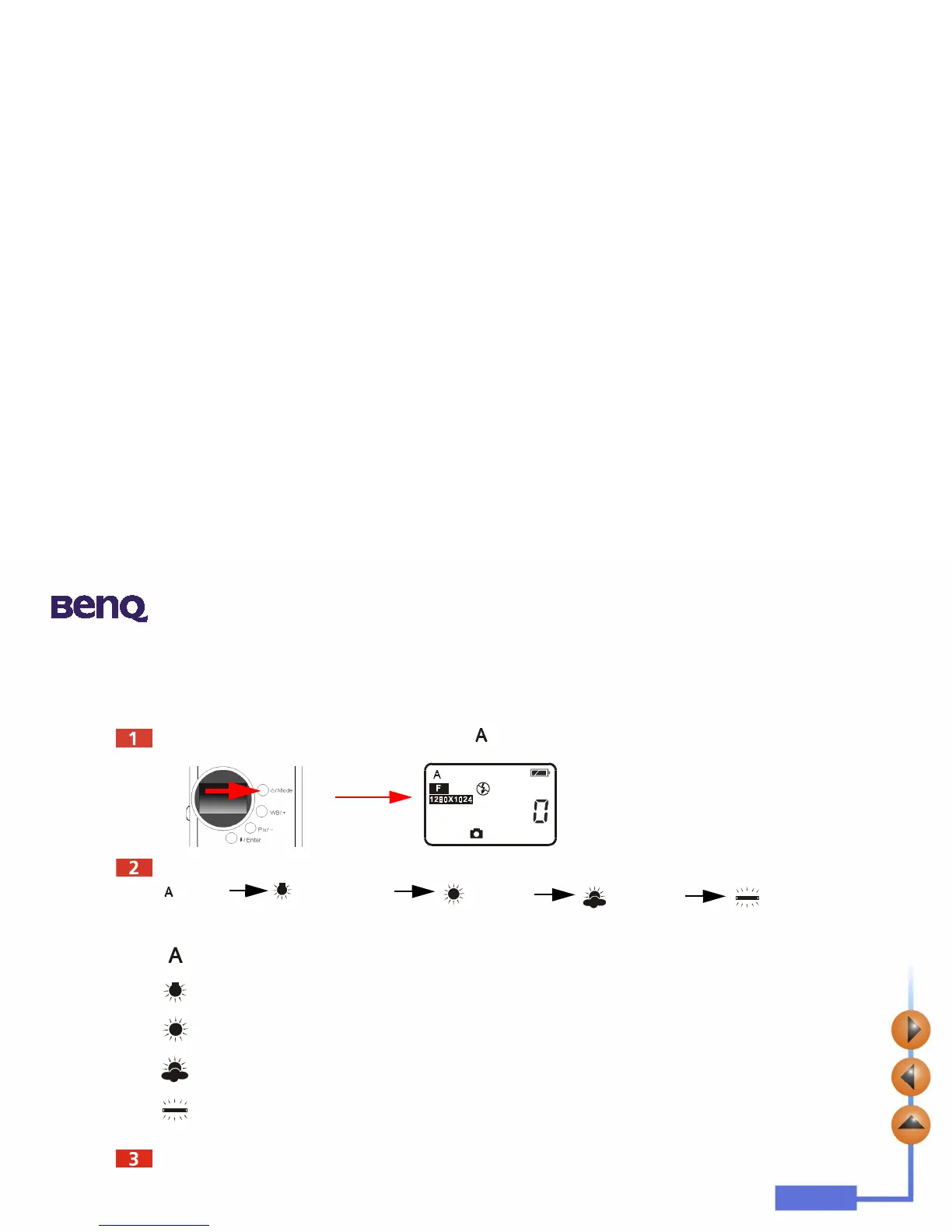
Turn on the camera power and the default flash icon appears on the status display.
Press the WB/ + button, the camera will beep as the white balance icon changes in the sequence as follow illustrated:
White Balance Settings:
Auto:
The DC 1300 selects a white balance mode automatically.
Tungsten light:
Select this mode if you are taking photos under tungsten light bulb.
Daylight:
Select this mode if you are taking photos under direct daylight.
Overcast:
Select this mode if you are taking photos under windy sky.
Fluorescent light:
Select this mode if you are taking photos under fluorescent light.
Now you are ready to take pictures under different situations.



 To Next Page