BenQ DC 5530 User’s Manual
English
Using the DC C800 7
3.4.2 Record Menu (Movie)
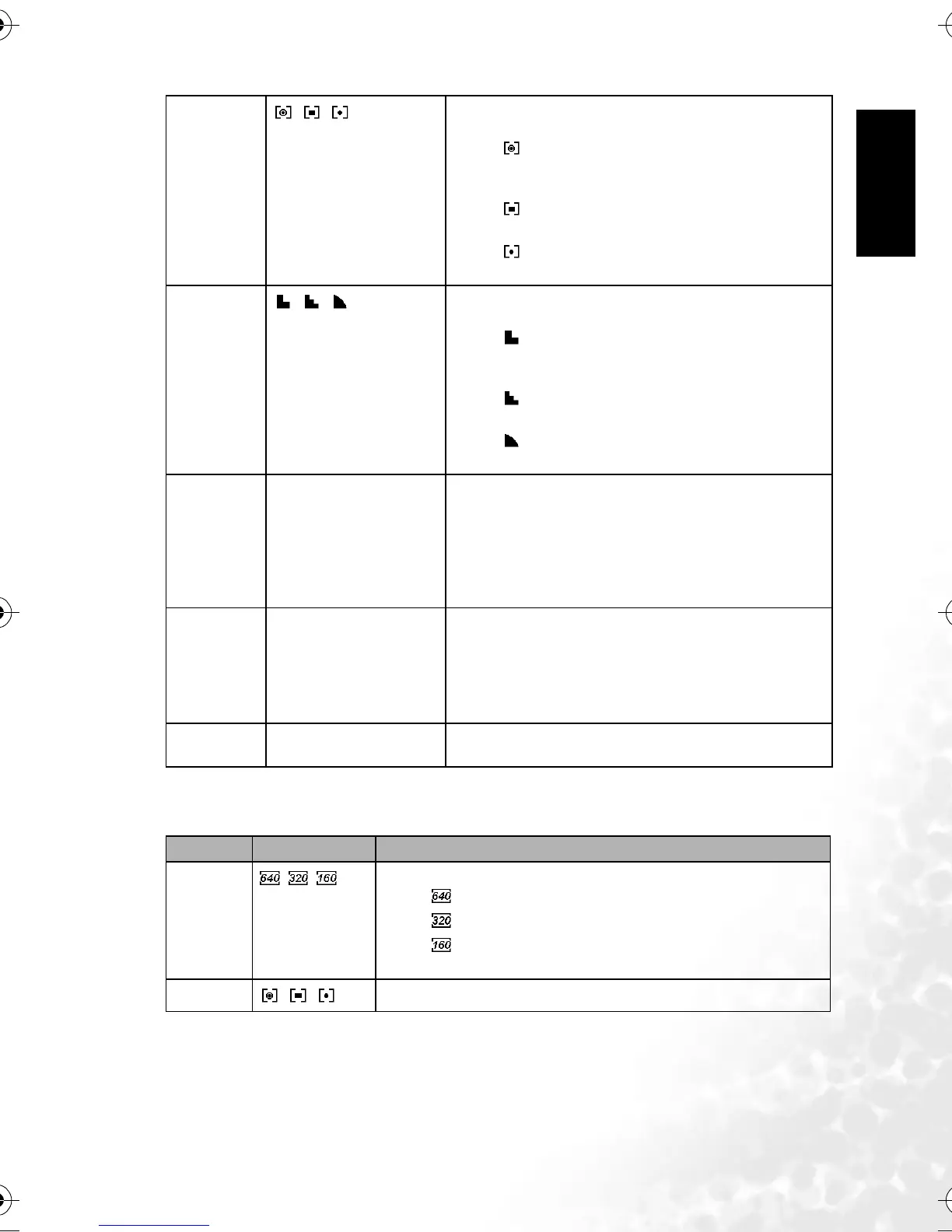
Metering
//
Adjusts the region of the subject or frame on which the cam-
era measures light.
– : Light is measured from the entire shooting
screen, but gives more importance to the values near
the center.
– : Selects an exposure based on readings from
multiple points in the subject area.
– : Selects an exposure based on a single reading
taken from the center of your picture.
Sharpness
//
You can select whether you want the image to have sharp or
soft outlines.
– : The edges of the image are emphasized. The
edges will become sharp, but noise may occur in the
recording image.
– : The edges of the image are sharp. This is suit-
able for printing.
– : The edges of the image are softened. This is
suitable for editing images on PC.
Effect Off/B&W/Sepia/Neg. Art You can add special effects to your images in Record mode or
in Playback mode.
– Off: No effect is added to the image.
– B&W: Convert image to black & white.
– Sepia: Recorded image will be stored in a sepia tone.
– Neg. Art: Opposite what they were in the original
image.
Date Stamp Off/Date/Date & Time Adds a date to your pictures as you take them.
– Off: Do not add the recorded date & time to printed
images.
– Date: Only adds the recorded date to printed images.
– Date & Time: Adds the recorded date & time to
printed images.
Digital Zoom Off/On – Off: deactivates digital zoom.
– On: activates digital zoom.
Menu Item Available Setting Functional Description
Movie Size
//
Sets the size of video clips that will be recorded.
– : 640x480 - Suitable for viewing on TV.
– : 320x240 - Suitable for viewing on PC.
– : 160x128 - Suitable for attaching to e-mails or using in web-
sites.
Metering
//
Refer to 3.4.1 “Record Menu (Still Image)” on page 6.
DC_C800_UM.book Page 7 Friday, October 21, 2005 2:58 PM



 To Next Page