BenQ DC 5530 User’s Manual
English
Using the DC C80010
3. Pressorto select a menu item and then pressor the SET button to launch the
submenu.
4. Pressorto select an option and pressor the SET button to apply the setting.
5. Press the MENU button to close the menu.
3.5 Using the LCD monitor
The LCD monitor is used to compose images while recording, adjust settings and replay
images.
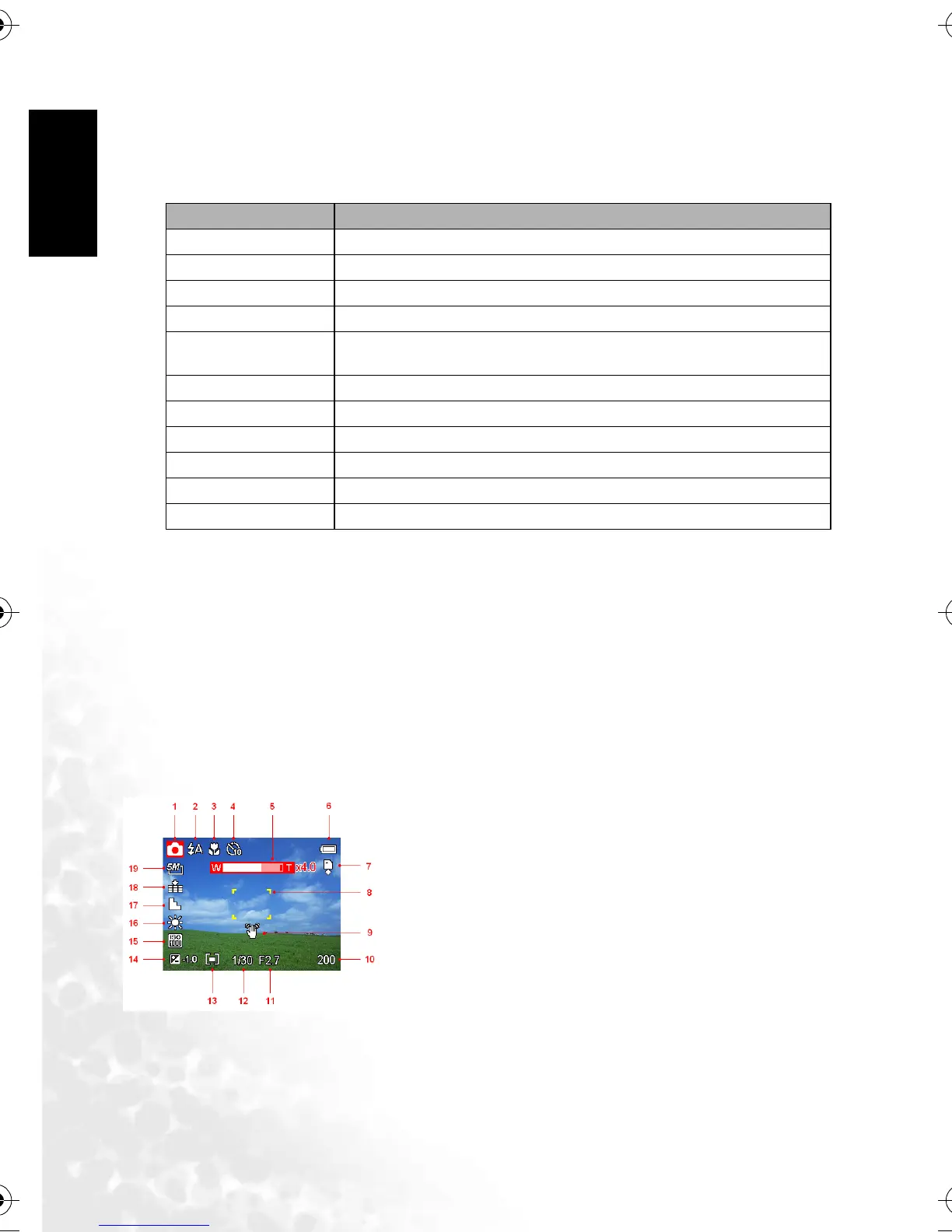
3.5.1 LCD Screen Indicator
3.5.1.1 In Recording
Menu Item Available Setting
Sounds Sets the camera sounds and volume.
Auto Review Off/3 sec./5 sec.
Power Save 1 min./3 min./5 min.
Date & Time Sets the date & time.
Language English/Spanish/German/French/Italian/Portuguese/Dutch/Czech/Hungarian/
Polish/Turkish/Russian/Japanese/Korean/S.Chinese/T.Chinese
File No. Series/Reset
TV Out NTSC/PAL
USB Computer/Printer
S.Image Sets the start-up image.
Format Formats the internal memory or memory card.
Reset All Resets all camera settings to initial default.
1. Mode icon
2. Flash
3. Macro
4. Self-timer/Burst
5. Zoom indicator
6. Battery
7. Storage media
8. Focus area
9. Shake warning
10. Shots remaining
11. Aperture value
12. Shutter speed
13. Metering
14. Exposure
15. ISO
16. White balance
17. Sharpness
18. Quality
19. Resolution
DC_C800_UM.book Page 10 Friday, October 21, 2005 2:58 PM



 To Next Page