30 How to adjust your monitor
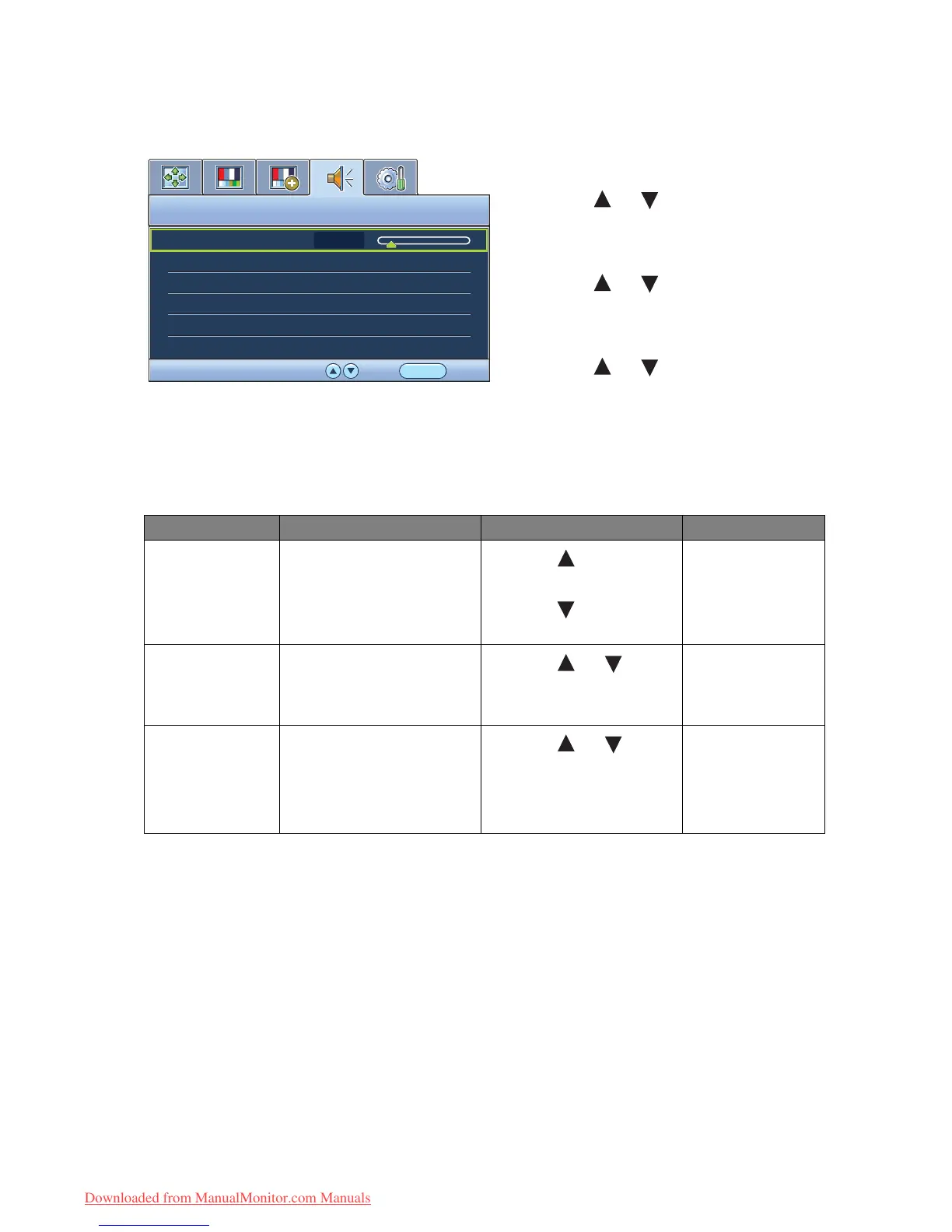
Audio menu
1. Press the MENU key to display the main
menu.
2. Press the or keys to select AUDIO
and then press the ENTER key to enter the
menu.
3. Press the or keys to move the
highlight to a menu item and then press
the ENTER key to select that item.
4. Press the or keys to make
adjustments or selections.
5. To return to the previous menu, press the
MENU button.
Item Function Operation Range
Volume Adjusts the audio volume
Press the key to
increase the volume and
press the key to
decrease the volume.
0 ~ 100
Mute Mutes the audio input
Press the or keys
to change the settings.
• ON
• OFF
Audio Select Allow users to select the
audio source or let the
monitor detect it
automatically
Press the or keys
to change the settings.
• PC Audio
• HDMI Audio 1
• HDMI Audio 2
• Auto Detect
Downloaded from ManualMonitor.com Manuals



 To Next Page