110 Dodatak: Upotreba (Launcher) za verziju softvera stariju od v01.00.19.00
4. Press the back button at anytime to exit out of the keyboard.
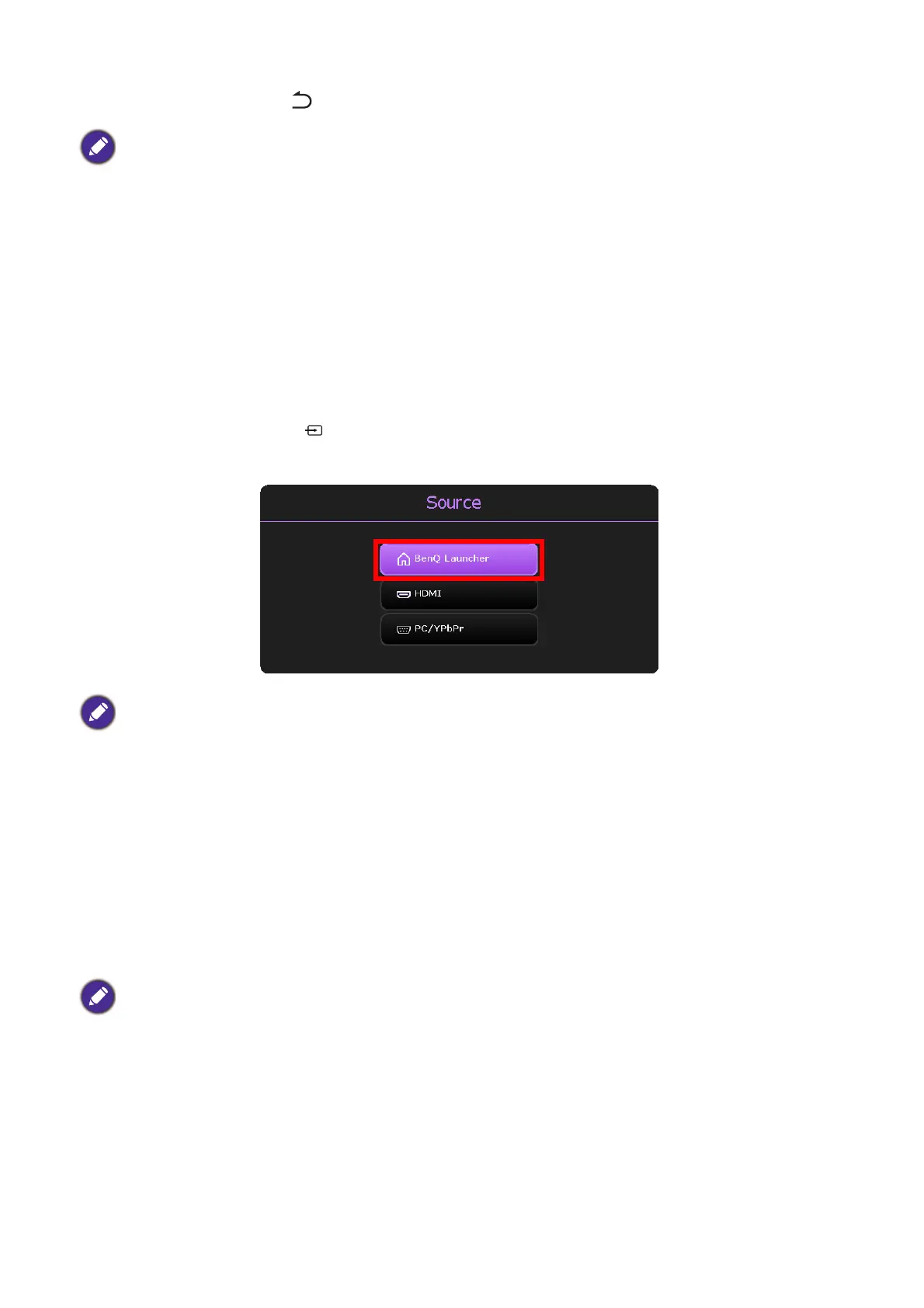
Switching to BenQ Launcher from an input source
When HDMI or PC is selected in the source menu, the projector will exit the BenQ Launcher
interface to project video from the input source (e.g. a Blu-Ray/DVD player, set-top box, or PC).
The projector will remain outside of the BenQ Launcher interface as long as the HDMI or PC
input source is selected or (depending on Auto Source Search settings) until the projector is
powered off and back on again.
As a result, anytime the user wants to wirelessly cast their device’s screen, view media files
stored on a flash drive, or run apps, they must return to the BenQ Launcher interface. To return
to BenQ Launcher:
1. Press the source button or the LAUNCHER button on the remote control.
2. Select BenQ Launcher in the source menu.
Wireless Connections
Connecting the projector to a wireless network
Before you can project wirelessly via the projector, you must first connect the projector to a
wireless network. To connect your projector to a wireless network, or to switch wireless
networks:
1. Install the provided wireless dongle into the wireless dongle port (see Instalacija bežičnog
hardverskog ključa on page 8).
2. Power on the projector (see Dodatak: Upotreba (Launcher) za verziju softvera stariju od
v01.00.19.00 on page 107).
Actual keyboard types may vary based on your language preference setting. See Keyboard on page 140
for more information.
When the Auto Source Search function is enabled in the Advanced > Settings menu of the projector’s
OSD menu, the projector will display the BenQ Launcher home screen by default once it is powered on. If
the Auto Source Search function is disabled, the projector will detect if a signal is available from the input
source that was last used and switch to that input source if it is available, if a signal is not available or the
projector was set to BenQ Launcher during the previous session, the projector will enter the BenQ
Launcher home screen. See Postavke on page 90.
If you have already connected the projector to a wireless network during the setup wizard you may skip the
steps in this section.













 To Next Page