35 Upotreba (pod Launcher izvorom)
BenQ Launcher
BenQ Launcher is the projector’s operating system that allows you to wirelessly cast your
device’s screen, play files, run apps, as well as adjust projector settings.
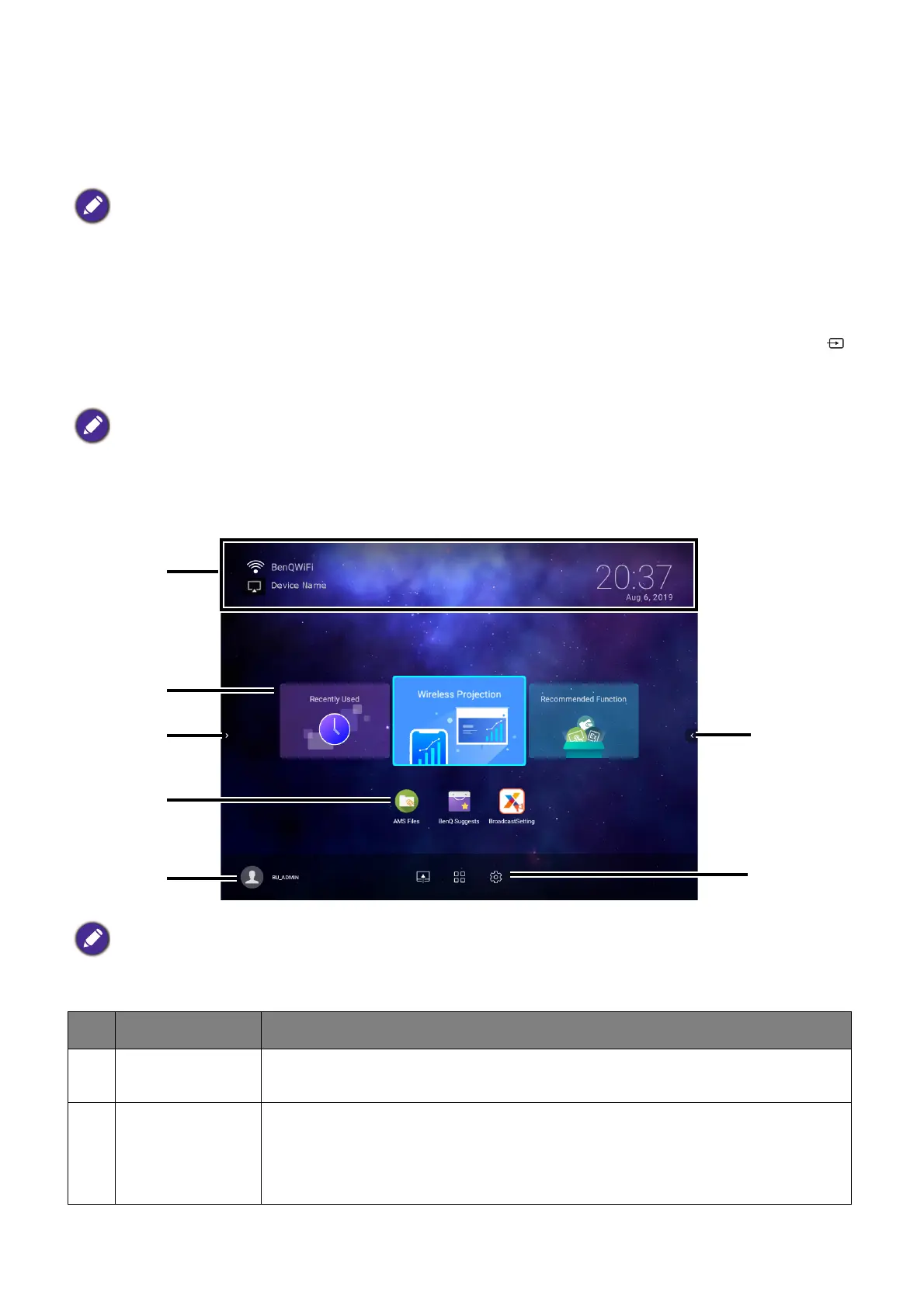
The BenQ Launcher home screen
Upon initial start up or when BenQ Launcher is selected in the input source menu, the
projector will display BenQ Launcher. If the projector is projecting from an input source (e.g.
HDMI or PC/YPbPr), you can return to BenQ Launcher mode by pressing the source button
or the LAUNCHER button on the remote control and then selecting BenQ Launcher in the
input source menu.
The BenQ Launcher home screen features six main components:
Use the buttons on the projector, the remote control, or connect a USB mouse to the projector’s USB-1 or
USB-2 ports to navigate BenQ Launcher and operate its functions.
When the Auto Source function is enabled in the Advanced > Settings menu of the projector’s OSD
menu, the projector will display the BenQ Launcher home screen by default every time it is powered on. If
the Auto Source function is disabled, the projector will detect if a signal is available from the input source
that was last used and switch to that input source if it is available, if a signal is not available or the projector
was set to BenQ Launcher during the previous session, the projector will enter the BenQ Launcher home
screen. See Postavke on page 90.
Actual screen may vary based on your BenQ Launcher firmware version.
No. Component Description
1 Status Bar
Icons that display the time, Bluetooth, wireless status, and device
name.
2 Main Menu
Shortcuts to recently used apps/documents, instructions on how to
project wirelessly, and recommended features/functions. See Using
the Main Menu on page 37 for more information regarding the Main
Menu.













 To Next Page