44 Upotreba (pod Launcher izvorom)
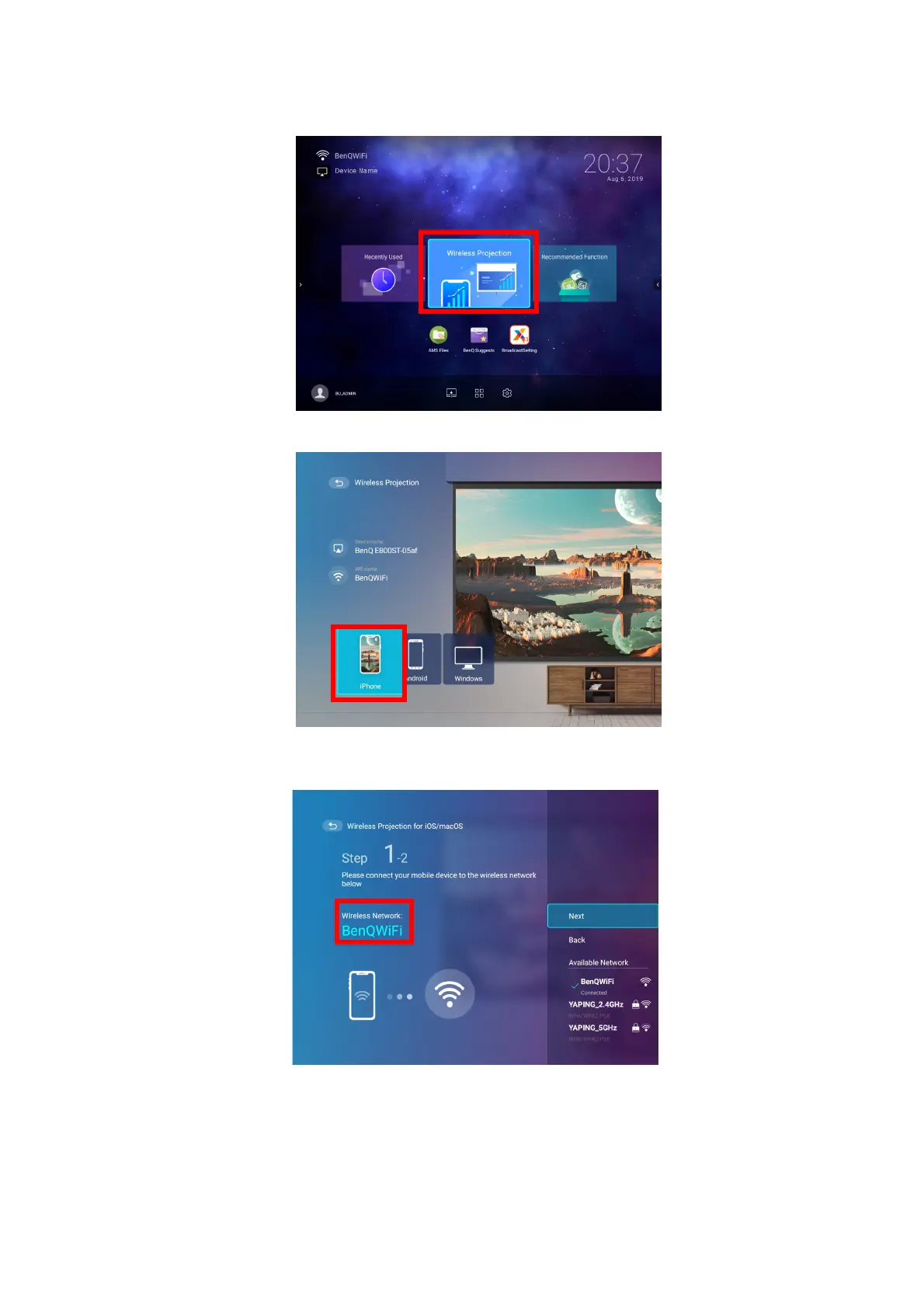
1. On the home screen of the BenQ Launcher interface, select Wireless Projection and
press OK.
2. In the Wireless Projection menu, select iPhone and press OK.
3. On your iOS mobile device’s wireless network menu connect to the wireless network
shown on the Wireless Projection for iPhone screen and then select Next.













 To Next Page