53 Upotreba (pod Launcher izvorom)
External Storage Connections
Connecting a flash drive
Connect a USB-A flash drive to the USB-1 or USB-2 port at the rear of the projector to play files
stored on the flash drive.
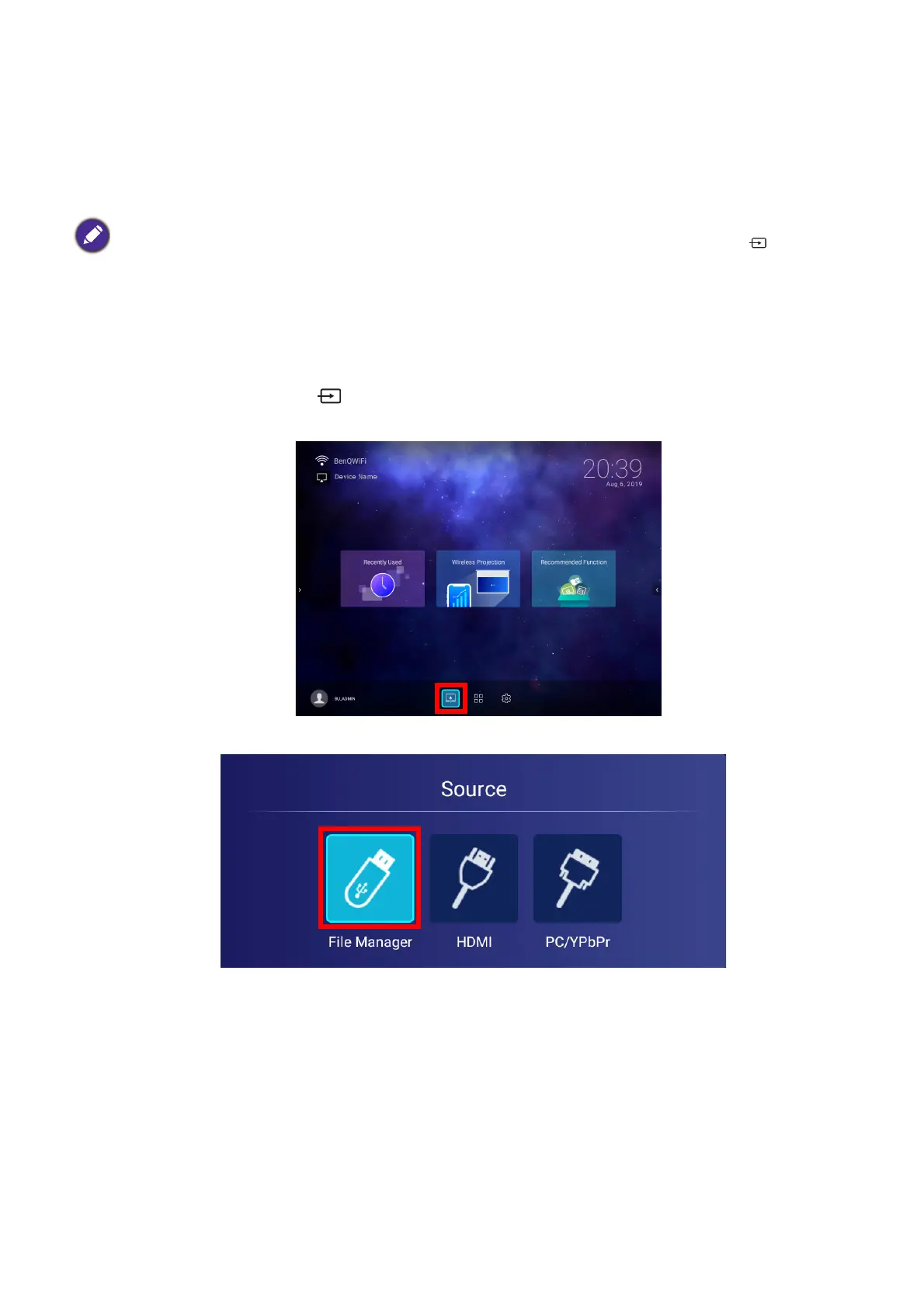
To play files stored on a flash drive:
1. Connect the USB-A flash drive to the USB-1 or USB-2 port at the rear of the projector.
2. Choose one of the following options:
• Press the source button on the projector or remote control.
• Select the source button on the BenQ Launcher home screen and press OK.
3. Select File Manager in the Source menu and press OK.
If you want to play media from a flash drive while the projector is set to the HDMI or PC/YPbPr input
source, you must first return to the BenQ Launcher interface by pressing the source button
or the
LAUNCHER button on the remote control and then selecting BenQ Launcher.













 To Next Page