26 How to adjust the monitor
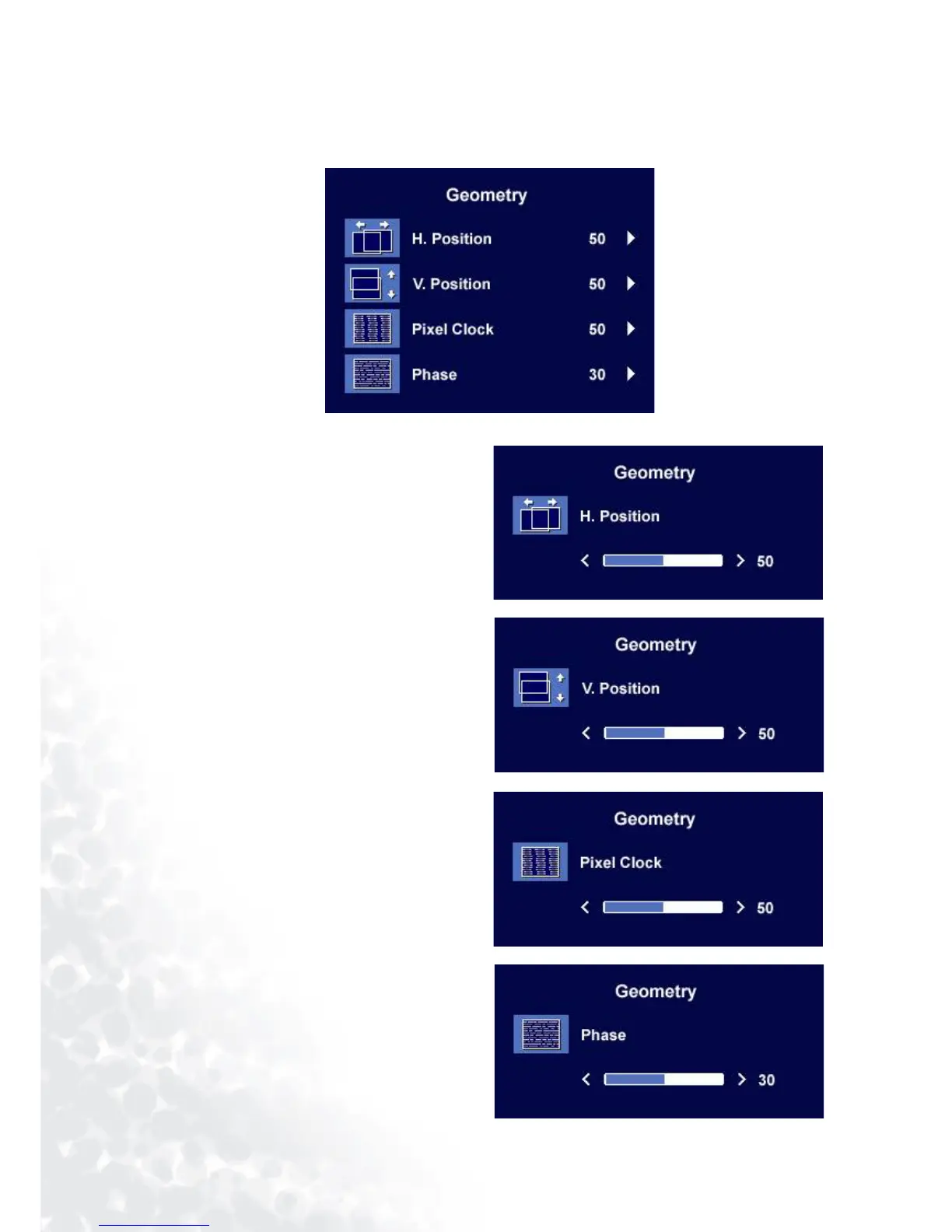
Geometry sub menu
Press the
t or u keys to adjust the display
Horizontal Position.
Press the Exit key to return to previous menu.
Press the
t or u keys to adjust the display
Vertical Position.
Press the Exit key to return to previous menu.
Press thet or u keys to adjust the monitor
Pixel Clock.
Press the Exit key to return to previous menu.
Press the t or u keys to adjust the degree
of screen display Phase.
Press the Exit key to return to previous menu.



 To Next Page