Operation44
Image menu
Some picture adjustments are available only when certain input sources are in use.
Unavailable adjustments are not shown on the screen.
FUNCTION
(default setting /
value)
DESCRIPTION
Auto Resize
(On)
Automatically resizes the input signal pixel resolution to the native
resolution of the projector. See "Selecting the aspect ratio" on page 33 for
details.
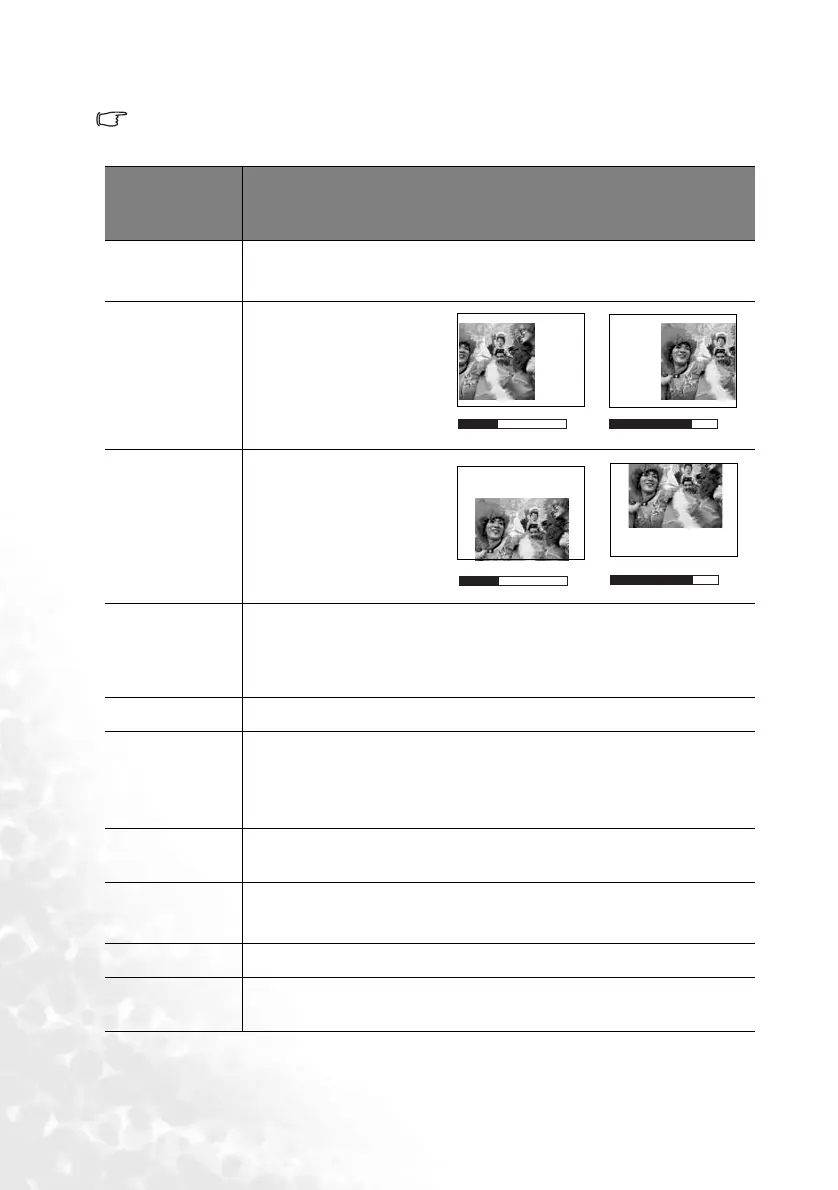
H Position
(0)
Adjusts the horizontal
position of the projected
image.
V Position
(0)
Adjusts the vertical position
of the projected image.
Color Temp
(depends on the
selected input
source)
Adjusts the white color. See "Selecting a color temperature" on page 36 for
details.
Information
Shows the current image resolution.
Ratio
(4:3)
Users have 2 options for the image ratio.
1. 4:3 (for a standard screen)
2. 16:9 (for a wide screen)
See "Selecting the aspect ratio" on page 33 for details.
Color
(0)
Increases or decreases the color intensity of the image.
Tint
(0)
Adjusts the color tones of the image. The higher the value, the more
reddish the image becomes. The lower the value, the more greenish the
image becomes.
System
Shows the Video input system format, NTSC, PAL, SECAM or YUV.
Sharpness
(0)
Adjusts the image to make it look sharper or softer.
-30 +30
-30
+30


 To Next Page