Using your Joybook Lite18
Using the keyboard
Function hotkeys
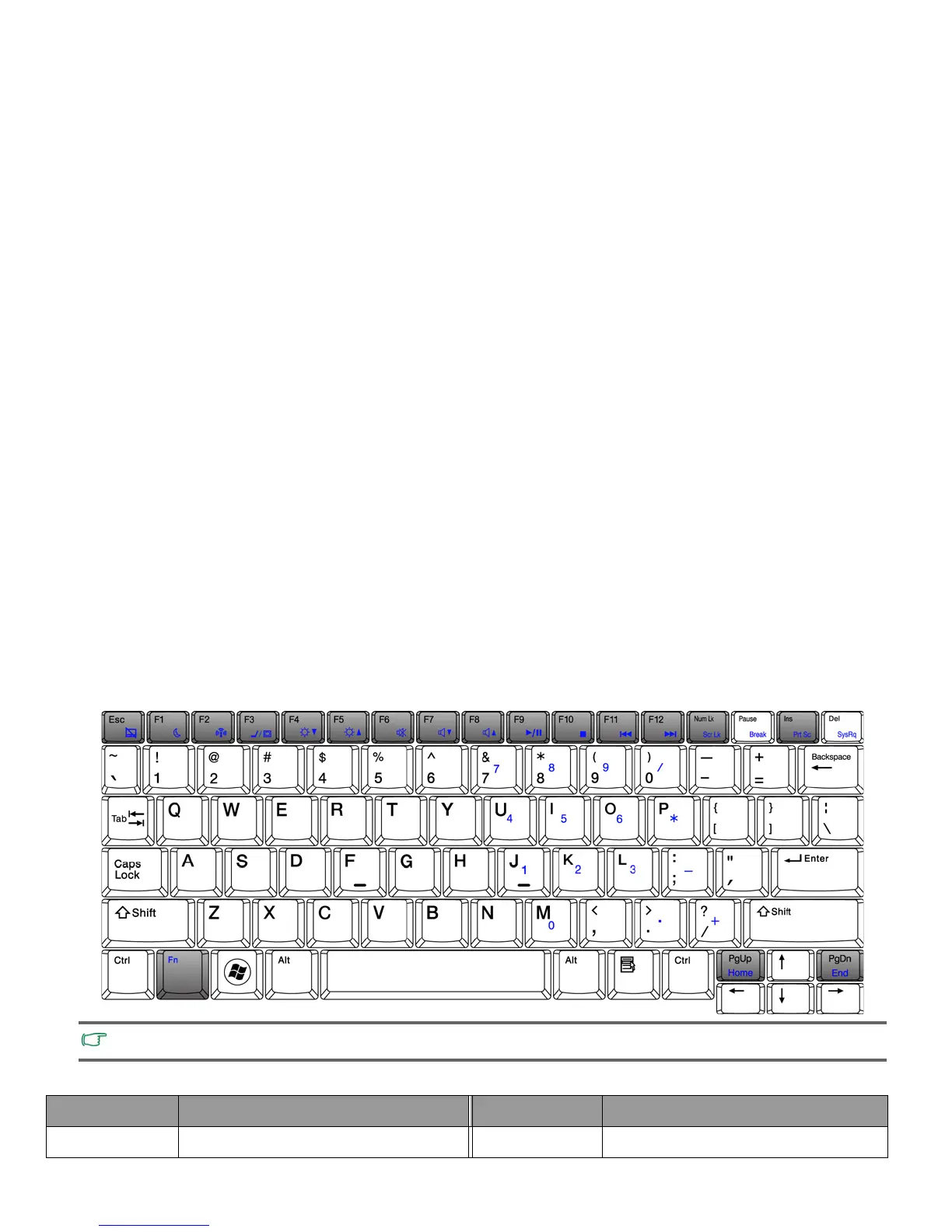
You can use the function hotkeys to access commonly used functions or make quick settings. To use the hotkeys, press and hold the
<Fn> (Function) key at the lower left corner of the keyboard, and then press the desired hotkey.
The appearance of the keyboard legend may vary depending on the country/region of your purchase.
Function hotkey Description Function hotkey Description
<Fn> + <Esc> Activates or deactivates the touchpad. <Fn> + <F1> Puts your Joybook Lite into Sleep mode.



 To Next Page